Чем отличаются форматы .doc и .docx ?
Разница между doc и docx заключается, в первую очередь, в возможности работы с ними пакетов программ. Формат doc подчиняется всем текстовым редакторам от Microsoft по умолчанию, не требуя надстроек, формат docx же Microsoft Word в версии 2003 года и ранних не воспринимается, его поддержка начинается в версии Word 2007
Текстовый документ в формате docx открывается исключительно продуктами от компании Microsoft начиная с 2007 года, в то время, как doc – различными версиями Word.
В файле docx используется zip- контейнер, что содержит документ в форме XМL.
Doc вообще не предполагает наличие функции сжатия.
Сторонние программы не совместимы (или очень плохо) с расширением doc.
docx имеют структуру сжатой папки и формат даннх XML и упакованы в zip архив, не воспринимаются офисом 2003 и ниже без костылей
если такой файл переименовать расширение в zip или открыть в winrar то можно будет поблуждать по многочисленным папкам и увидеть кучу файлов
What’s the difference between .DOC and .DOCX files in Microsoft Word?
Put simply, .Doc is the older version of a Microsoft Word Document.
DocX is the newer version, form versions of Microsoft Word 2007 onwards.
Now before you jump in thinking that the added X makes the document extreme or better in some way, that X on the end just stands for ‘Office Open XML’.

If you have the option to save your document as a .DOC or .DOCX which should you choose?
In this post we will outline the difference between the two file formats, but if you want to jump forward and skip the reading in almost all circumstances .DOCX is going to be the better option.
Read on for more.
What is .DOC?
When you see .DOC at the end of your document or file, this means that the file is in a text format.
The file is editable and a working document rather than say a PDF or JPEG which, when have text present in either format the text is not editable unless converted into a .DOC.

What is .DOCX?
If you have just created a new Word Document, or the document you are looking at was created post-2007 you will notice .DOCX sitting at the end of your file name.
Any file with the DOCX extension is a Microsoft Word Open XML Formate Document. These files are used for reports, resumes, letters, documentation, note-taking, newsletters, presentations and more. Almost always containing some text, DOCX files are not limited to text only they can also contain images, objects and creative formatting. If its a Microsoft Word Open XML file, its a DOCX file.
What makes a DOCX file different to a DOC file?
In short, DOCX files are smaller, easier to store and support due to the format being an XML. Your computer can handle more DOCX files at once than it can the old DOC files and using DOCX will allow your computers processing system to run as quickly as it should.
The only reason you would be working from a DOC file these days would be if the file was pre 2007 and still sitting in the old format.
Looking for an easier solution to your collaboration frustrations?
When collaborating in Microsoft Word, your email inbox can quickly become filled with updated versions of a document being sent back and forward between colleagues.
John made an edit, sent an email ‘see updated attached’.
Then Lucy made an edit, sent an email 30minutes later ‘updated version attached’, and it goes on for days.
Sending updated versions via email is one way to know a new version is available and required your attention. But it can also clutter your inbox with internal emails, with a single line or sometimes nobody of text in the email.

The alternative is to send them via a group chat channel such as Slack or Microsoft Teams, but you should make a new channel for the document updates so that you don’t miss one, or lose it in an open channel as other conversations start happening around the document being sent.
With overflowing inboxes and your slack channel constantly telling you there are un-read messages there needs to be a solution for collaborating alone. Somewhere your updated versions can live in peace, with no other noise around them to allow you to easily review and check them at any time.
The solution is here and it comes in the form of a great new purpose-built tool called Simul Docs.
Simul was built just for Microsoft Word and for you, to help you collaborate with ease.
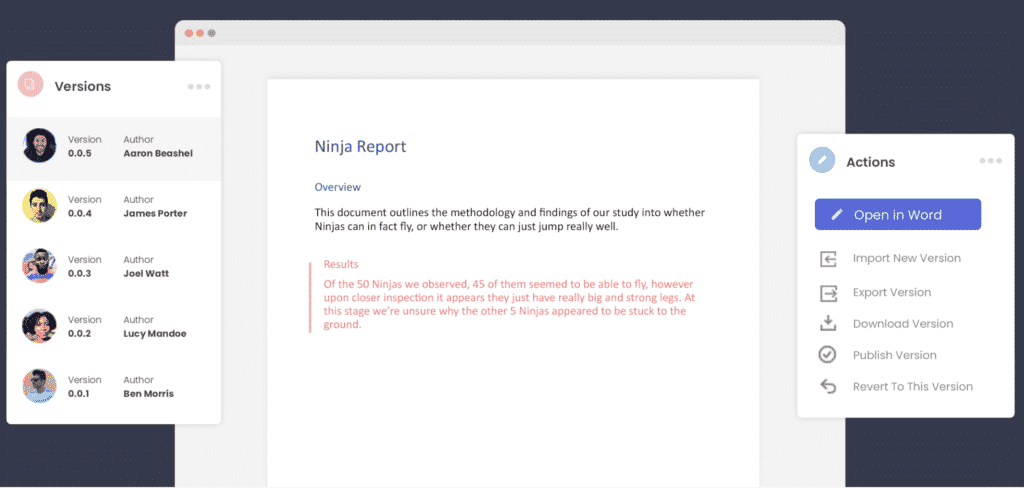
First and foremost, Simul will store and manage every version of your document in an easy to navigate toolbar that you can access from anywhere you have an internet connection (or offline if you do a quick download before losing your connection).
As a new version of your document is created, Simul will automatically save the file under a numerical version number that makes sense. The first version is named 0.0.1, the second 0.0.2, the third 0.0.3 and so on. Making it easy for you to keep track of how many versions have been made and which one is the most recent.
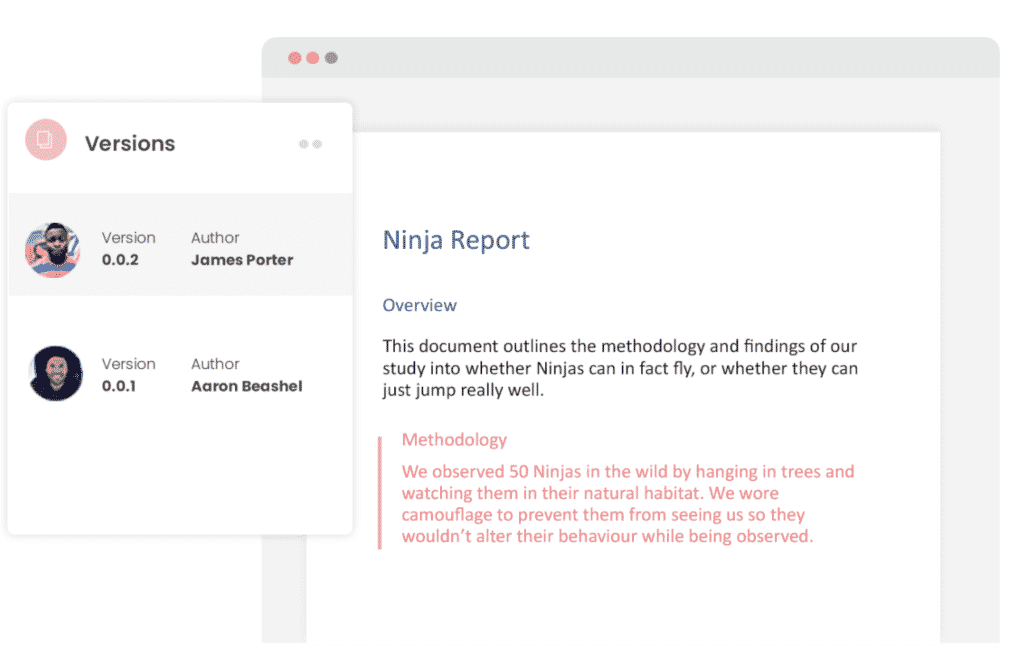
But what about any extra notes or comments the author wanted to make, ones they would usually put in the email such as ‘Tim, this is my final round of edits before we send onto client’? No worries, Simul allows you to add comments and notes to any version as well, so your team can see what is going on at all times.

Speaking of comments and notes, Simul will also track every comment, change or edit made to a version for you, without you having to remember to turn tracked changes on. That’s pretty cool, right?
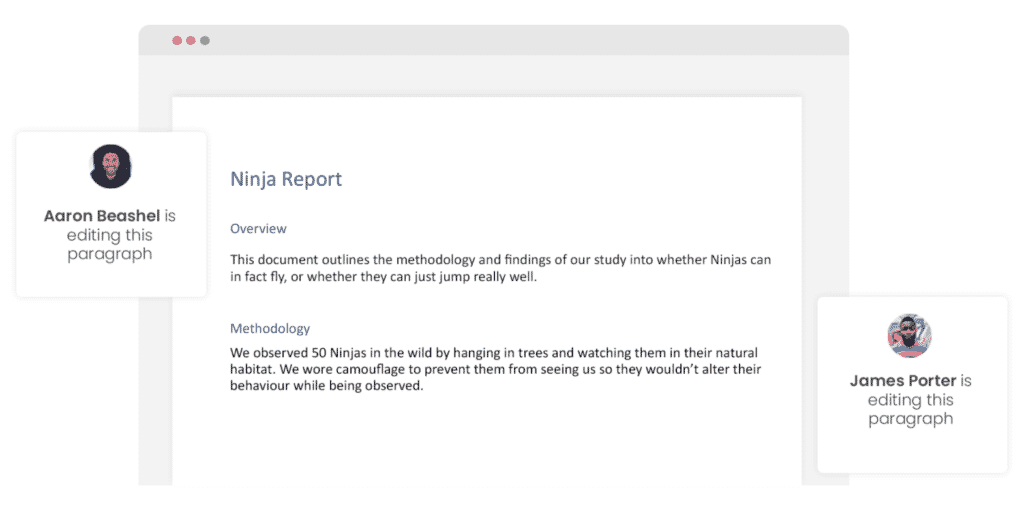
So a tool that manages your version control, saves your files and stores them and tracks all of your edits and changes without you thinking about any of it, it sounds too good to be true or as though it would be difficult to use or implement. Well, don’t worry it’s not, it’s here and it is called Simul Docs and it’s so easy to use, after walking through the in-app tutorial we had it down within 3 minutes.
It’s a bit like an apple product, it just makes sense. It’s clean and simple, nothing too complicated, but with everything you need all in the one spot.
If you’re not convinced already, head over to Simul now and give their free trial a go.
Collaboration just got a whole lot easier with Simul Docs.
Какая разница между doc и docx Format.
Ну могу ответить только дешевым дилетанским языком, не вдаваясь в глубины формата и возможностей.
doc — это более ранний формат. Соответственно, его откроет и СТАРЫЙ Ворд, и новый.
docx — формат новый, и, при отсутствии «обратной совместимости», его откроют далеко не все юзеры.
Потому, если нет предварительной договоренности (или вы не работаете совместно над одним и тем-же документом-трудом-комплексом документов, ) при отсылке файра друзьям-коллегам предпочтительнее пользоваться старым привычным doc-форматом.
ПС а то мне шеф напосылал тут файликов тучу, а они все в docx, я ничего не смог открыть, т. к. за новыми прогами не гоняюсь
Остальные ответы
doc — это старый формат Micrisoft Office
docx — формат Office 2007? весит меньше, чем doc за счёт сжатия
Для меня никакой, а вот 2003 офис не понимает .docx без соответсвующего плагина.
docx — это формат word 2007, и предыдущие версии его не прочитают. а doc — формат всех старых версий
Doc — документ Ворда 2000-2003, а Docx — Ворда 2007
docx — хрень, дабы другие не читали . MC 2007 .
odt — фигня дабы офис опустить .
Война фарматов . Заели — порт вариант на флешку .
Difference Between DOC and DOCX
DOC and DOCX extensions refer to the popular Microsoft Word file formats that have been part of its Office suite for a long time. DOC is the oldest file type and has been widely used prior to the introduction of the DOCX file format. DOC files are also known to be Word97-2003 files. DOCX file format was introduced with the launch of Word 2007 and is the default file format for saving word documents.
Routine users may not know the difference between the DOC and DOCX file formats, however, these two are different in several ways as detailed below.
DOC vs DOCX
Curious to know what is the difference between DOC and DOCX? Following is a list of differences between DOC and DOCX file formats.
The File Format Difference
The main difference between the DOC and DOCX file types is the underlying file format used for storing these documents.
DOC files are based on the Binary Interchange File Format (BIFF) that stores information as binary files. Data is organized in a DOC file as a collection of records and structures that are arranged in binary streams as described in MS-DOC file format specifications.
In contrast, a DOCX file uses the Office Open XML format that saves data in compressed XML files in ZIP format. If you want to examine the underlying structure of a DOCX file, simply unzip the .docx file to view its contents. You can rename the DOCX file extension to .zip and extract it to view its contents in a folder similar to any other files in the folder.
File Size Difference
Another difference is the difference in the file sizes of DOC and DOCX file formats. DOC files are stored as binary files that also contain related formatting and other styling information.
In contrast, DOCX stores the document in Open XML format that is finally stored as compressed ZIP format. This reduces the overall file size of DOCX as compared to the corresponding DOC file with the same content.
Following is a comparison of file sizes of DOC and DOCX files that have exactly the same content. As can be seen, the size of the DOCX file is significantly smaller than the equivalent DOC file.
Word Supportability
DOC files can be opened with any version of Microsoft Word starting Office 2003. However, DOCX files can only be opened with Word 2007 and lateral versions. If you still want to open DOCX files with older versions of Microsoft Word, you will have to install a compatibility pack for this purpose.
Functionality Difference
With every new release of Microsoft Word, the DOCX file format gets richer in features. New functionality is implemented only for DOCX file types and backward compatibility for incorporating the same in DOC file format is no more supported. This makes DOCX file format superior in terms of functionality as compared to DOC.
Implementation Standards
DOC files are stored as binary files whose complete file format specifications are still not available. Though Microsoft has opened some of the specifications as per its promise, still other word processing applications have difficulty in reading and writing DOC files.
In contrast, DOCX is based on open standards and implements XML file format as the basis. This makes it easy for others to adopt the same standard without any difficulty as XML is easy to read and write. Hence, no guesswork is involved in writing applications for processing DOCX files.
Conclusion
So, which one is the better option, DOC or DOCX?
Well, DOCX is the modern file format for working with Word documents and is more flexible as compared to DOC file format. Its Open XML implementation lets application developers easily write software to read and write these files. Shifting from DOC to DOCX is possibly one of the best decisions by Microsoft. Moreover, this XML-based implementation has allowed 3rd party software developers to introduce more dynamic and easy-to-implement APIs for working with DOCX files. Thus, DOCX is the obvious choice of use in this case.
- Word Processing
- difference between doc and docx
- doc vs docx