WD Colors: Difference Between Blue, Green, Black, Red, Purple, Gold
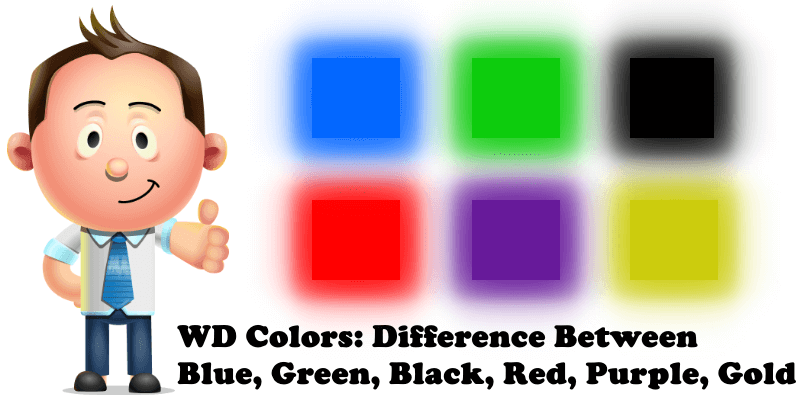
In order to simplify the process of Hard Disk selection, Western Digital’s drives are categorized according to the product’s features. But for the most part, people identify them by their label abbreviation and their different colors (WD + color). Currently, Western Digital has Blue HDDs, Green HDDs, Black HDDs, Red HDDs, Purple HDDs and Gold HDDs. Each color is indicative of what the HDD is used for. This simple guide below will help you choose the right HDDs for your Synology NAS. Obviously, the hard disks can be used with different NAS brands. But since this blog is all about Synology, which also happens to the best NAS, we’ll be talking about choosing the hard disks that are best for Synology.
- WD Blue : The blue HDDs are mainly used for general purpose storage. They are great all-rounders and an average user can’t go wrong with a Blue. Suitable for home usage, with high performance and low-cost advantages, and 7200 rpm. Disadvantages include: blue HDDs make more noise compared to green ones and their performance is lower than that of black HDDs.
- WD Green is basically the same as WD Blue, but it has a bit of a lower performance. However, it is the most eco-friendly HDD, and it’s quite cheap. It makes less noise, so it’s more suitable for home usage. It’s the HDD for file downloading. Advantages include: it produces less heat (it heats less), it’s quieter, lower-cost, more eco-friendly. An energy-friendly HDD with large storage capacity. By adopting IntelliPower technology, the speed can automatically adjust between 5400-7200 rpm. Cons: low performance, high delay time, average life expectancy.
- WD Black: black HDDs are made for pure performance and suitable for gaming, media, and content creation. WD Black is one of the most expensive HDDs. High performance, large cache, high-speed. Alias: LS WD Caviar Black. Mainly suitable for enterprise applications requiring high-end computing such as video, photo editing, rendering and high performance game console.
- WD Red is a NAS drive. It’s optimized for NAS systems like Synology. Specifically designed for the NAS environment which requires 24/7 uptime (functioning continuously, 24 hours a day, 7 days a week). The number of Western Digital Red HDDs typically used ranges from 1-5, usually for small and medium scale enterprises/businesses hosted on NAS devices. The performance of red HDDs is close to that of green HDDs. Power consumption is low, noise is low too, making it suitable for round the clock activity featuring NASware technology. This technology offers better compatibility, can fit NAS or RAID seamlessly. It’s perfect for Synology NAS Backup.
- WD Purple is for surveillance. Advised for 24/7 operations. Green HDD AV-GP’s replicate, support, ignore cyclic redundancy check (CRC) errors; they are suitable for video surveillance storage, and designed for 24/7 operations. Recommended to work in sync with Synology Surveillance Station.
- WD Gold , premium WD HDD, the absolute best. Made for a multitude of Data Center-specific applications. WD Gold HDDs are made for Data Centers, for enterprise solutions. These are top level hard drives. They are the most sophisticated WD products. WD Gold can handle 550 TB of data per year and 2 million hours Mean Time Between Failures. The drive also features things like StableTrac, Multi-axis shock sensor, Dynamic fly height technology. They are the most expensive and up to date WD HDDs you can get. Same as WD Black, Gold comes with a 5-year warranty. These hard drives will do great if used on servers because that’s what they are made for. Recommended for VMS and Web Hosting.
Which color is the best WD HDD color for my Synology NAS?
- WD RED for applications like Drive, Moments, Photo Station, MailPlus Server, Video Station, Audio Station and Backup.
- WD PURPLE for Surveillance Station.
- WD Gold for Virtual Machines. Webstation, PHP, Docker, WordPress, Web Hosting.
Which color is the worst WD HDD color for my Synology NAS?
This post was updated on Tuesday / January 3rd, 2023 at 9:20 PM
Кручу-верчу, запутать хочу. Разбираемся в линейках HDD

Привет, гиктаймс!
Сегодня у нас необычный материал, статья-ликбез: выбираем правильные HDD в зависимости от предполагаемых сценариев использования. Дело в том, что производители наплодили целую кучу разных линеек, и, если не следить за темой регулярно, через год-полтора можно легко забыть, какая серия к чему относится, зачем нужна и чем отличается.
Этот пост был бы неполным без небольшой теоретической части, поэтому приступим.
Устройство HDD
Все жёсткие диски устроены примерно одинаково. Внутри находятся один или несколько «блинов», приводимых в движение высокоскоростным мотором, да блок считывающих головок. Всё это спрятано в герметичной зоне, где нет пыли. По соседству с «механикой», можно найти несколько микросхем и плат, но они, скорее, относятся к электронике управления, чем непосредственно к хранению информации.
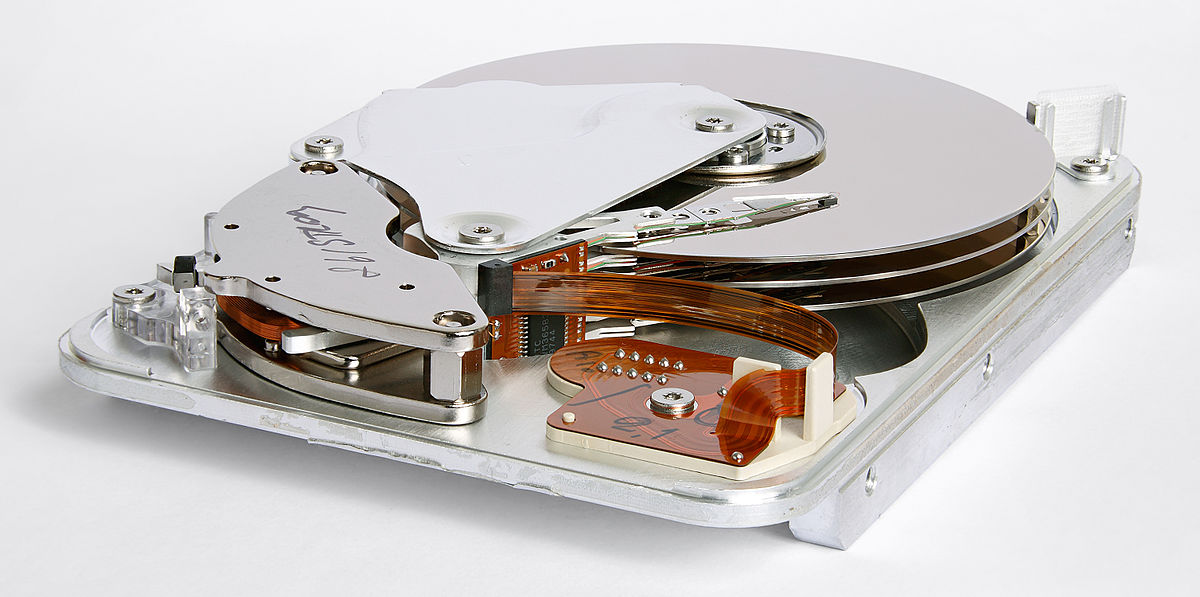
На данном изображении — старенький Seagate из конца 90-х годов. Конструктивно с тех пор почти ничего не поменялось. Когда диск раскручивается до минимально допустимых конструкцией оборотов, блок управления выводит головки в рабочее положение, и считывающий элемент начинает «парить» в долях миллиметра над магнитной поверхностью блинов.
На данном этапе отличаться может как количество оборотов в минуту у привода «блинов», так и количество самих пластин, на которых хранится информация. На своеобразной «расчёске», закреплённой между магнитными пластинами, установлены считывающие головки. Обычно их вдвое больше, чем пластин (хотя и встречаются исключения), перемещаются они все вместе. Количество самих пластин почти всегда напрямую зависит от объёма диска, но современные технологии позволяют «запихать» на один квадратный миллиметр всё больше и больше информации, увеличивая «плотность» информации в самом что ни на есть прямом смысле. Таким образом, например, можно встретить старый жёсткий диск на 1 ТБ с тремя «блинами» по 333 ГБ каждый, а можно найти новый HDD на 1.5 ТБ с двумя, но по 750.
Производители жёстких дисков
В нашем магазине сейчас представлены четыре крупных бренда: Western Digital, Seagate, Hitachi HGST (Приобретена WD) и Toshiba. Своё производство жёстких дисков есть было и у Samsung (да и много ещё у кого, в Википедии насчитывается более 200 компаний, занимвашихся производством HDD), фактических же производителей железа и того меньше. Свои сборочные линии есть только у Seagate, WD и Toshiba. Все остальные комании, так или иначе, либо были перекуплены крупными производителями, либо покинули рынок HDD.
Какие бывают HDD?
Казалось бы, жёсткий диск и жёсткий диск, выбрал нужный объём, посмотрел на цену, устраивает — пошёл и купил. Естественно, в жизни всё несколько сложнее. Параметров у жёстких дисков больше, чем «цена» и «сколько на него влезает».
Основные характеристики HDD таковы:
Ёмкость – собственно, «сколько на него влезает» – это значение характеризует количество информации, которое можно записать на диск. При этом хитрые производители используют десятичные приставки обычной метрической системы: в 1 килобайте у них 1000 байт, в мегабайте, соответственно, миллион, в терабайте — триллион. В операционной же системе килобайт, мегабайт и прочие единицы измерения кратны 1024. Из-за такой, казалось бы, небольшой разницы, накапливается приличная «погрешность», разумеется, не в нашу с вами пользу: если на красивой этикетке диска указана ёмкость в 1 терабайт, то на практике пользователю доступно примерно 931-932 ГБ полезного пространства.
Скорость вращения шпинделя – основная характеристика, отвечающая за скорость работы диска при последовательном чтении или записи информации. Чем быстрее вращается мотор, тем быстрее пролетают под «головкой» сектора блинов. Основные популярные значения — 5400, 7200, 10000 и 15000 оборотов в минуту, хотя есть модели и с промежуточными значениями.
Объём кеш-памяти – объём специального высокоскоростного буффера, в котором оседают файлы на чтение или запись, прежде чем диск или система выполнит предыдущую операцию. Чем больше объём кеш-памяти, тем проще диску работать с большим количеством маленьких файлов.
Интерфейс подключения – способ связи жёсткого диска с остальным железом вашего компьютера. Самые популярные на сегодняшний день — SATA 2 (300) и SATA 3 (600) для дисков «внутреннего» назначения, и USB 2.0 / 3.0 для «внешних» накопителей.
В большинстве случаев от этих аппаратных возможностей зависят показатели скорости чтения и записи, долговечность самого диска, уровни шума и энергопотребления. Различное сочетание данных характеристик позволяет производителю влиять на непосредственно скоростные и надёжностные свойства HDD. Нас с вами интересуют следующие показатели:
Количество операций ввода-вывода в секунду (IOPS) — в двух словах — возможности жёсткого диска по чтению и записи определённого количества блоков (обычно, по 4 килобайта) информации за одну секунду. Подробнее об этой характеристике можно почитать в Википедии, информация в статье просто исчерпывающая. Чем больше значение IOPS — тем быстрее диск может проводить операции с файлами.
Время произвольного доступа — то есть то время, которое требуется для позиционирования головки считывающего / записывающего устройства на произвольный участок магнитного диска. Чем меньше — тем быстрее «отклик» у жёсткого диска на запросы системы.
Для чего можно использовать HDD?
В наше время высокоскоростные диски SSD успешно отвоёвывают роль системных носителей. Несмотря на высокую цену, достаточно скромные (по сравнению с HDD) ёмкости и риск безвозвратной утери данных, диски на основе микросхем (а не движущихся частей), всё чаще становятся носителями OS и чувствительного к скорости обмена данными с диском софта. Дело в том, что их показатели IOPS и времени произвольного доступа в разы выше, чем у «классических» жёстких дисков. К счастью, списывать проверенную временем технологию рано. Во-первых, по соотношению количества сохраняемой информации к цене у жёсткого диска практически нет равных, а уж тем более в условиях домашнего использования. Во-вторых, цены на SSD и так были не самыми радостными, а теперь ещё и этот кризис… В общем, HDD пока жив и живее всех живых. Так как же можно его применять?
- Как универсальный диск «для всего»: системы, софта, игр, хранения данных;
- Как диск сравнительно небольшого (от 300 ГБ до 1 ТБ) объёма для приложений, чувствительных к скорости обмена данными с дисковой подсистемой;
- Как диск для долговременного хранения данных, не представляющих высокой ценности и не требующих высоких скоростей доступа: музыки, фильмов, фотографий, игр, резервных копий и всего того, что одинаково будет работать хоть на старом железе, хоть на новом;
- Диск для использования под Torrent-закачки. Обычно такие диски испытываю либо постоянные (чуть ли не 24/7) или почти постоянные нагрузки: вечно что-то пишется, что-то читается;
- Диск для длительного хранения важной информации.
Вторая же группа, как раз, сражается с SSD за внимание пользователя. С одной стороны, соревноваться с «твердотельниками» у «классики» нет никакой возможности, с другой — даже самый простенький SSD на 64 гигабайта (чтобы хватило на систему и самый важный софт) + самый дешёвый под данные HDD стоят больше, чем один скоростной диск сравнимого объёма. От таких жёстких дисков требуется высокая скорость вращения шпинделя, хорошие показатели IOPS, надёжная вибро- и шумоизоляция.
Для хранения информации, которую можно достать ещё раз (в интернете, на другом диске) на первое место вылезает соотношение цены и объёма. Скоростные характеристики в данном случае не так важны: даже 4k2k-видео, если вы такое найдёте, не забъёт всю пропускную способность «медленных» HDD.
Диски, активно используемые для обмена файлами в пиринговых сетях, испытывают наибольшие нагрузки: торрент постоянно что-то читает, что-то пишет, делает это не по порядку, часто одновременно и «не вовремя». Сюда же, в принципе, можно отнести и всякие записи с веб-камер, особенно длящиеся 24/7. Ключевая характеристика для таких нагрузок — долговечность и рассчитанные на подобные «мытарства» элементы механики HDD: привода головки, двигателя, раскручивающего «блины», управляющей электроники.
Особняком стоят системы хранения важных данных. На самом деле, лучший вариант сохранить действительно важные файлы — поместить их в облако, создать резервную копию, следить, чтобы она была работоспособной и регулярно повторять как диагностику хранилищ, так и операции по резервному копированию. Само собой, на первое место всплывают безотказность и надёжность устройства.
Линейки HDD
Постараемся рассмотреть все модели жёстких дисков в «схожих» условиях — за основу возьмём модель на 1 ТБ.
Начнём с продукции компании Western Digital. Компания давала семействам дисков «цветовые» названия, окрашивая наклейки в соответствующие цвета.

WD Blue — универсальная линейка дисков, в которой соблюдён баланс как скоростных, так и надёжностных характеристик. Скорость вращения зафиксирована на отметке 7200 об./мин., современные диски ёмкостью в 1 ТБ оснащаются 64 мегабайтами кеш-памяти. Отличный вариант при использовании в качестве единственного жёсткого диска, если ваш бюджет ограничен. ~4 200 рублей и диск на 1000 (ну, почти) гигабайт — ваш.
WD Green — серия «экологичных» жёстких дисков. Они не ставят рекорды скорости, но отличаются пониженным энергопотреблением, а сами «блины» вращаются со скоростью 5400 об./мин. Подобные ограничения позволили снизить и тепловыделение, и уровень шума и вибраций. Ставить систему на такой диск мы не советуем, а вот для хранения данных, не требовательных к скорости доступа (фото, видео, музыки, дистрибутивов программ, документов и архивов) — самое то.
Цены начинаются от 4 560 рублей за версию на 1 ТБ, заканчиваются не совсем гуманными ~10400 рублей за 4 ТБ.
WD Black — «заряженные» диски, предназначенные для установки системы, «тяжёлого» ПО, игр. От WD Blue их отличают более высокие скоростные характеристики (при этом диски остаются в пределах технически комфортных 7200 оборотов в минуту) и улучшенные показатели по времени произвольного доступа: всё это позволяет диску быстрее управляться с большим количеством маленьких файлов, что актуально как при загрузке ОС, так и при работе в условиях высоких нагрузок и постоянных обращений к новым порциям данных на HDD. Платой за подобные характеристики являются повышенный уровень шума и потребляемой электроэнергии.
Купить WD Black можно за 5 300 рублей (1 ТБ). Кроме того, существуют также версии на 2, 3 и 4 ТБ (а также 320, 500, 750 ГБ), но их цена никого не радует, да и покупать диски «чёрной» серии такого объёма надо с чётким пониманием, зачем оно надо.
WD Red — специальная линейка жёстких дисков, предназначенная для работы в условиях 24/7 и установки в NAS дома или в небольшом офисе. Диски WD Red разработаны с учётом специфики использования в сетевых хранилищах. Разработчики постарались сократить потребление электроэнергии, увеличить защиту от механических повреждений, вибраций и перегрева. Увеличен запас прочности всей механики диска. Реальная скорость вращения — 5400 об./мин., однако производитель заявляет производительность, сравнимую с 7200. На практике диски несколько медленнее, но для их сферы применения скорость более чем достаточная.
Цены начинаются от ~4 800 рублей за версию с 1 ТБ, самая же ёмкая версия, на внушительных 6 ТБ, стоит около девятнадцати с половиной тысяч.
WD Purple — специальные диски для использования в системах видеонаблюдения. Western Digital заявляют кучу новых и полезных алгоритмов, уменьшающих шансы того, что видео будет «битым», ещё более высокую, чем у WD Red виборзащищённость. Для домашнего использования, в принципе, диски пригодны, но их специфика работы не позволит ставить ни рекорды скорости, ни наслаждаться тишиной. Цена — от ~4 500 за 1 ТБ.
Кроме «цветных» серий, у WD существую ещё три:
WD SE — предназначена для офисных систем хранения данных. Это быстрые, холодные, но шумные диски, разработанные с учётом офисной эксплуатации «и в хвост, и в гриву».
WD RE — для офисных рабочих станций. Высокоскоростные диски для корпоративного сегмента, в основном, отличающиеся наличием «софтовых» фич и интерфейсов по администрированию / управлению HDD.
WD VelociRaptor — для тех, кому мало скорости. «Велоцирапторы» — это сверхскоростные HDD со скоростью вращения 10 000 об./мин. Диск шумный, быстрый и горячий. Цена соответствует характеру — 1 терабайт обойдётся вам в 12 300 рублей. Применяется обычно там, где обычных WD Black недостаточно, а на сравнимые по ёмкости SSD не хватает средств.

Seagate — такой же крупный игрок на рынке, как и WD: фактически, они почти поровну «скупили» или «объединили» в себе других производителей HDD.
Seagate Barracuda 7200.14 — самый популярный и универсальный вариант. Аналог WD Blue — и швец, и жнец, и вообще отличный парень! Диск достаточно холодный, отличается от 1 ТБ конкурентов тем, что у него всего один «блин» внутри, из-за чего шум и вибрации сведены к минимуму. Скорость вращения — 7200 об./мин., объём кеш-памяти — 64 МБ.
Цена начинается с ~4 300 рублей за 1 ТБ и заканчивается внушительными ~7 300 за 3 ТБ.
Seagate HDD.15 — модель, предназначенная для хранения данных, не критичных к скорости записи/чтения. Во многом, аналог линейки WD Green, но отличается чуть более высокой скоростью вращения шпинделя: 5900 оборотов в минуту против 5400 у «зелёных».
К сожалению, цены за терабайт у нас нет, зато есть цена за 4. ~10700 рублей за тихий и холодный диск, который вы устанете забивать информацией, — не так уж и много.
Скоростным хранением данных компания Seagate не озаботилась, зато для NAS и прочих высоконагруженных условий дисков хоть отбавляй.
Seagate NAS HDD – тут, собственно, название говорит само за себя. Диск предназначен для установки в сетевые хранилища. Холодный, тихий, надёжный, с низким энергопотреблением. Ёмкость дисков — от 2 до 4 ТБ, цены, соответственно, от ~6 700 до ~11 750 рублей за штуку.
Для систем c высокими нагрузками, потоковой записи больших объёмов данных и видеонаблюдения предназначено сразу несколько моделей:
Seagate SV35 ST1000VX000, ST2000VM003, Surveillance HDD ST4000VX000 и Seagate Video 3.5 HDD, ST1000VM002. Первые три модели — просто жёсткие диски повышенной надёжности, отличающиеся увеличенным ресурсом подвижных частей и расчитанные на потоковую работу 24/7. Последний же — специализированная версия для организации систем видеоконтроля. В принципе, модели вполне употребимы и в «домашних» условиях в качестве дисков под высоконагруженную систему хранения больших данных, но особой потребности в таких монстрах дома обычно нет.
Не забыли в Seagate и про корпоративный сегмент.
Seagate Constellation CS — популярная серия дисков повышенной надёжности, устроенных по той же схеме, что и 7200.14: один терабайт — один «блин». Скорость вращения шпинделя — 7200 об./мин., 64 мегабайта памяти, до 80 000 часов (чуть больше девяти лет) официально заявленной наработки на отказ. Цена удовольствия — от ~5 600 рублей за 1 ТБ и до ~10 200 рублей за 3 ТБ. Гарантия производителя — 3 года.
У этой модели есть «старший брат» — серия Seagate Constellation ES.3. Она отличается увеличенным до 128 МБ кешем и увеличенным до 5 лет сроком гарантийного обслуживания. Разница в цене есть, но не так существенна. 1 ТБ обойдётся почти в ~6 000 рублей, а 4 ТБ — во внушительные ~15 300 рублей.

Технически, Hitachi Global Storage Technologies — куплена компанией Western Digital в 2011 году. Тем не менее, на дворе 2015-й, а жёсткие диски всё ещё производятся и продаются, но ориентированы они, в первую очередь, на корпоративный сегмент, а сама компания сменила бренд на HGST.
HGST Ultrastar 7K4000 — обычный жёсткий диск для рабочих станций, классические 7200 оборотов в минуту, 64 мегабайта кеш-памяти, и заявленные совершенно сумасшедшие 2 миллиона(!) часов наработки на отказ. Ко всему прочему — пятилетняя гарантия производителя. За модель с 2 ТБ памяти придётся отдать ~8300 рублей, в то время как за 4 ТБ — уже ~15 300.
Вторая линейка, HGST Deskstar NAS — предназначена для систем хранения данных. Доступные объёмы — от 3 до 6 ТБ, цены — от ~8 800 до ~20 100 рублей. Диск не ставит рекордов по скорости чтения и записи, но обладает трёхлетней гарантией и заявленным временем наработки на отказ в 1 000 000 часов.

Сегодня Toshiba производит как доступные и простые жёсткие диски, без излишеств, так и специальные диски для NAS’ов.
«Домашняя» линейка представлена одной моделью DT01ACA, объёмом от 500 ГБ до 3 ТБ. Диски часто ставят в компьютеры, которым важно просто наличие HDD, c которым не будет проблем. Вся серия очень тихая, не греется, да и цена не может не радовать ~4 000 рублей за 1 ТБ и «всего» ~7 500 за 3 ТБ.
Серия дисков для NAS, MC04ACA, имеет достойные характеристики — 7200 оборотов в минуту, 128 мегабайт кеша, до 800 000 часов наработки на отказ. Цена 2 ТБ начинается с ~7 950 рублей, максимальный же объём, 4 ТБ, обойдётся уже в ~13 700 рублей.
Итоги
Мы подготовили удобную таблицу, по которой вы сможете сориентироваться в многообразии производимых нынче HDD, отправить её товарищу, который донимает вас вопросами, что купить, или просто сохранить – вдруг пригодится. Данная информация, разумеется, не является полной или истиной в последней инстанции, но пользоваться такой таблицей проще, чем вспоминать, какого цвета диски для чего нужны.
| Назначение: | Western Digital | Seagate | HGST | Toshiba |
| Универсальный диск, единственный HDD в системе | WD Blue | Barracuda | Отсутствует | DT01 ACA |
| Хранение больших объёмов информации, не критичных к скорости чтения / записи | WD Green | Desktop HDD.15 | Отсутствует | DT01 ACA |
| Работа под постоянными нагрузками (обмен файлами, торренты, резервное копирование, NAS) | WD Red | NAS HDD | HSGT Deskstar NAS | MC04 ACA |
| Системы видеонаблюдений, видеоархивы | WD Purple | Seagate Video 3.5 HDD | Отсутствует | Отсутствует |
| Высокоскоростные диски для рабочих станций | WD Black | Seagate Constellation CS | Отсутствует | Отсутствует |
| Диски для корпоративого сегмента, диски повышенной надёжности | WD RE | Seagate Constellation ES.3 | HGST Ultrastar 7K4000 | Отсутствует |
| Диски для офисных NAS и серверного хранения данных | WD SE | Отсутствует | HSGT Deskstar NAS | Отсутствует |
Difference Between WD Blue, Red, Black, Green, Purple, Gold


Posted on 06 Feb 2018 �� Inner Circle 0 Comment �� Subscribe
Contents hide
Understanding the difference between WD Blue, Red, Black, Green, Purple and Gold Hard Drives

Western Digital have been in the hard drive and SSD market since the 1970s and I think it is safe to say that are one of the biggest and best storage media providers in the world. A lot of this success and market dominance is down to 3 factors.

- Pricing their products correctly so as to ensure that a home user can buy hard drive media priced in their budget that performs to that degree, whereas a highend business users has the option to pay more and get more.
- En-devouring to make their products are designed with the task in mind, rather than a single HDD or SSD for all purposes. You wouldn’t use a hammer to screw an IKEA table together, you wouldn’t use a screw driver to paint a fence. Likewise WD have Hard Drive that are tailored for intensive cold storage in data centers, as well as HDD that are designed for basic PC use and Desktops – this not only allows for grading pricing for consumers, but also that you are buying a tool that perfectly befits the task at hand.
- Ever heard the expression K.I.S.S? Keep It Simple, Stupid! This is possibly the most important factor in WD’s structure these last 5 years or more. Rather than bombard users with ill formed part numbers and flashy names (that’s right, I am looking at you Seagate – what exactly is an ‘Ironwolf’?), WD have just stuck to a simple colour code system of Drives. Once you know what each colour means, then you can pretty much narrow down ever WD drive easily.
What are the WD colors and what do they mean?
So, now you know why Western Digital is widely regarded as one of the best HDD manufacturers in the industry, let’s delve a little deeper into what each of the colors mean. Currently the WD HDD and SSD range can be broken down into 6 colours, and each corresponding intended storage environment (basically the machine they will go in!). Below are each of the colours and what they are used for.
The WD Blue Hard Drive for Basic Desktop Use
We start with the most cost effective and budget drive of all, the WD Blue HDD series. These are designed with low level access and long term use in mind. Once these would have been recommended for use for your operating system inside a non mission-critical PC (general browsing etc), but now with the inexpensive of SSD in 128-512GB and it becoming ideal for your operating system, start up and primary apps, the WB Blue hard drive has been demoted to basic storage use. You should not use WD Blue in a RAID and is cheifly designed for everyday storage needs where Read and Write speeds are not paramount.
| WD60EZRZ | 6TB | SATA 6Gb s | 5400RPM |
| WD50EZRZ | 5TB | SATA 6Gb s | 5400RPM |
| WD40EZRZ | 4TB | SATA 6Gb s | 5400RPM |
| WD30EZRZ | 3TB | SATA 6Gb s | 5400RPM |
| WD20EZRZ | 2TB | SATA 6Gb s | 5400RPM |
| WD10EZEX | 1TB | SATA 6Gb s | 7200 |
| WD5000AZRZ | 500GB | SATA 6Gb s | 5400RPM |
| WD2500AAKX | 250GB | SATA 6Gb s | 7200 |
The WD Red Hard Drive for NAS and RAID needs
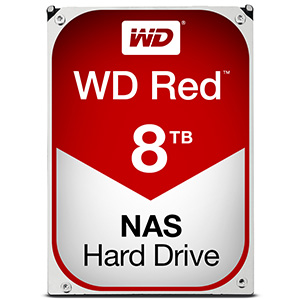
Possibly the most well know WD HDD Color we will talk about today, WD Red is the Drive you need for your NAS Server. If you are looking at buying a brand new Synology NAS for your home or a beefed up QNAP NAS for your business, then it is paramount you get HDD Media that is designed to not only be ready for sporadic and irregular read and write (as your access to the NAS Server will differ constantly) but also Hard Disk media that is designed to be on 24 hours a day, 7 days a week. In this environment, a WD Blue is just no longer suited and though will perfect the job, will do so much slower and is susceptible to errors and potential HDD Failure. Moreover if your network attached storage data is mission critical, of sentimental value or just plain impossible to replace (thinking of my original recording of ‘Bernard and the Genie’), then you will no doubt have more than one HDD in the NAS enclosure, in a RAID volume. Drives in a RAID have to work that little bit harder as data is spread over the drives for redundancy (so the data is duplicated) like butter over toast! WD Red Drives are designed to be used in this RAID environments too and for greater lengths of time.

Finally, WD Red HDDs have firmware onboard that controls the disks behaviour in a NAS server, catering from everything vibration and temperature sensitivity, all the way through to intelligent spin speed and cache allocation. So, if you are looking to populate a NAS, then definitely go for WD Red. Also see below for the WD Red Pro series for Enterprise NAS use and enclosures with more than 4 or 5 HDD Bays.
Standard WD Red NAS HDD
| WD80EFZX | 8TB | SATA 6Gb s | 5400RPM | 128MB |
| WD60EFRX | 6TB | SATA 6Gb s | 5400RPM | 64MB |
| WD50EFRX | 5TB | SATA 6Gb s | 5400RPM | 64MB |
| WD40EFRX | 4TB | SATA 6Gb s | 5400RPM | 64MB |
| WD30EFRX | 3TB | SATA 6Gb s | 5400RPM | 64MB |
| WD20EFRX | 2TB | SATA 6Gb s | 5400RPM | 64MB |
| WD10JFCX | 1TB | SATA 6Gb s | 5400RPM | 16MB |
Enterprise WD Red Pro NAS HDD
(All are Dedicated 7200RPM)
| WD8001FFWX | 8TB | SATA 6Gb s | 128MB |
| WD6001FFWX | 6TB | SATA 6Gb s | 128MB |
| WD5001FFWX | 5TB | SATA 6Gb s | 128MB |
| WD4001FFSX | 4TB | SATA 6Gb s | 64MB |
| WD3001FFSX | 3TB | SATA 6Gb s | 64MB |
The WD Green Series of Hard Drives for Lower Power Consumption for quieter and Cooler requirements
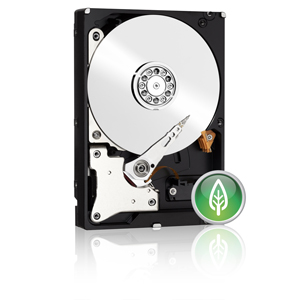
The WD Green series, once very popular, is largely overlooked these days. This is once again largely due to the manufacturing technique of HDD becoming far more efficient, as well as SSD media becoming lower in price. That said, if you require a single HDD for backup storage, a secondary media source or just to be used occasionally, then the WD Green series may well be for you. They are designed to use less power than other Hard Drives as well as producing less vibration or heat whilst in use. This of course does mean they are available in smaller capacities and the read and write is of a lower speed, so these should never be used as a primary OS Boot drive or for a large scale RAID enclosure (early varients were but since then much more tailored drives have been released)
The WD Black Series for those that need rugged, enduring, fast long-term data stability
Another Hard Drive type that those with a background in PC building and Photo Editing will be aware of. WD Black HDD are designed for high performance Hard Disk media use. If you require large capacity HDD for your files for editing, or in a large scale Direct Attached Storage (DAS) enclosure, then the WD Black series will more than likely be the drive for you. They are seen as the drive of choice of large scale media editors due to their balance of large capacity vs access speeds.of course, you will get faster speeds from using an SSD but you shouldn’t really RAID SSDs beyond a RAID 0 or RAID 1 and moreover the price per GB of an SSD is subtantially higher than that of a WD Black Drive. With a dedicated 7200 RPM, 128MB Cache and 5 Year warranty, the western digital black drive is the choice for those that was reliability, speed and long-term piece of mind.
| WD6001FZWX | 6TB | SATA 6Gb s | 7200 | 128MB |
| WD5001FZWX | 5TB | SATA 6Gb s | 7200 | 128MB |
| WD4003FZEX | 4TB | SATA 6Gb s | 7200 | 128MB |
| WD1003FZEX | 1TB | SATA 6Gb s | 7200 | 64MB |
The WD Purple Series for CCTV, Network and Direct Recording Surveillance needs
Released only a few years ago, the WD Purple HDD series is designed for Surveillance requirements. You might think that when using multiple IP or Cable Surveillance cameras in the home, office or retail sector, that you should only really think about the quality of hte cameras. This is sort of true – the better the camera, the more features and better recording. However if will all come to nothing if the Hard Drive media you are writing to is unsuitable. Unlike almost all other HDD use across all environments, Hard Disks used in Surveillance are more than 95% used for Writing and 5% for reading – i.e footage is recorded and written to the drives constantly and only accessed rarely by comparison (the reading of the disk). So, if you have x5 or x10 Relatively high recording cameras sending 2 or 5MB of recorded footage constantly, then you will need to ensure that both the recording server can keep up and that the drives are designed to record the data incoming as fast as it arrives! This is where WD Purple shines.
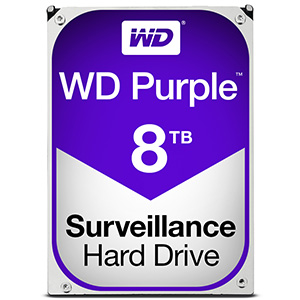
They are desisgned to keep up with this heavy writing behaviour in a NAS or DAS system, suitable for doing this whilst in a RAID 5 or RAID 6 and are designed to be powered on and in use for weeks and months at a time. So if you need a Drive for recording footage from CCTV IP cameras or Cable-to-Camera cables, or are even jsut looking for drives for a NAS that you plan to use as for surveillance in the background, then go for the WD Purple series as it will provide the most stable and reliable result possible. Additionally, if you are using a Network video recording device (NVR), that you use the NVR specialised WD Purple NVR HDD
| WD80PUZX | 8TB | SATA 6Gb s | 5400RPM | 128MB |
| WD60PURX | 6TB | SATA 6Gb s | IntelliPower | 64MB |
| WD40PURX | 4TB | SATA 6Gb s | IntelliPower | 64MB |
| WD30PURX | 3TB | SATA 6Gb s | IntelliPower | 64MB |
| WD20PURX | 2TB | SATA 6Gb s | IntelliPower | 64MB |
| WD6NPURX | 6TB | SATA 6Gb s | IntelliPower | 64MB |
| WD4NPURX | 4TB | SATA 6Gb s | IntelliPower | 64MB |
The WD Gold Series for Data Centers, Bulk Cold Storage solutions and High Capacity Workloads
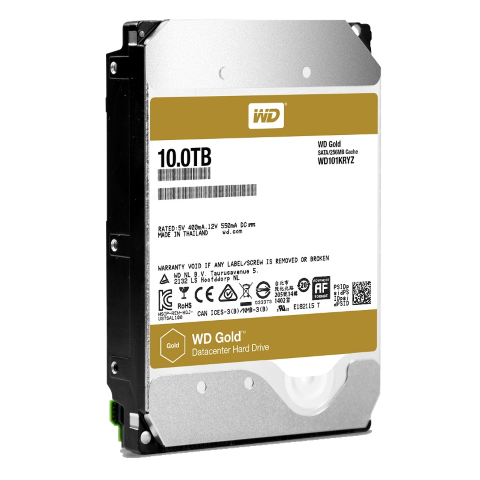
The most recent addition to the WD Colors collection. The WD Gold series is designed for Data Centers (or Data Centres!) or long term cold storage in smaller RAID arrays. They arrive with a much more rugged, long term chassis design as they will be HEAVILY used! To back up this level of use, WD provide a 5 Year warranty on these drives. Also, it is well known that Data Centers get through drives much quicker than most HDD Media environments and though the WD Gold Series (available in both SATA and SAS) are more expensive than most hard drives, this cost will pale into comparison to if you filled your data center with WD Blue or WD Green drives and they required replacement more often – as well as the Read and Write operations on the non-gold drives being efficiency and productivity down too. WD Have a long history of Data Center hard drives before they rebranded to the Gold series. Each kind of drive (tailed to different center and use types) was built with longevity in mind, but with names like Xe, Re and Se, they simplified matters and created the Gold Series to make it easier to comprehend.
| WD101KRYZ | 10TB | SATA 6Gb s | 7200 | 256MB |
| WD8002FRYZ | 8TB | SATA 6Gb s | 7200 | 128MB |
| WD6002FRYZ | 6TB | SATA 6Gb s | 7200 | 128MB |
| WD4002FYYZ | 4TB | SATA 6Gb s | 7200 | 128MB |
| WD2005FBYZ | 2TB | SATA 6Gb s | 7200 | 128MB |
Are there any other WD Hard Drive types I should be aware of?
Of course the HDD and SSD market is so big that even a fantastic system like the WD Colors Guide will not quite cover it all. There are a few other models and terms that you should be aware of. Some are older and have since ceased production, some are more enterprise versions of the drives above and others are just…well…plain weird and don’t fit in the spectrum of WD Colours whatsoever. Have a look below a the glossary of WD HDD extras!
The WD Pro Series – Available in Red and Purple
As previously mentioned, several of the WD Color HDD range are available in a mysterious PRO range. Is this just a marketing con or is there an actual difference between WD Pro drives and ordinary WD Drives. The answer is yes. The WD Pro HDD are arrive with a 5 year warranty, more rugged industrial design for long term stability, a fixed 7200rpm (so improved read and writes), larger amount of achefor additional data handling and overall are designed for more mission critical and long term use. Yes, they are more expensive – but you have to spread that cost across the 5 Year warranty (as apposed to the 2 and 3 Years availa with non PRO drives) as well as the improved results of a faster spin and larger cache and its effect on your productivity.
The WD Re, Se and Xe
SAS and generally all enterprise level HDD that are designed for the intense operations of data centers till relatively recently arrived in the WD Ae, WD Se and WD Re series (as well as the Xe series too). each were made with slightly differing hardware environment in mind. Some with a 10,000RPM speed (but arriving in a much higher Price per GB), some in SAS (the 12GB/s connection) and others in SATA (6GB/s) but the whole range was starting to become rather messy and given that the specs in many cases were comparable to the PRO series, WD decided to phase most of them out in favour of the WD Gold series (available in both SAS and SATA).
The WD Velociraptor
A very qwerky and unique HDD, sadly most units are also no longer available to buy. The Western Digital Velociraptor was one of the fastest commercially available HDD in the world! Only available in smaller capacities of 150GB and 300GB, the drives comprised of a 2.5″ 15mm HDD that was housed in a 3.5″ frame designed as a heatsink. This coupled with 10,000RPM and 15,000 RPM, this technology did not arrive cheap. However since the market increase in demand of SSD and the release of WD Gold, we have seen demand fall greatly – even in spite of a 1TB version being released. Sadly we are looking here at a really technology changing appliance that has sadly been surpassed.
The WD Black2 and WD SSD
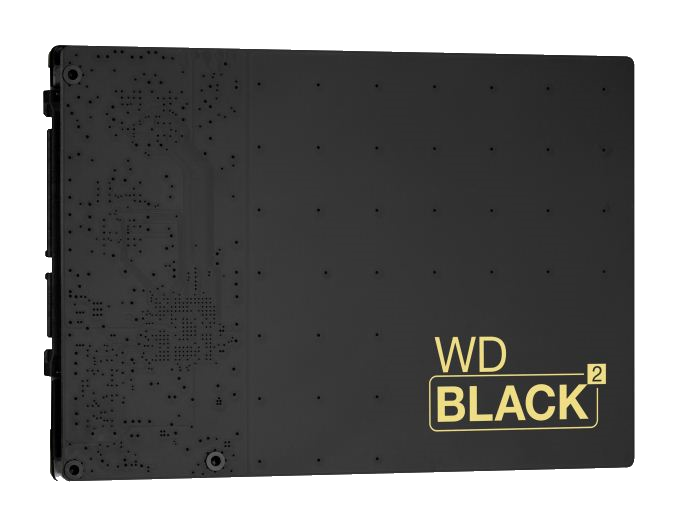
I have bundled these two together as they are both of interest, but for seperate yet oddly similar reasons. A couple of years ago WD saw the popularity of Hybrid drive technology (A drive that was HDD in design with platters and moving parts, but with a small portion of SSD NAND chip on board for your BOOT and mission critical software to run from). However for most, SSHD drives were let down by the SSD portion only being about 4GB to 20GB in size – Windows 7 alone couple eat up most of that without trying and currently a Full Windows 10 install will eat up 30-50 GB when everything is installed. So WD decided to go in all hot and heavy and release a much, MUCH larger portion of SSD on their drive of 120GB! Sadly, this came at a price and a price that, for many, was just too high. This coupled with poor marketing (rare on WDs part) and a lack of education provided to consumers on it’s benefits mean that it ended up missing target and eventually being abandoned
So what is WD Blue SSD, WD Green SSD and WD Black SSD?
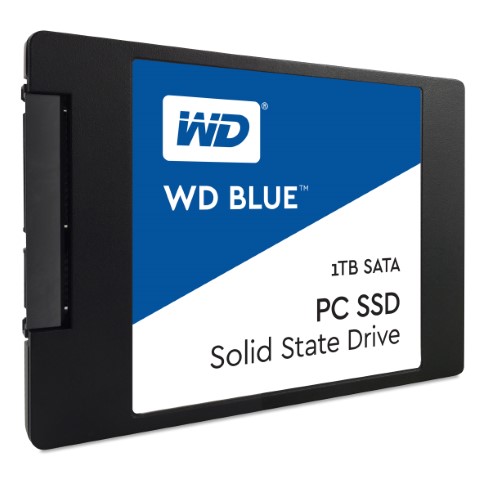
Not to be deterred, WD have entered this arena of Solid State Drives again, but this time utilzing their already popular and established colors model. The new WD range of WD SSD Blue, Green and Black (with WD Red SSD Sure to follow for SSD Cache in NAS or something) are available in standard 2.5″ SSD size and m.2 – the growing in popularity much, much smaller SSD that utilzes your m.2 PCIe slot. This time around they have played it smarter. They have priced the units better, made hundreds of pages of information on the range and like the HDD above) have separated each to a defined use. So, for guidance:
WD Green SSD for Smaller Capacities at 120GB and 240GB with read/write upto 500MB/s – 3 Year Warranty
WD Blue SSD for for mid range capacities at 250GB, 500GB and 1TB with Read and Wrote speeds over 500MB/s – 3 Year Warranty
WD Black SSD uses the new NVMe connection providing vastly faster speeds upto 2000MB/s read and 800MB/S Write, available in 256GB and 512GB Capcities – 5 Year Warranty
�� SUBSCRIBE TO OUR NEWSLETTER ��
If you like this service, please consider supporting us. We use affiliate links on the blog allowing NAScompares information and advice service to be free of charge to you. Anything you purchase on the day you click on our links will generate a small commission which is used to run the website. Here is a link for Amazon and B&H . You can also get me a ☕ Ko-fi or old school Paypal . Thanks! To find out more about how to support this advice service check HERE If you need to fix or configure a NAS, check Fiver Have you thought about helping others with your knowledge? Find Instructions Here

Or support us by using our affiliate links on Amazon UK and Amazon US


Alternatively, why not ask me on the ASK NASCompares forum, by clicking the button below. This is a community hub that serves as a place that I can answer your question, chew the fat, share new release information and even get corrections posted. I will always get around to answering ALL queries, but as a one-man operation, I cannot promise speed! So by sharing your query in the ASK NASCompares section below, you can get a better range of solutions and suggestions, alongside my own.
This description contains links to Amazon. These links will take you to some of the products mentioned in today’s video. As an Amazon Associate, I earn from qualifying purchases
What is the difference between the WD Colours – Blue, Red, Black, Green, Purple and Gold
Posted on 17 Mar 2017 �� Inner Circle 18 Comments �� Subscribe

Contents hide
Understanding the difference between WD Blue, Red, Black, Green, Purple and Gold Hard Drives
UPDATED FOR 2023
Western Digital have been in the hard drive and SSD market since the 1970s and I think it is safe to say that are one of the biggest and best storage media providers in the world. A lot of this success and market dominance is down to 3 factors.
- Pricing their products correctly so as to ensure that a home user can buy hard drive media priced in their budget that performs to that degree, whereas a highend business users has the option to pay more and get more.
- En-devouring to make their products are designed with the task in mind, rather than a single HDD or SSD for all purposes. You wouldn’t use a hammer to screw an IKEA table together, you wouldn’t use a screwdriver to paint a fence. Likewise, WD has Hard Drives that are tailored for intensive cold storage in data centers, as well as HDD that are designed for basic PC use and Desktops – this not only allows for grading pricing for consumers, but also that you are buying a tool that perfectly befits the task at hand.
- Ever heard the expression K.I.S.S? Keep It Simple, Stupid! This is possibly the most important factor in WD’s structure these last 5 years or more. Rather than bombarding users with ill-formed part numbers and flashy names, WD has just stuck to a simple colour code system of Drives. Once you know what each colour means, then you can pretty much narrow down every WD drive easily.
What are the WD colours and what do they mean?
So, now you know why Western Digital is widely regarded as one of the best HDD manufacturers in the industry, let’s delve a little deeper into what each of the colours mean. Currently the WD HDD and SSD range can be broken down into 6 colours, and each corresponding intended storage environment (basically the machine they will go in!). Below are each of the colours and what they are used for.
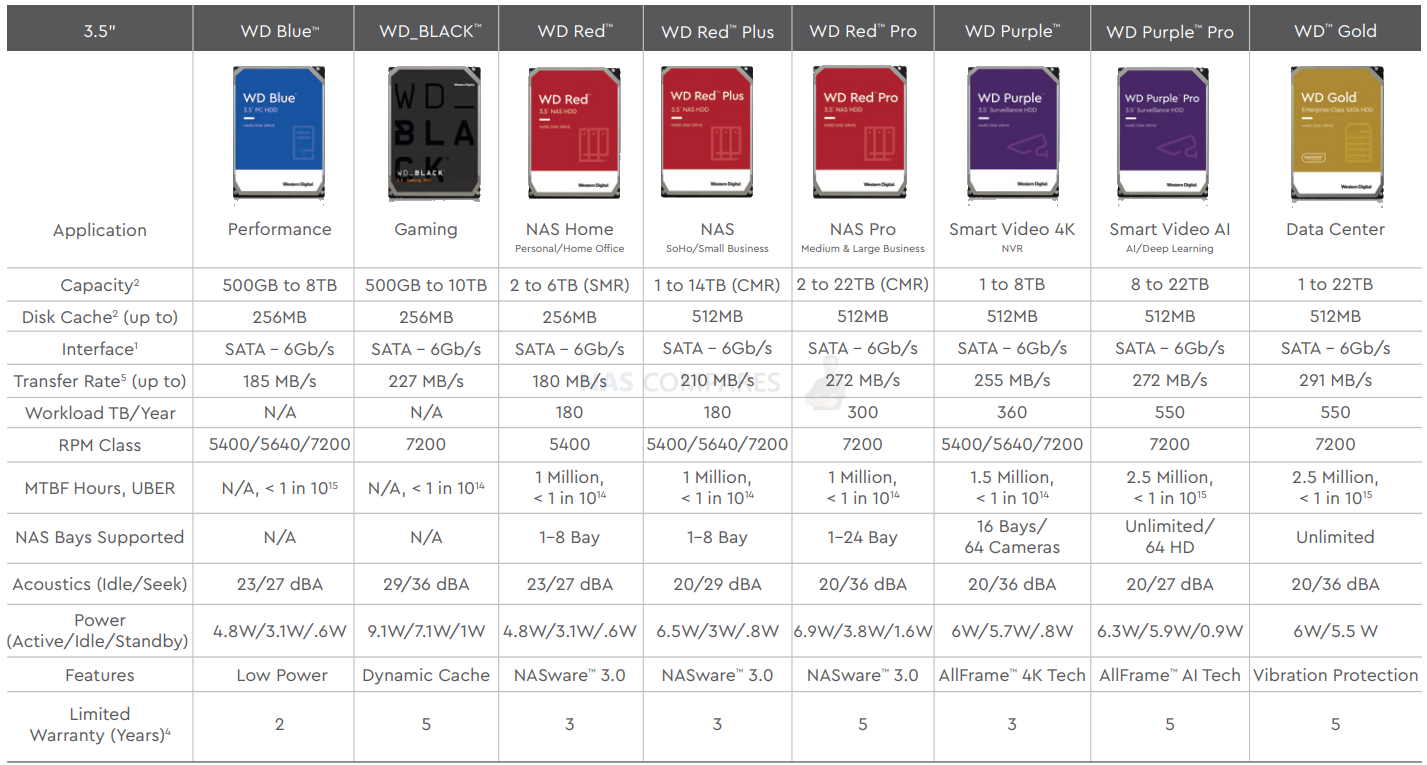
The WD Blue Hard Drive for Basic Desktop Use
We start with the most cost-effective and budget drive of all, the WD Blue HDD series. These are designed with low-level access and long-term use in mind. Once these would have been recommended for use for your operating system inside a non mission-critical PC (general browsing etc), but now with the inexpensive of SSD in 128-512GB and it becoming ideal for your operating system, start-up and primary apps, the WD Blue hard drive has been demoted to basic storage use. You should not use WD Blue in a RAID and is chiefly designed for everyday storage needs where Read and Write speeds are not paramount.
| Interface | Form | Size | RPM | Cache | Warranty | Model | Amazon |
| SATA | 3.5″ | 8TB | 5640 CMR | 128MB | 2 Years | WD80EAZZ | FIND |
| 6TB | 5400 SMR | 256MB | WD60EZAZ | FIND | |||
| 4TB | 5400 SMR | 256MB | WD40EZAZ | FIND | |||
| 3TB | 5400 SMR | 256MB | WD30EZAZ | FIND | |||
| 2TB | 5400 SMR | 256MB | WD20EZBX | FIND | |||
| 2TB | 5400 | 256MB | WD20EZAZ | FIND | |||
| 1TB | 7200 | 64MB | WD10EZEX | FIND | |||
| 1TB | 5400 | 64MB | WD10EZRZ | FIND | |||
| 500GB | 7200 | 32MB | WD5000AZLX | FIND | |||
| 500GB | 5400 | 64MB | WD5000AZRZ | FIND |
Laptop Sized WD Blue
| Interface | Form | Size | RPM | Cache | Warranty | Model | Amazon |
| SATA | 2.5″ | 2TB | 5400 SMR | 128MB | 2 Years | WD20SPZX | FIND |
| 1TB | 5400 SMR | 128MB | WD10SPZX | FIND | |||
| 500GB | 5400 SMR | 64MB | WD5000LPZX | FIND | |||
| 320GB | 5400 | 64MB | WD3200LPCX | FIND |
The WD Red Hard Drive for NAS and RAID needs
Possibly the most well know WD HDD Color we will talk about today, WD Red is the Drive you need for your NAS Server. If you are looking at buying a brand new Synology NAS for your home or a beefed up QNAP NAS for your business, then it is paramount you get HDD Media that is designed to not only be ready for sporadic and irregular read and write (as your access to the NAS Server will differ constantly) but also Hard Disk media that is designed to be on 24 hours a day, 7 days a week. In this environment, a WD Blue is just not suited and though will perfect the job, will do so much slower and is susceptible to errors and potential HDD Failure. Moreover, if your network-attached storage data is mission critical, of sentimental value or just plain impossible to replace (thinking of my original recording of ‘Bernard and the Genie’), then you will no doubt have more than one HDD in the NAS enclosure, in a RAID volume. Drives in a RAID have to work that little bit harder as data is spread over the drives for redundancy (so the data is duplicated) like butter over toast! WD Red Drives are designed to be used in these RAID environments too, and for greater lengths of time. Finally, WD Red HDDs have firmware onboard that controls the disks behaviour in a NAS server, catering from everything vibration and temperature sensitivity, all the way through to intelligent spin speed and cache allocation. So, if you are looking to populate a NAS, then definitely go for WD Red. Also, see below for the WD Red Pro series for Enterprise NAS use above 8 HDD Bays.
Standard WD Red NAS HDD
| Interface | Form | Size | RPM | Cache | Warranty | Model | Amazon |
| SATA | 3.5″ | 6TB | 5400 | 256MB | 3 Years | WD60EFAX | FIND |
| 4TB | 5400 | 256MB | WD40EFAX | FIND | |||
| 3TB | 5400 | 256MB | WD30EFAX | FIND | |||
| 2TB | 5400 | 256MB | WD20EFAX | FIND |
WD Red Plus NAS HDD
| Interface | Form | Size | RPM | Cache | Warranty | Model | Amazon |
| SATA | 3.5 | 14TB | 7200 | 512MB | 3 Years | WD140EFGX | FIND |
| 12TB | 7200 | 256MB | WD120EFBX | FIND | |||
| 10TB | 7200 | 256MB | WD101EFBX | FIND | |||
| 8TB | 5640 | 128MB | WD80EFZZ | FIND | |||
| 6TB | 5640 | 128MB | WD60EFZX | FIND | |||
| 4TB | 5400 | 128MB | WD40EFZX | FIND | |||
| 3TB | 5400 | 128MB | WD30EFZX | FIND | |||
| 2TB | 5400 | 128MB | WD20EFZX | FIND | |||
| 1TB | 5400 | 64MB | WD10EFRX | FIND | |||
| 2.5″ | 1TB | 5400 | 16MB | WD10JFCX | FIND |
WD Red Pro NAS HDD
| Interface | Form | Size | RPM | Cache | Warranty | Model | Amazon |
| SATA | 3.5 | 22TB | 7200 | 512MB | 5 Years | WD221KFGX | FIND |
| 20TB | 512MB | WD201KFGX | FIND | ||||
| 18TB | 512MB | WD181KFGX | FIND | ||||
| 16TB | 512MB | WD161KFGX | FIND | ||||
| 14TB | 512MB | WD141KFGX | FIND | ||||
| 12TB | 256MB | WD121KFBX | FIND | ||||
| 10TB | 256MB | WD102KFBX | FIND | ||||
| 8TB | 256MB | WD8003FFBX | FIND | ||||
| 6TB | 256MB | WD6003FFBX | FIND | ||||
| 4TB | 256MB | WD4003FFBX | FIND | ||||
| 2TB | 64MB | WD2002FFSX | FIND |
The WD Green Series of Hard Drives
Lower Power Consumption for quieter and Cooler requirements. The WD Green series, once very popular, is largely overlooked these days. This is once again largely due to the manufacturing technique of HDD becoming far more efficient, as well as SSD media becoming lower in price. That said, if you require a single HDD for backup storage, a secondary media source or just to be used occasionally, then the WD Green series may well be for you. They are designed to use less power than other Hard Drives as well as producing less vibration or heat whilst in use, due to their lower activity hard drive build (5400RPM, 32MB, etc). This, of course, does mean they are available in smaller capacities and the read and write is of a lower speed, so these shouldn’t be used as a primary OS Boot drive or for a large-scale RAID enclosure (early variants were but since then much more tailored drives have been released). Overall, WD Green HDDs are largely only available in 2nd hand eShops and/or OEM bulk leftovers that are long since outside of the manufacturer’s warranty.
The WD Black Series for those that need rugged, enduring, fast long-term data stability
Another Hard Drive type that those with a background in PC building and Photo Editing will be aware of. WD Black HDD are designed for high-performance Hard Disk media use. If you require a large capacity HDD for your files for editing, or in a large-scale Direct Attached Storage (DAS) enclosure, then the WD Black series will more than likely be the drive for you. They are seen as the drive of choice of large-scale media editors due to their balance of large capacity vs access speeds.of course, you will get faster speeds from using an SSD but you shouldn’t really RAID SSDs beyond a RAID 0 or RAID 1 and moreover, the price per GB of an SSD is still higher than that of a WD Black Drive. With a dedicated 7200 RPM and 5 Year Warranty, the western digital black drive is the choice for those that was reliability, speed and long-term peace of mind.
| Interface | Form | Size | RPM | Cache | Warranty | Model | Amazon |
| SATA | 3.5″ | 10TB | 7200 | 256MB | 5 Years | WD101FZBX | FIND |
| 8TB | 128MB | WD8002FZWX | FIND | ||||
| 6TB | 128MB | WD6004FZWX | FIND | ||||
| 4TB | 128MB | WD4005FZBX | FIND | ||||
| 2TB | 64MB | WD2003FZEX | FIND | ||||
| 1TB | 64MB | WD1003FZEX | FIND | ||||
| 500GB | 64MB | WD5003AZEX | FIND | ||||
| 2.5″ | 1TB 9.5mm | 7200 SMR | 32MB | WD10SPSX | FIND | ||
| 500GB 9.5mm | WD5000LPSX | FIND | |||||
| 500GB 7mm | WD5000LPLX | FIND | |||||
| 320GB 7mm | WD2500LPLX | FIND |
The WD Purple Series for CCTV, Network and Direct Recording Surveillance needs
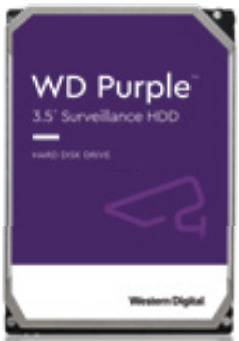
Released only a few years ago, the WD Purple HDD series is designed for Surveillance requirements. You might think that when using multiple IP or Cable Surveillance cameras in the home, office or retail sector, that you should only really think about the quality of the cameras. This is sort of true – the better the camera, the more features and better recording. However, if will all come to nothing if the Hard Drive media you are writing to is unsuitable. Unlike almost all other HDD use across all environments, Hard Disks used in Surveillance are more than 95% used for Writing and 5% for reading – i.e footage is recorded and written to the drives constantly and only accessed rarely by comparison (the reading of the disk). So, if you have x5 or x10 Relatively high recording cameras sending 2 or 5MB of recorded footage constantly, then you will need to ensure that both the recording server can keep up and that the drives are designed to record the incoming data as fast as it arrives! This is where WD Purple shines.
They are designed to keep up with this heavy writing behaviour in a NAS or DAS system, suitable for doing this whilst in a RAID 5 or RAID 6 and are designed to be powered on and in use for weeks and months at a time. So if you need a Drive for recording footage from CCTV IP cameras or Cable-to-Camera cables, or are even just looking for drives for a NAS that you plan to use as for surveillance in the background, then go for the WD Purple series as it will provide the most stable and reliable result possible. Additionally, if you are using a Network video recording device (NVR), that you use the NVR specialised WD Purple NVR HDD. In recent years, the WD Purple Pro drives arrived which are designed for advanced AI-enabled recorders, video analytics servers and deep learning solutions requiring additional capacity,
performance and workload capability.
AI Drive = WD Purple Drives for Smart Video AI and Deep Learning Servers
HD = 720p/1080p Camera Quality Feed
AI = Deep Video Analysis Cameras (Face+Thing Recognition, People Counting, License Plate Recog, etc)
| Interface | Size | RPM | Cache | Camera Support | Warranty | Model | Amazon |
| SATA | 8TB | 5640 | 128MB | 64 HD/16 AI | 3 Years | WD84PURZ | FIND |
| 6TB | 5640 | 256MB | 64 HD/NA | 3 Years | WD63PURZ | FIND | |
| 4TB | 5640 | 256MB | 64 HD/NA | 3 Years | WD42PURZ | FIND | |
| 3TB | 5400 | 64MB | 64/NA | 3 Years | WD30PURZ | FIND | |
| 2TB | 5400 | 256MB | 64/NA | 3 Years | WD22PURZ | FIND | |
| 1TB | 5400 | 64MB | 64/NA | 3 Years | WD22PURZ | FIND | |
| 22TB (AI Drive) | 7200 | 512MB | 64 HD/32 AI | 5 Years | WD84PURZ | FIND | |
| 18TB (AI Drive) | 7200 | 512MB | 64 HD/32 AI | 5 Years | WD63PURZ | FIND | |
| 14TB (AI Drive) | 7200 | 512MB | 64 HD/32 AI | 5 Years | WD42PURZ | FIND | |
| 12TB (AI Drive) | 7200 | 256MB | 64 HD/32 AI | 5 Years | WD30PURZ | FIND | |
| 10TB (AI Drive) | 7200 | 256MB | 64 HD/32 AI | 5 Years | WD22PURZ | FIND |
The WD Gold Series
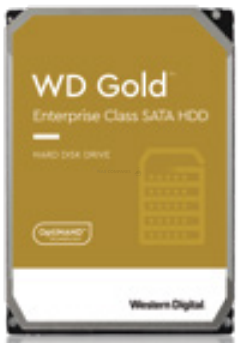
Data Centers, Bulk Cold Storage solutions and High Capacity Workloads
The most recent addition to the WD Colors collection. The WD Gold series is designed for Data Centers (or Data Centres!) or long-term cold storage in smaller RAID arrays. They arrive with a much more rugged, long-term chassis design as they will be HEAVILY used! To back up this level of use, WD provide a 5 Year warranty on these drives. Also, it is well known that Data Centers get through drives much quicker than most HDD Media environments and though the WD Gold Series are more expensive than most hard drives, this cost will pale into comparison to if you filled your data center with WD Blue or WD Green drives and they required replacement more often – as well as the Read and Write operations on the non-gold drives being efficiency and productivity down too. WD Have a long history of Data Center hard drives before they rebranded to the Gold series. Each kind of drive (tailed to different center and use types) was built with longevity in mind, but with names like Xe, Re and Se, they simplified matters and created the Gold Series to make it easier to comprehend.
| Interface | Form | Size | RPM | Cache | Warranty | Model | Amazon |
| SATA | 3.5″ | 22TB | 7200 | 512MB | 5 Years | WD221KRYZ | FIND |
| 20TB | 512MB | WD202KRYZ | FIND | ||||
| 18TB | 512MB | WD181KRYZ | FIND | ||||
| 16TB | 512MB | WD161KRYZ | FIND | ||||
| 14TB | 256MB | WD141KRYZ | FIND | ||||
| 12TB | 256MB | WD121KRYZ | FIND | ||||
| 10TB | 256MB | WD102KRYZ | FIND | ||||
| 8TB | 256MB | WD8004FRYZ | FIND | ||||
| 6TB | 256MB | WD6003FRYZ | FIND | ||||
| 4TB | 256MB | WD4003FRYZ | FIND | ||||
| 2TB | 128MB | WD2005FBYZ | FIND | ||||
| 1TB | 128MB | WD1005FBYZ | FIND |
Are there any other WD Hard Drive types I should be aware of?
Of course, the HDD and SSD market is so big that even a fantastic system like the WD Colors Guide will not quite cover it all. There are a few other models and terms that you should be aware of. Some are older and have since ceased production, some are more enterprise versions of the drives above and others are just…well…plain weird and don’t fit in the spectrum of WD Colours whatsoever. Have a look below a few little nuggets of WD HDD past below:
The WD Re, Se and Xe
SAS and generally all enterprise-level HDD that are designed for the intense operations of data centers till relatively recently arrived in the WD Ae, WD Se and WD Re series (as well as the Xe series too). each were made with slightly different hardware environment in mind. Some with a 10,000RPM speed (but arriving at a much higher Price per GB), some in SAS (the 12GB/s connection) and others in SATA (6GB/s) but the whole range was starting to become rather messy and given that the specs in many cases were comparable to the PRO series, WD decided to phase most of them out in favour of the WD Gold series (available in both SAS and SATA).
The WD Velociraptor
A very qwerky and unique HDD, sadly most units are also no longer available to buy. The Western Digital Velociraptor was one of the fastest commercially available HDD in the world! Only available in smaller capacities of 150GB and 300GB, the drives comprised of a 2.5″ 15mm HDD that was housed in a 3.5″ frame designed as a heatsink. This, coupled with 10,000 RPM and 15,000 RPM, this technology did not arrive cheap. However, since the market increase in demand of SSD and the release of WD Gold, we have seen demand fall greatly – even in spite of a 1TB version being released. Sadly we are looking here at a really technology-changing appliance that has sadly been surpassed.
The WD Black2 and WD SSD
I have bundled these two together as they are both of interest, but for separate yet oddly similar reasons. A couple of years ago WD saw the popularity of Hybrid drive technology (A drive that was HDD in design with platters and moving parts, but with a small portion of SSD NAND chip on board for your BOOT and mission-critical software to run from). However, for most, SSHD drives were let down by the SSD portion, only being about 4GB to 20GB in size – Windows 7 alone couple eat up most of that without trying and currently, a Full Windows 10 install will eat up 30-50 GB when everything is installed. So WD decided to go in all hot and heavy and release a much, MUCH larger portion of SSD on their drive of 120GB! Sadly, this came at a price and a price that, for many, was just too high. This coupled with poor marketing (rare on WDs part) and a lack of education provided to consumers on it’s benefits mean that it ended up missing target and eventually being abandoned
�� SUBSCRIBE TO OUR NEWSLETTER ��
If you like this service, please consider supporting us. We use affiliate links on the blog allowing NAScompares information and advice service to be free of charge to you. Anything you purchase on the day you click on our links will generate a small commission which is used to run the website. Here is a link for Amazon and B&H . You can also get me a ☕ Ko-fi or old school Paypal . Thanks! To find out more about how to support this advice service check HERE If you need to fix or configure a NAS, check Fiver Have you thought about helping others with your knowledge? Find Instructions Here
Or support us by using our affiliate links on Amazon UK and Amazon US
Alternatively, why not ask me on the ASK NASCompares forum, by clicking the button below. This is a community hub that serves as a place that I can answer your question, chew the fat, share new release information and even get corrections posted. I will always get around to answering ALL queries, but as a one-man operation, I cannot promise speed! So by sharing your query in the ASK NASCompares section below, you can get a better range of solutions and suggestions, alongside my own.


DISCUSS with others your opinion about this subject.
ASK questions to NAS community
SHARE more details what you have found on this subject
CONTRIBUTE with your own article or review. Click HERE
IMPROVE this niche ecosystem, let us know what to change/fix on this site
EARN KO-FI Share your knowledge with others and get paid for it! Click HERE
18 thoughts on “ What is the difference between the WD Colours – Blue, Red, Black, Green, Purple and Gold ”
@mpxz999 says:
Between the AI detection on the cameras and the AI detection built in to the nvr software… Somehow i think the purple pro is just marketing buzzwords lol.
“AI” is the most used word in nearly every tech company conference these days afterall Thank you for the great video!
REPLY ON YOUTUBE
Marco Masini says:
Thanks for your help, I just bought wd gold 12tb at a cost of 3/4 of my salary (I live in Argentina), I hope for good results hahaha
REPLY ON YOUTUBE
Copaxone Kalem says:
I’ve been researching for just an archival quality HDD for 5 days. Still a lot of terms and confusion and no result from endless researching. Thanks for clear explanation.
REPLY ON YOUTUBE
Copaxone Kalem says:
Hello! I need a HDD for long term archiving. I am from Turkey so I don’t have that variety of avaibility all capaties. Should I choose WD Purple for my archive (500 GB). I will only need my archive maybe once a week. I want to buy 2 TB. Which is best for long term durable archive which will last for years? WD Red 2TB (smr ;_;) or WD Purple 2 TB (cmr). I need a backup ASAP. I will use that disc with ugreen HDD enclosure.
REPLY ON YOUTUBE
Shaun Lavoie says:
What are your thoughts on using Gold drives in surveillance systems like a Unifi UNVR? Do the Purple Pro drives do anything specific or different that would make them better than using a Gold?
REPLY ON YOUTUBE
Stephen Furley says:
You talk about workload TB per year. Does this include both reads and writes? Is there any way for a user to see how much their drives have done.
REPLY ON YOUTUBE
Michael Scott says:
Looking for some advice, WD4003FRYZ (WD gold) appears decently cheaper WD4005FZBX ( WD black) is there much difference between these drives and would it be fine to use the gold for desktop use, main storage + some larger games etc. likely daily-weekly power up/down
REPLY ON YOUTUBE
Mick Smithson says:
Nice “Jazz hands” at the 10:00 mark �� Great video
REPLY ON YOUTUBE
Vitor Jesus says:
It is a little painful to see SMR being given an OK for NAS up to 5 bays…. Your 16 April 2020 article seems to contradict this. SMR should not be used in a raid array unless you have a very specific use case. And I thought 8TB and larger Red drives were CMR.
REPLY ON YOUTUBE
. Make $750 Per Day says:
*”The successful warrior is the average man, with laser—like focus.”* —Bruce Lee
REPLY ON YOUTUBE
Tony Campion says:
Why do you insist on calling them a naZ? There is no Z in it, it is a naS.
REPLY ON YOUTUBE
BlcJck81 says:
As stated numerous times before – If you are shopping in the “Red Pro” segment, don’t. Get enterprise instead for better price and superior performance. Especially higher capacity variants. WD Gold (btw just the the “civilian” branding of Ultrastar) is too expensive though, so don’t go there.
REPLY ON YOUTUBE
Cool stuff says:
David M says:
Robbie, I have a Synology DS-920+ that has 4 x 6 Tb WD Red Plus configured with Synology Hybrid RAID. It’s for home home. I will need to start replacing the drives with something a bit larger – probably around 12 – 16 Tb. The issue is that the old drives run at 5400 RPM and have 64 Mb cache. The new drives are 7200 RPM with 256 to 512 Mb cache. Are these differences likely to create much in the way of problems for me ? Not optimizing / maximizing throughput and access times are not a huge issue ; I’m more concerned about reliability and longevity.
REPLY ON YOUTUBE
Marco — The GPUtuber says:
It’s like Skittles. Store the Rainbow!
REPLY ON YOUTUBE
Platinum Music says:
Platter density is a less discussed spec that interests me. Higher density increases reliability from less parts and less vibration.
REPLY ON YOUTUBE
T Z Λ R says:
I have a 8TB WD Gold for art designs, photography and games, too much?
REPLY ON YOUTUBE
MartianAri says:
Plz tell me how to buy a same model hard disk… Just all wd blue internal hard drive are same or not…
How to buy a same model hard disk for my laptop…just wauching a Serial number or model number.
REPLY ON YOUTUBE
Comments are closed.
Ultimate NAS Builder
Are you a complete novice to the world of NAS? Perhaps you know your way around a PC, but the more specialized subject of NAS is rather intimidating. Use our ULTIMATE NAS Builder to help choose the perfect NAS for your specific needs!

In a Rush? Need Help NOW? Go FAST!

If you are in a pinch and need advice in 24hrs, you can use the fast-track enquiry system. This will push your question directly to Eddie/Robbie immediately.
NAS Compares Tools
Eddie at NASCompares is ALWAYS working on new tools to help you find the best data/network storage solution for your needs. As tools are developed, they are added below (as well as embedded in many, many articles across the site). New ones are always being added (stay tuned for a HUGE update coming soon with the ULTIMATE NAS Configurator tool):
| NAS HDD Finder – Find the Best NAS media for your price/capacity right now |
| RAID Calculator -Work out the best balance of # of drives vs Scale vs redundancy |
| HDD Usable Space Calculator– Work out just how much space you will get in your NAS RAID |
| Synology HDD Compatibility– A dynamic and growing list of confirmed compatible HDDs for Synology DSM |
| Synology RAM – Community-based compatibility list. |
| Compatible NVMe SSD– An ever-growing list of NAS-compatible NVMe M.2 NVMes |
| Live NAS products – The FULL List of NAS’ that we have featured on the site + content we have made |
| SMR/ CMR Drive finder – Worried about SMR Drives? Use our SMR/CMR/PMR Checker |
| Power efficient NAS – Check the Power Efficiency of a NAS before you buy |
| QNAP RAM – Check for QNAP Compatible Memory |
| GPU for PLEX – Here is a list of NAS Compatible GFX Cards for NAS with PLEX |
| Synology Buyers Guide – A Buyers Guide to Synology NAS |
| Synology HDD compatibility – Quick Guide to Find a Synology Hard Drive |
| NVMe SSD Endurance – A Guide on identifying the most enduring SSD for your needs |
| 10GbE Switches [List] – Find an Updated List of Recommended 10GbE Switches |
| 10GbE Thunderbolt Adapters [List] – Check for an approved 10G-to-Thunderbolt Adapter for Editing |
| Silence your NAS [List] – Check for an approved fan list |
MORE TOOLS BEING DEVELOPED SOON!
| Synology Plex Performance Guide 2023/2024 – A rundown of ALL Synology NAS and how they perform in PLEX |
| QNAP RAM – Check for QNAP Compatible Memory |
| Synology Buyers Guide – A Buyers Guide to Synology NAS |
| Synology RAM 2023/2024– Check for Synology-compatible memory |
| Synology Plex Performance Guide 2023/2024 – A rundown of ALL Synology NAS and how they perform in PLEX |

Join the Inner Circle? The Inner Circle is a community of like-minded individuals who are passionate about the same things you are. You’ll have the opportunity to ask questions and get replies from me and other Inner Circle members who are dedicated to helping each other out.
Join NAS Community
- Three Tier Options
- Direct Messages (Priority)
- Content Voting
- Priority Email
- Exclusive Content
- Private Discord Access
- Direct Messages (Priority)
- Exclusive Content
- Exclusive Requests
- Content Voting
- Webinars
- Telegram
- Priority Email

Still Need Support?
if you are still going around in circles and need direct consultation, we have just started providing one-hour consultations via zoom. You can find out more about them via the link below:

ASK NAScompares
Next, if you want more community based support, there is the forum, which can be found here:
Finally, why not try asking NAS Community or join for yourself and assist others:
Becoming a Live Donor?
You may or may not know me, but my name is William Woolrich and I have had kidney disease since I was a teenager (I’m in my 50s now), as a result of an autoimmune disorder. I’ve been fortunate enough to be quite stable for many years; but unfortunately, this fall (2022), my kidneys quickly deteriorated.

Recent Comparisons
By using this website, you agree with our Privacy Policy and the use of cookies to enhance your experience. Read About Cookies and Privacy Policy. Advertising Disclaimer
All pages contain links to Amazon. These links will take you to some of the products mentioned in today’s article. As an Amazon Associate, we earn from qualifying purchases.