How to Get Someone’s IP from Discord
There are plenty of situations where you might want to get someone’s IP on Discord. Still, not all know how to do it. Most people believe that Discord hosts their servers themselves, so it’s impossible to get a person’s IP from it. Also, this platform uses TLS, which ensures more security for each of its users.
Most IT specialists will tell you: “It’s impossible to get someone’s IP from Discord.” However, this is not true at all. It is pretty possible to do it using a specific way or a program that might calculate the user’s IP you are interested in. See the most popular ways to get someone’s IP on Discord in this article.
1. Use the Discord IP Grabber
Without a doubt, IP grabbers are one of the best solutions for getting to know someone’s address. There are plenty of IP grabbing programs that allow you to find and track IP. Here is an example of how to get an IP address using Grabify:
Step 1. Get a Person’s URL
On Discord, each user will have a link that leads to their page. First, you need to know this link to start grabbing their IP. Grabify has a convenient window with a special field where you need to copy-paste the user’s Discord address.
Step 2. Create a URL
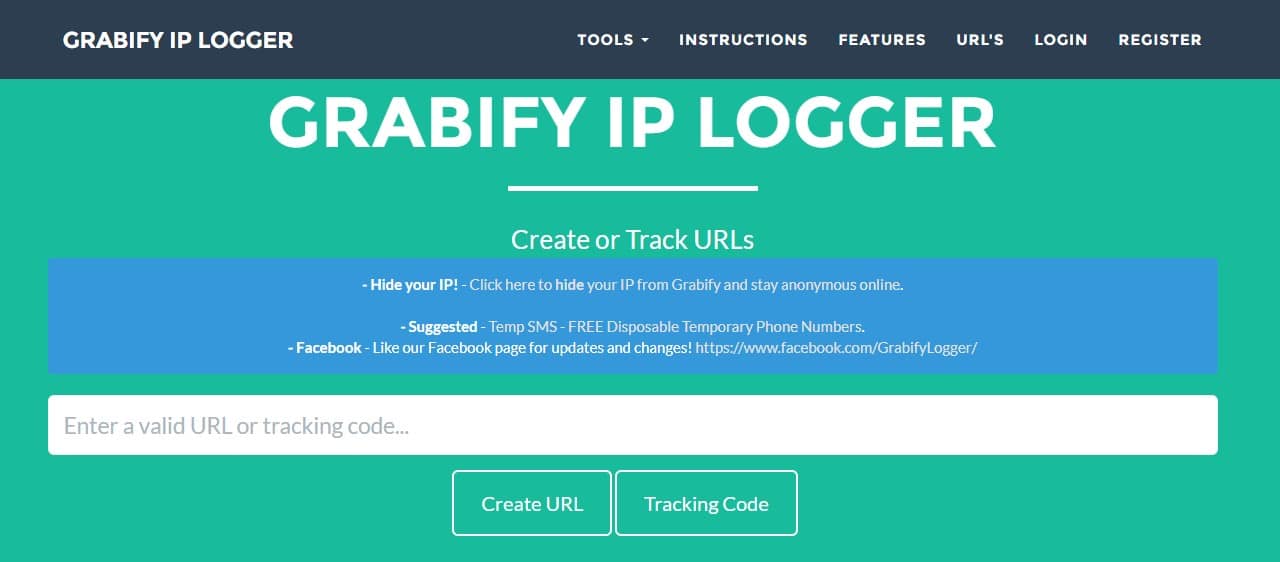
After you’ve entered the address of the Discord user, press the button “Create URL.” Now, you have a working address that you need to give to your user to grab their IP. What you got now is the usual URL, but with certain parameters attached to it. Namely, when the user clicks the link, you get their information.
If that sounds rather complicated, check this clear and straightforward tutorial on how to catch catfish on the internet with Grabify tracking links.
Step 3. Save Your Tracking Code
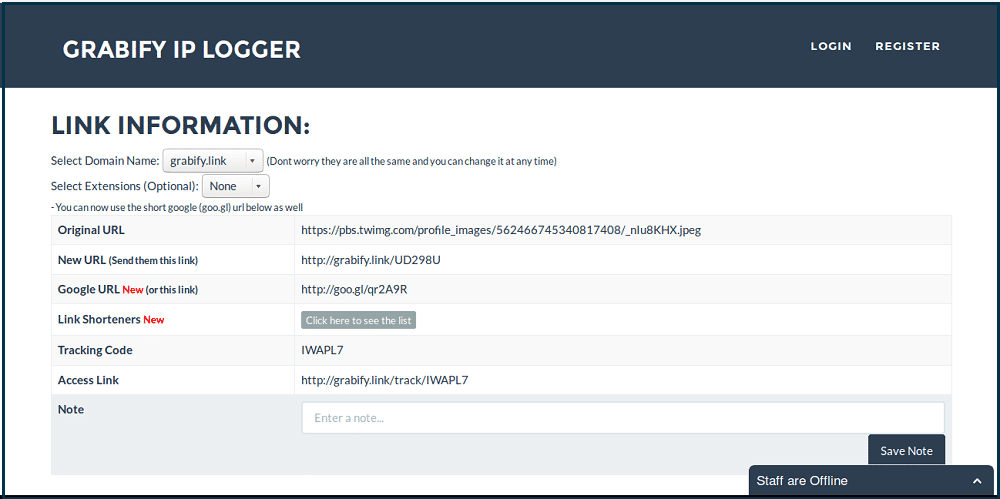
When you create a URL for your user, Grabify will give you a tracking code. This code is important as it will provide you with the ability to track the user’s IP later on.
Step 4. Give the Generated Link to the User
When you have the link, please give it to your chosen user and make sure they click it. Ideally, the user should be interested in clicking the link. Otherwise, you won’t get the IP address.
Step 5. Track IP
Once you have the tracking code and the user clicks your link, you can track their IP. First, you need to enter the tracking code in a special field on the Grabify site. It is easy to find on their homepage as it is located on the top. Click the button “Tracking Code.” The website will show you all the information about the Discord user you got using Grabify.
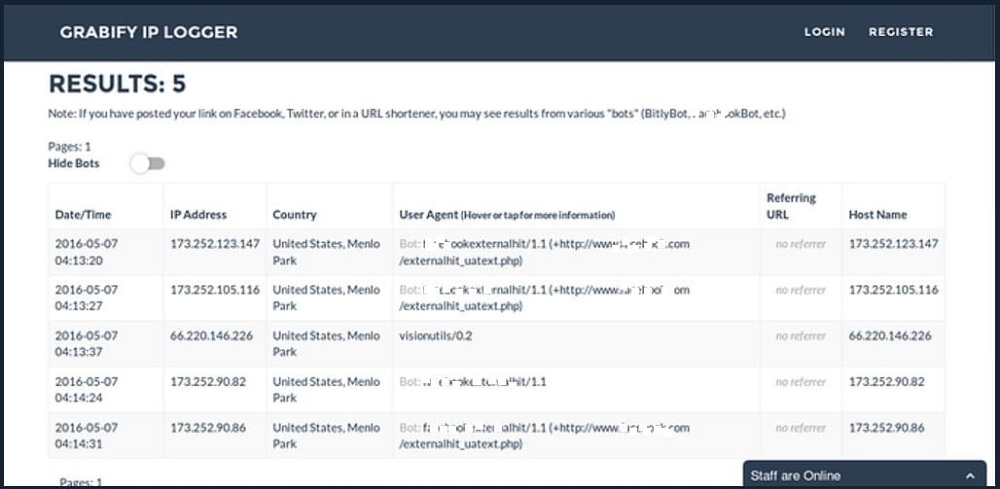
This is a pretty easy way to get the Discord of your designated user. Even without an account on Grabify, you can log IPs, country, user agent, OS, and device of the user you choose. This tool is straightforward but gives a lot of analytic information, so visit Grabify to check what it can do for you.
2. Use the Discord IP Resolver
Discord IP Resolver is another easy way to get someone’s IP from Discord. This tool uses advanced technologies nowadays to help you get any information you want. IP Resolver technology can perform a packet interception scan method. This method helps to decrypt, extract, or fetch any IP address that you need.
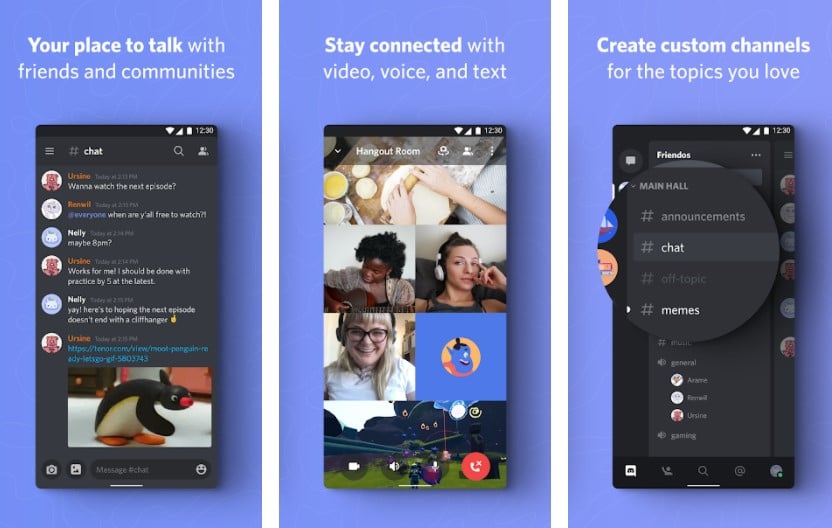
First of all, the tool sends spoofed packets modified specially. The app’s artificial intelligence algorithms can quickly adapt to the user’s location. After this, the target IP will send encrypted packets back, thus giving you information about their IP.
Note: To use this tool, the target user has to be online.
So, how do we get a user ID from Discord?
Step 1. Get Your User ID
To get your user ID, you should join any server on Discord and type \@yourusername. After this, you will get your User ID. Copy it for further steps.
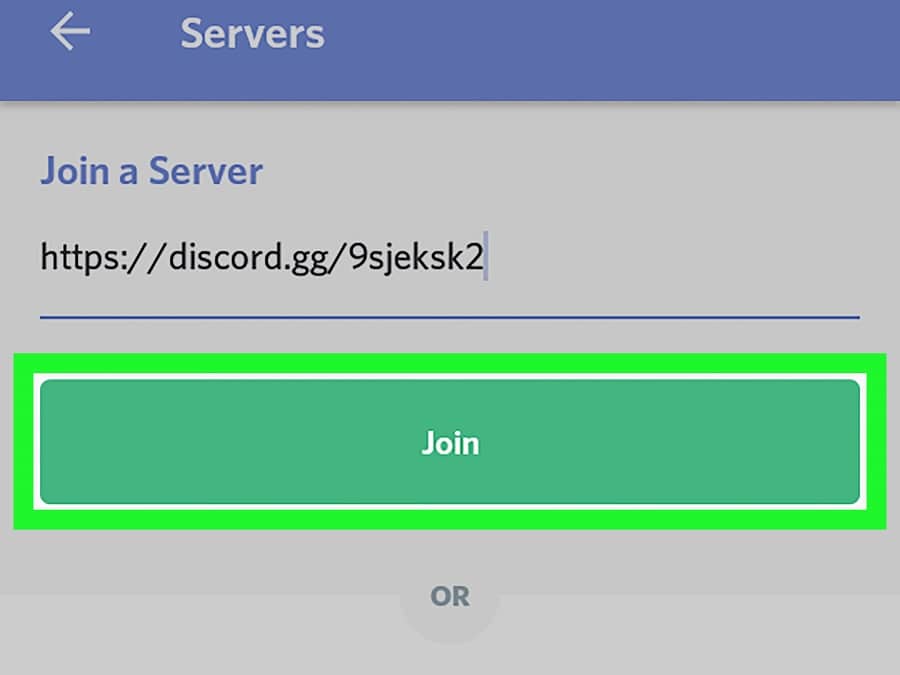
Step 2. Turn On Developer Mode
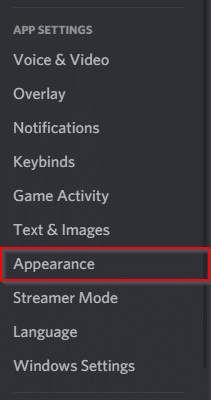
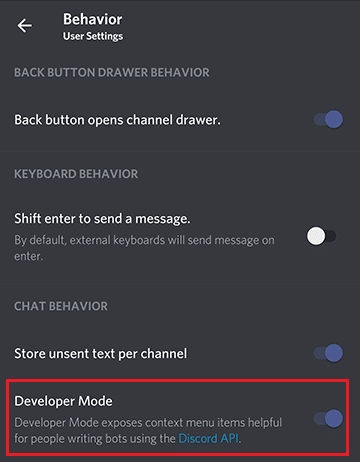
Before getting another user’s IP, you need to go to your Discord account and choose “Settings.” After this, go to “Appearance” and check the checkbox next to the “Developer Mode.”
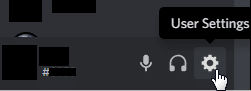
Step 3. Copy Another User’s ID
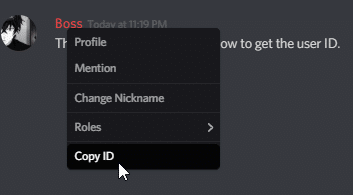
After you’ve turned on the developer mode, right-click on the user you need and click “Copy ID.” Now, you can proceed to the next steps.
Step 4. Fetch an IP Address
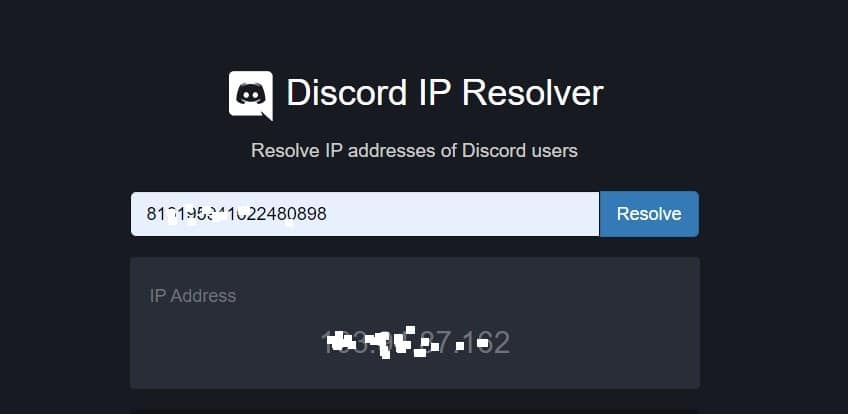
When you have a Discord User ID, paste it into the corresponding field on the Discord Resolver website. Click “Resolve,” and the IP of your user will show on the Discord IP Grabber site.
3. Use Wireshark to Get Discord IP
Wireshark is another powerful tool that people use as a protocol analyzer. For example, you can see what is happening on your network, even on microscopic levels. The project has existed since 1998 and can make rich VoIP analysis and live capture analysis. This allows you to get anyone’s IP, including Discord users.
So, how to use Wireshark to get someone’s Discord IP? This might need a bit of technical knowledge. But as far as you are dedicated and follow the instructions, you will be fine.
Step 1. Install Wireshark
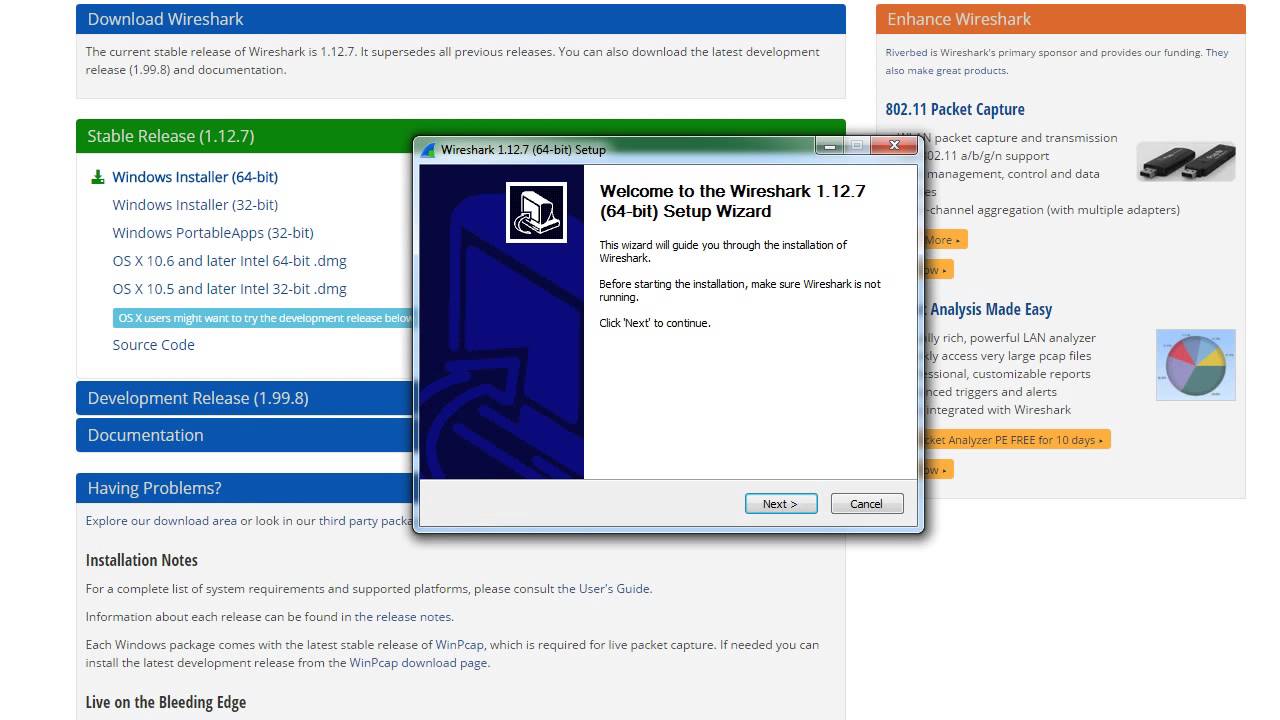
Wireshark is an app that you need to download to your computer before you start using it. Go to their website, find the Download section and pick your version of the operating system to install. After this, an install file will be downloaded, and all you need to do is install it.
Step 2. Explore Tracking Functions
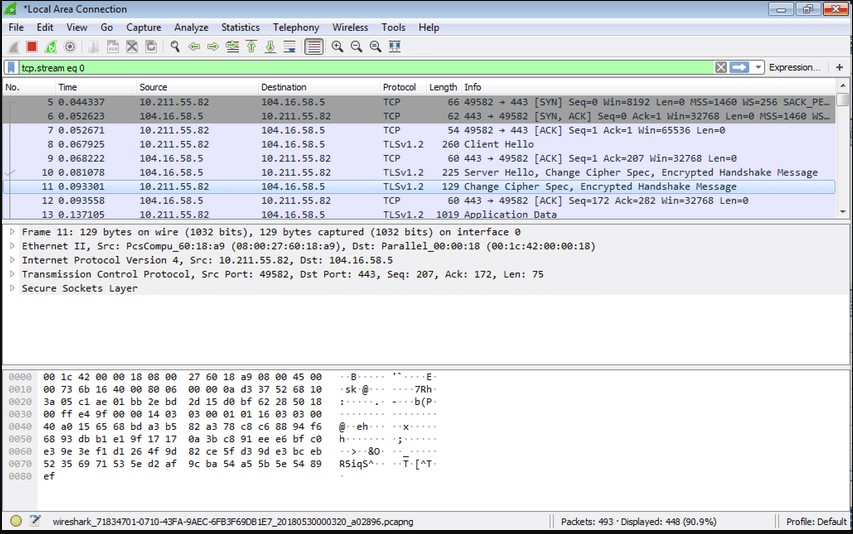
The app is a goldmine of useful functions that allow you to track nearly anything. You might capture lots of pages, see packages of information that your computer sends to the various site, and see what the sites send you.
This includes Discord, so you can catch packages from it and see information about them which will contain the user IP. This information will include the number of packages, source, IP, device, protocol, and other info.
Step 3. Login Into Discord
On the Wireshark app, you might capture lots of sources because your computer performs many processes in the background. Luckily, you can filter them using Wireshark functions. For example, you can see TCP, UTP protocols, and so on if you click the corresponding tabs.
So, if Discord is active now and you are speaking with the user whose IP you need, the app will capture them as well, so make sure that you turn on the app before connecting to them.
Step 4. Search Discord Packages
As we already know, Wireshark can capture every process that your computer does through the Internet and can track all information. But how to understand where Discord info is among all of that? Easy!
You can find Discord if you search the name “Discord” in the special field within the Wireshark window, and it will show you all the processes that are going now, thus enabling User IP. You will easily filter packages and see all info about them. Try searching different protocols, and enter “Discord” into each of them. This will give you insights into your computer’s connection with Discord.
Step 5. Get the User IP
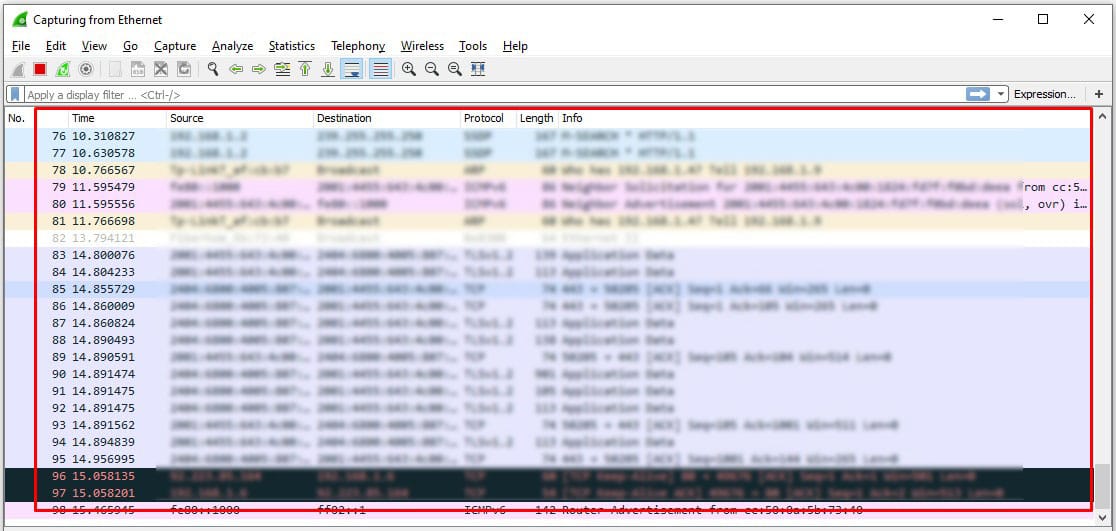
To get the user IP from Discord, we need to look at all the incoming packages. To find the IP of the definite user, you need their username. If you enter it in search of the Wireshark app, you will easily get their IP.
Try searching within the categories you found when you searched Discord traffic. Mind that there might be lots of rubbish information, but luckily, you will see the IP of the user in their Discord info.
How to IP Ban Someone in Discord?

Often, you might have arguments with a certain user or simply face annoying people on Discord. The good news is that you don’t need to suffer or tolerate them – there is an option to ban anyone on Discord!
The bans on this platform are IP-based, so, as long as the person uses the same IP address, Discord will block them. Mostly, people use only one IP, so you can be sure that they won’t be able to reach you. So, how do you ban someone on Discord? See the full instruction below.
Step 1. Launch Discord
First and foremost, you need to launch Discord. You can ban somebody from the desktop app, mobile app, or their website.
Step 2. Sign in
Next, you need to enter your username and other credentials to log into the system. Then, you will access the server.
Step 3. Select the server
The next step is to select a server. They are located on the left side of the screen, so they’re easy to find. From the servers list, pick one.
Step 4. Find the user
To ban someone, you first need to find them. They should be in one of the channels on Discord, so be sure to remember where this user likes to be. Look at the main panel of any VoIP channel to see a list of its members. Keep clicking the channels to find the user.
Step 5. Ban the user
Once you’ve found the user, it is easy to ban them. Right-click the name of this user. The menu will appear, and at the bottom, you will see the “Ban” button. Then, left-click it to open another dialogue box. After this, confirm the decision by clicking “Ban” and voila! The user’s IP won’t be able to access you from now on.
Conclusion
There are many situations when you might need to get someone’s IP on Discord. Some people will tell you that it’s impossible, but now, third-party apps can help you do this easily. Pay attention to Discord IP grabber, which is a free website app. By link grabbing, you can quickly get the person’s IP using this tool.
Also, Discord IP Resolver helps you to get the IP if the user is active right now. Wireshark is another solution, but you need a bit of technical proficiency to use it. The app will grab any IP that sends packages to your computer, so it might capture the Discord IPs. As an alternative, you might permanently ban an unwanted user from your Discord using the “Ban” button next to the username.
Read More,
- How to Track IP Address from Whatsapp
- Simple Tips That Will Help You Start Your Own Podcasting Platform
- What Are Payment Processors And How Are They Useful
- How to Restart an Apple Watch
- Top Places For IT Enthusiasts to Work and Spend Free Time In
- 7 Outlook Tips and Tricks Everyone Should Know By Now
How To Find IP Address From Discord

By Rob Emerson October 25, 2022 December 3, 2023
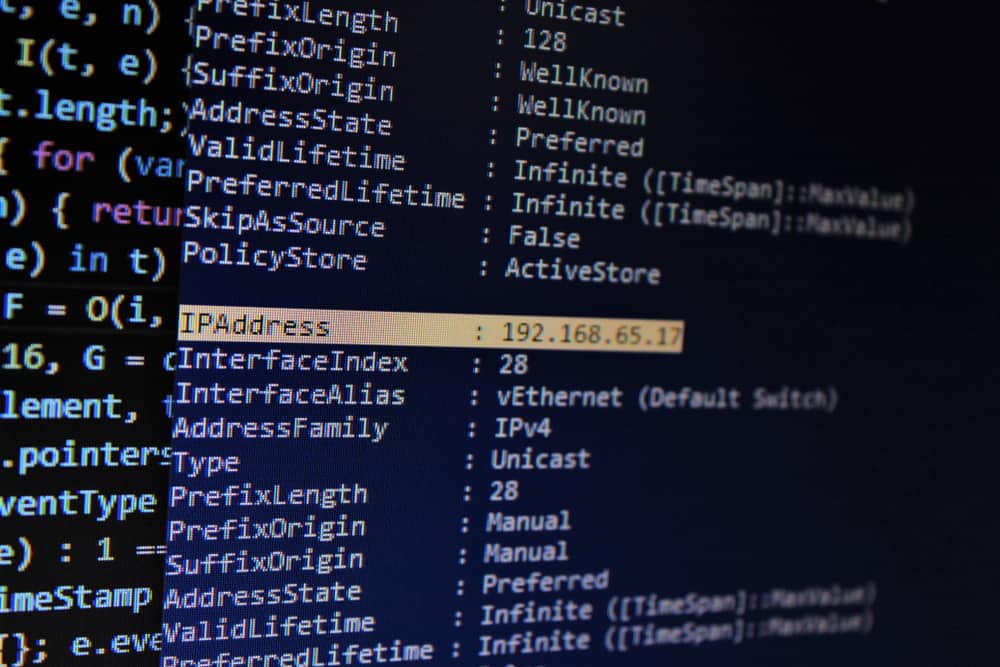
Gamers and developers mainly use Discord for communication because of its unique features, and people are curious about how they can get the IP address of the other person.
It could be you want to enjoy games like Minecraft; in that case, knowing someone’s IP address will come in handy.
The main question is, can you find someone’s IP address from Discord?
Quick Answer
People have had success in getting the IP addresses of others on Discord using various ways.
You can use the command prompt on Windows to analyze the traffic using the netstat command and look up the obtained codes to get the IP address.
Also, you can use the Discord IP resolver to find someone’s IP using their Discord user ID.
Lastly, you can use a Discord IP grabber, which reveals the user’s IP address when clicked.
We will discuss the three ways of getting someone’s IP address from Discord and the steps to follow. You will find one that works for your case from the presented methods. Stick around.
Table of Contents
- Can You Find Someone’s IP Address from Discord?
- How To Find IP Address from Discord
- Method #1: Using Windows Command Prompt
- Method #2: Using Discord IP Grabber/Logger
- Method #3: Using Discord IP Resolver
- Conclusion
Can You Find Someone’s IP Address from Discord?
IP addresses reveal someone’s location (at least a region/country), and Discord doesn’t offer a direct way of getting someone’s IP address as that violates users’ privacy.
Nonetheless, you can bypass this and use other tools to find someone’s IP address from Discord.
Read the next section if you must find someone’s IP address using Discord.
How To Find IP Address from Discord
You must use external tools to find someone’s IP address from Discord. Let’s see three ways you can do it.
Method #1: Using Windows Command Prompt
Windows PCs have a command prompt that lets you perform various activities, including analyzing connections to your system and browser.
Note: The target person must be online for this method to work.
Follow the steps below:
- Close all running apps and browsers except the one you will use.
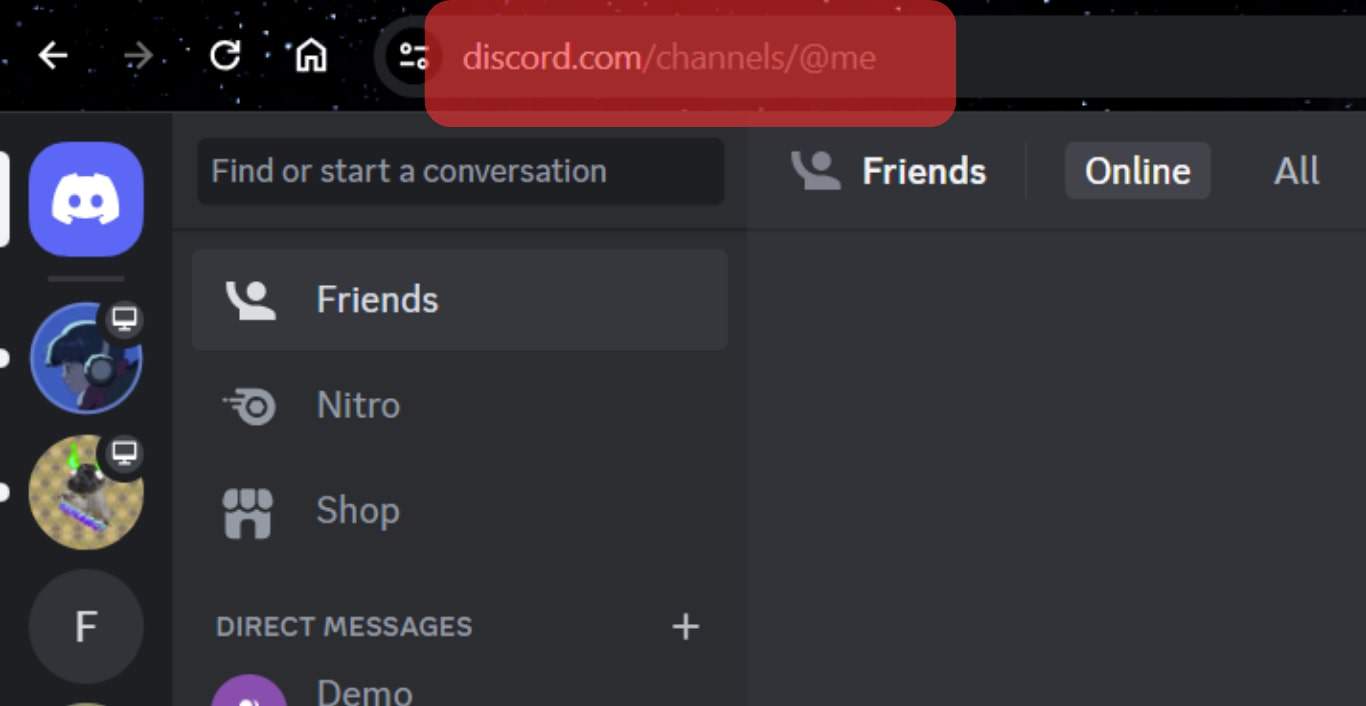
- Open Discord via the website and access your account.
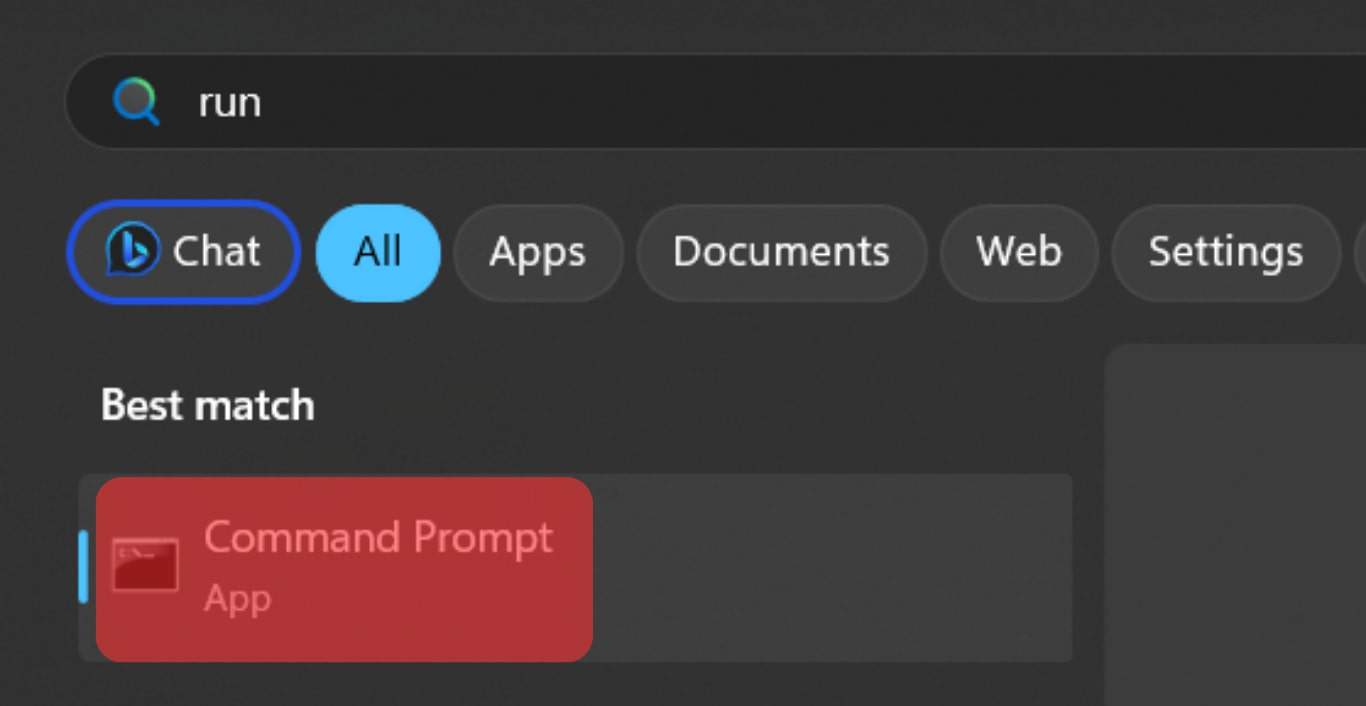
- Open the command prompt on your PC.
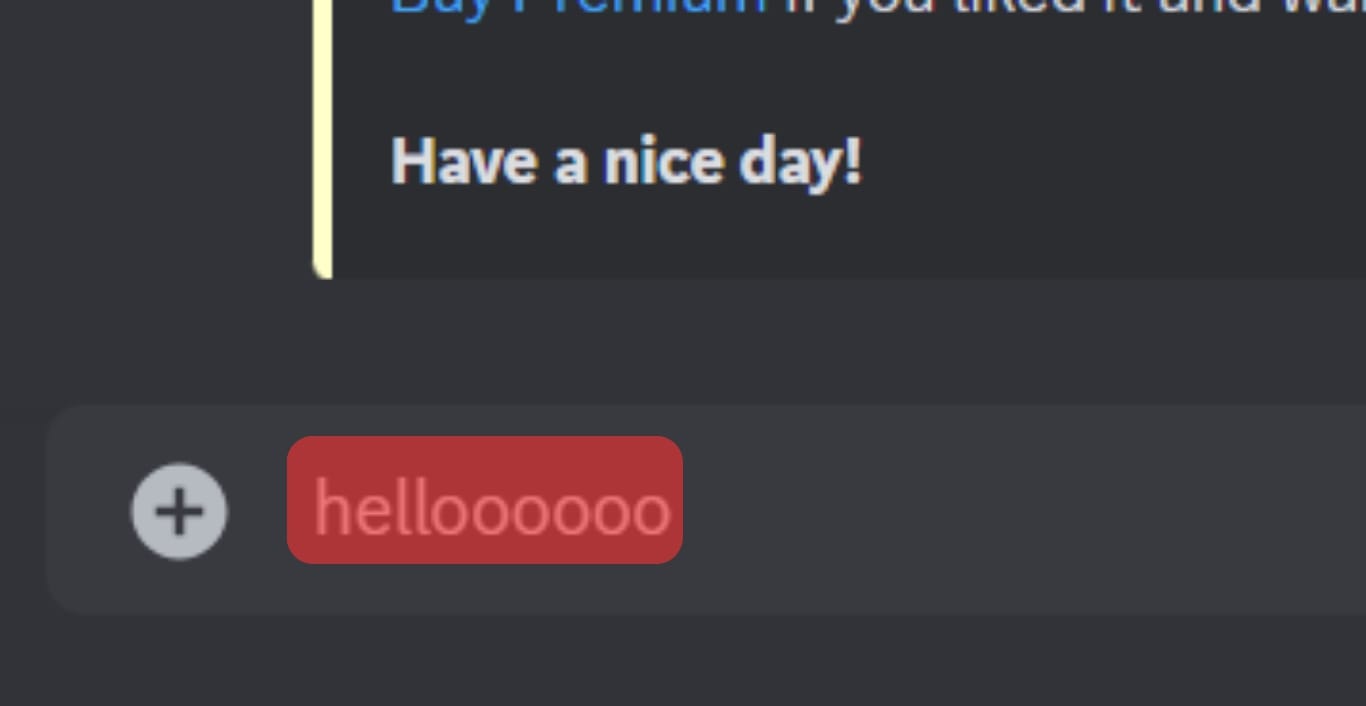
- Chat with the target person on your Discord account and give them reasons to keep chatting.
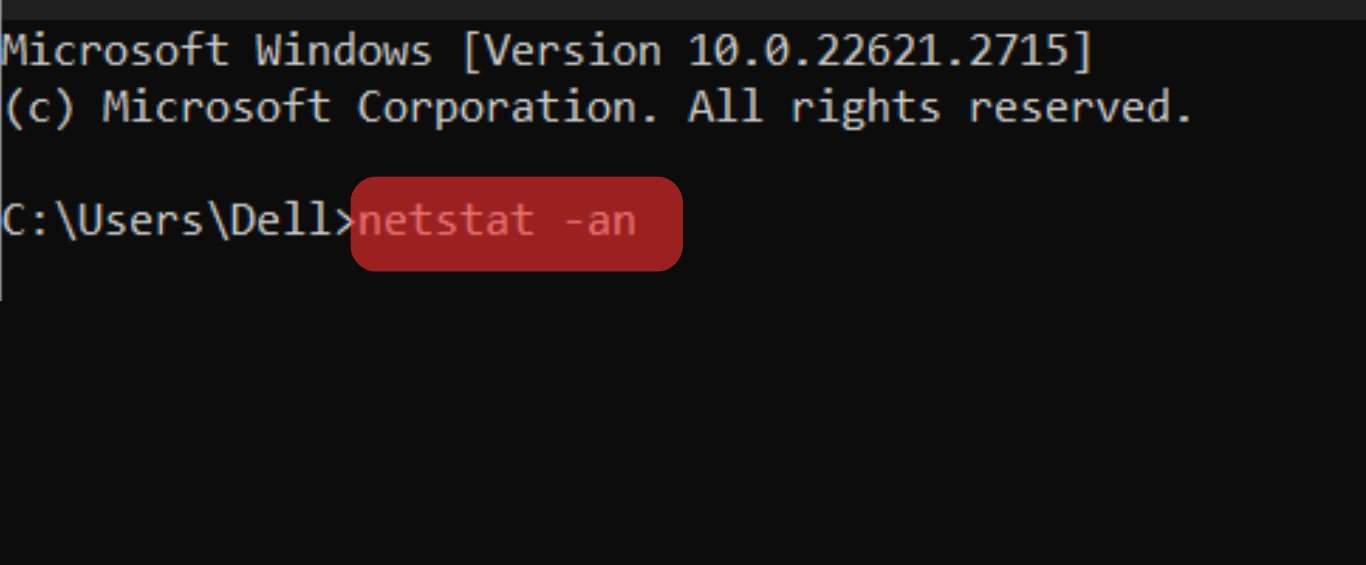
- On your command prompt, type netstat -an .
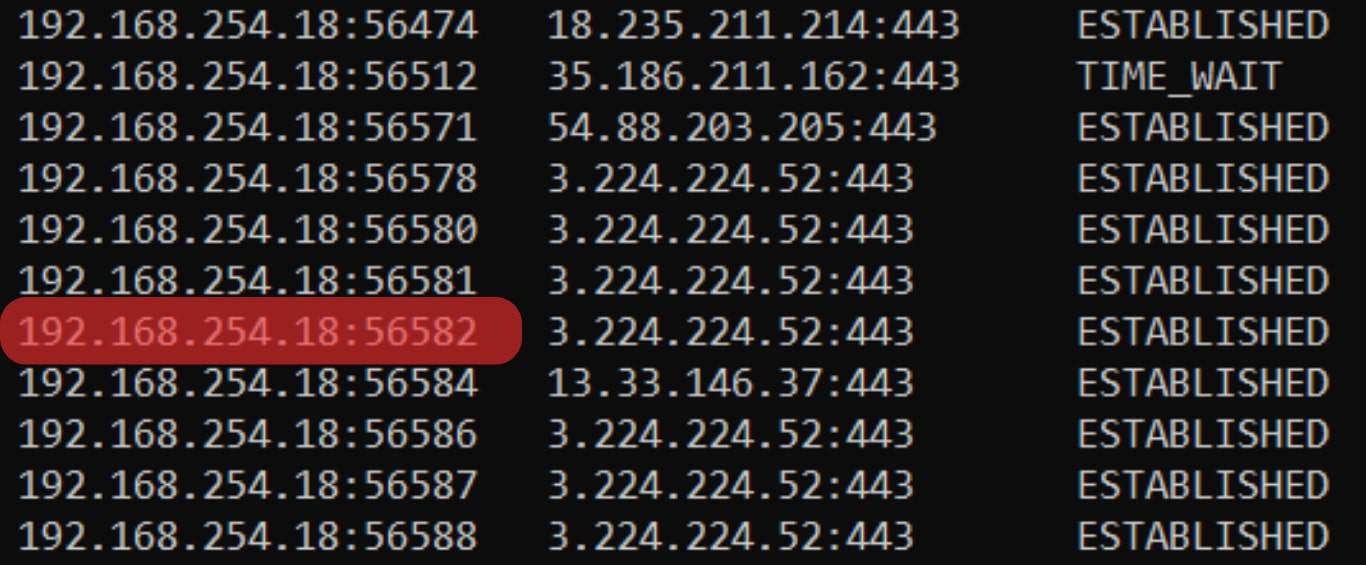
- Keep chatting with the target person until you see their code on the command prompt displaying the state as “Established”.
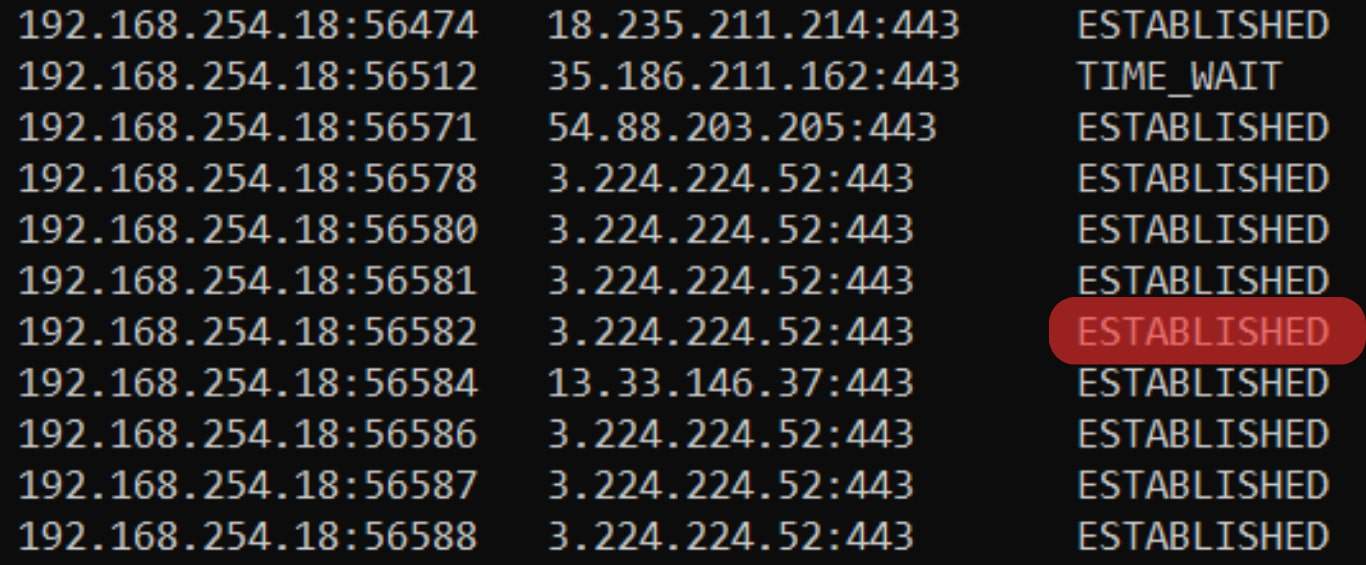
- Lastly, copy the IP address.
Method #2: Using Discord IP Grabber/Logger
With a reliable IP logger, you can generate a link to a site that your target person frequently visits and share the link with them.
Once they click on the link, the traffic will first channel through the IP logger, and that way, you can detect their IP without them knowing.
Here’s how to use the Grabify IP logger.
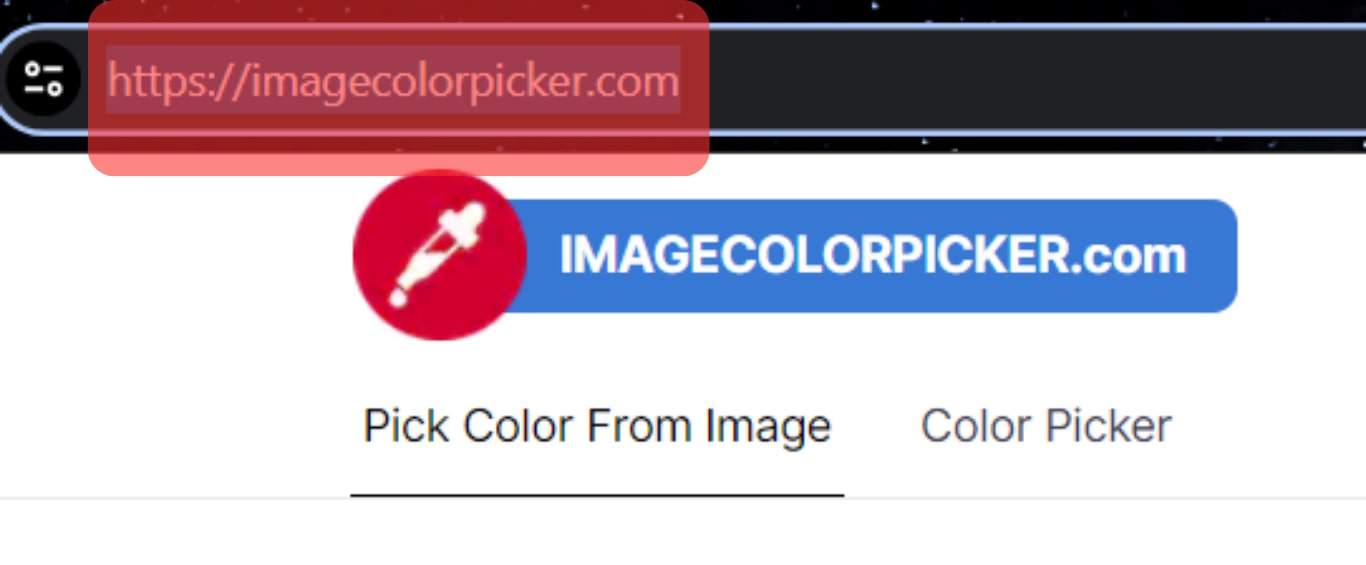
- Copy the URL of a site your target person usually interacts with.
- Visit the Grabify website and paste the copied URL.
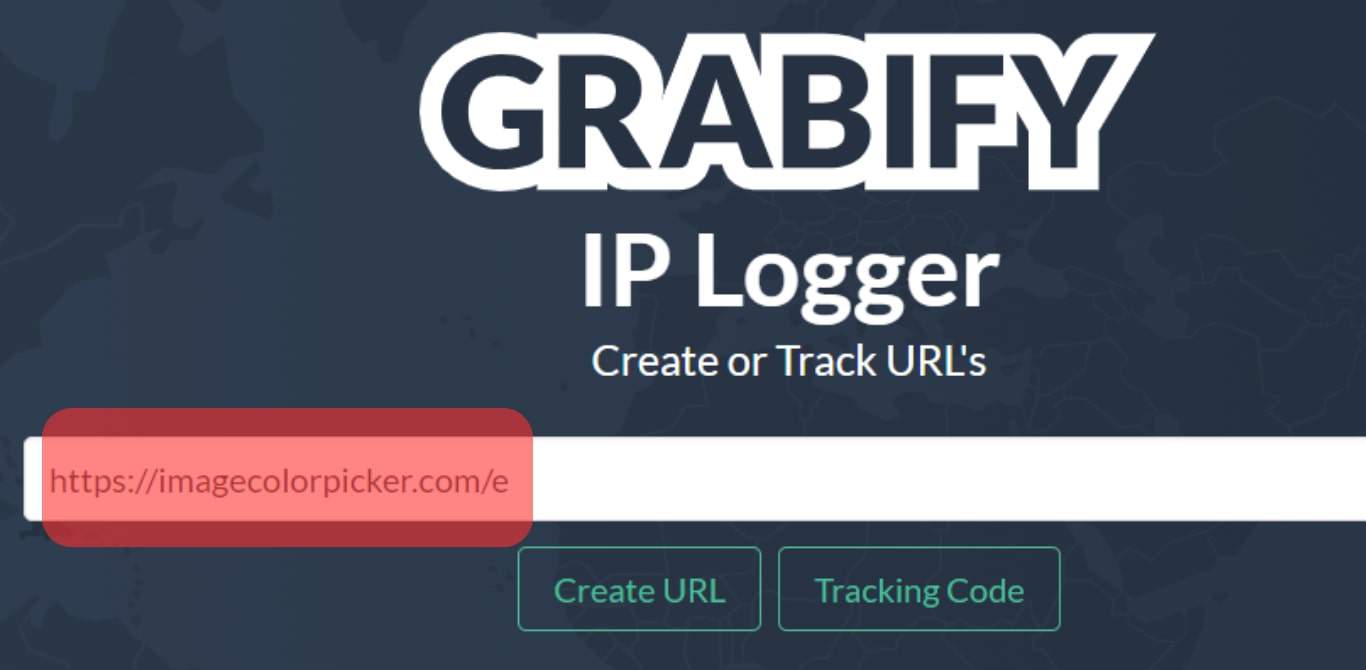
- Click on the “Create URL” option.
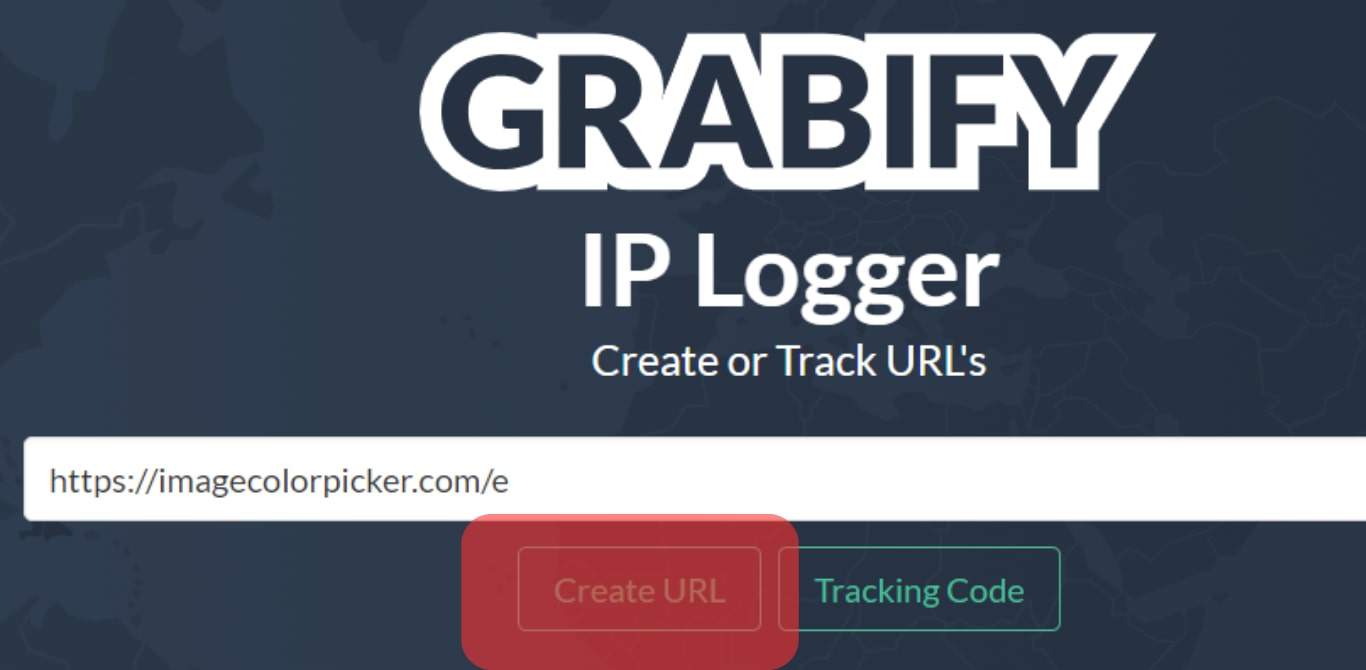
- Copy the shortened URL and note the IP address you are tracking displayed on the Grabify screen.
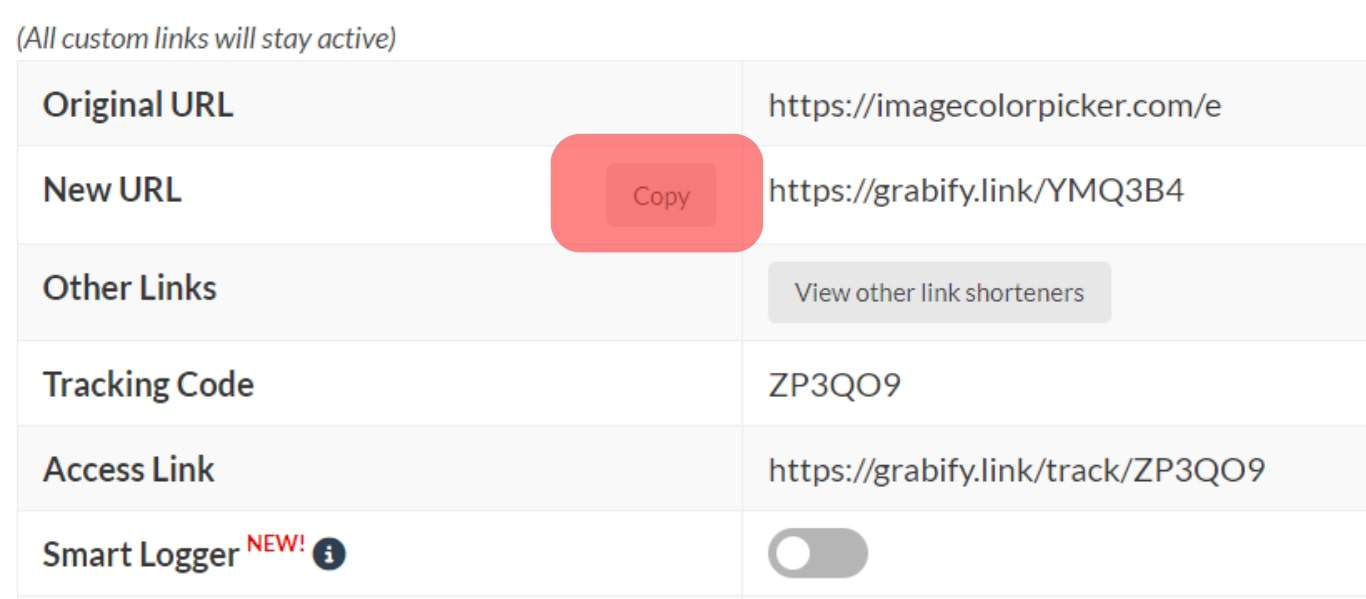
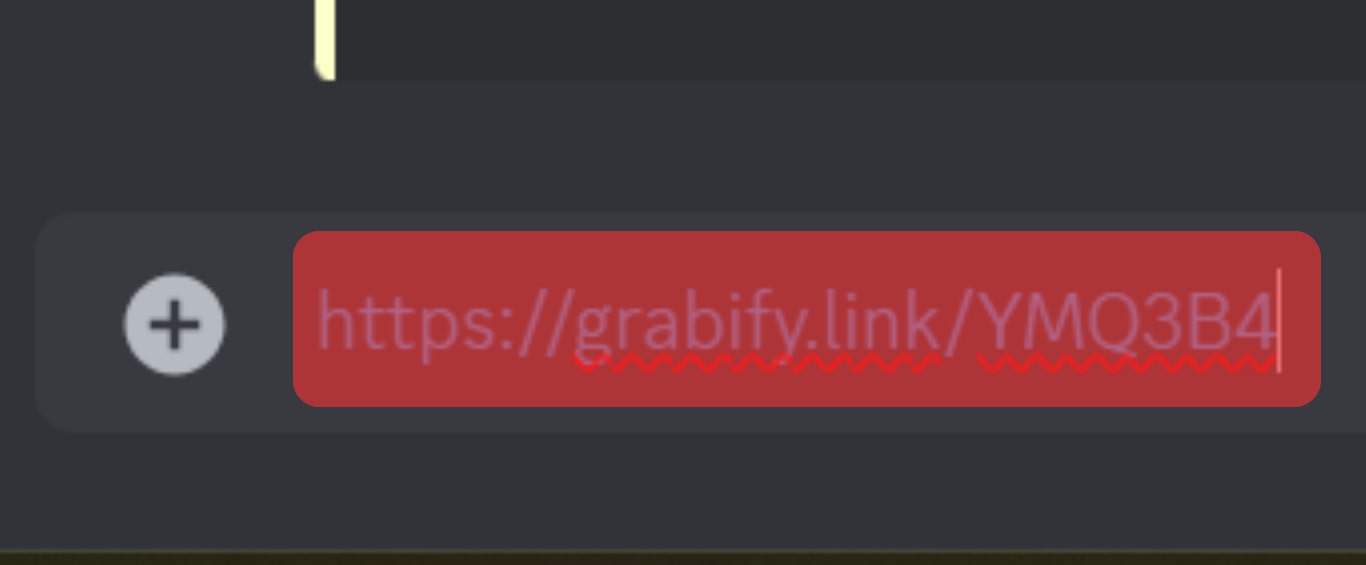
- Open Discord and send them the copied link when chatting with the target person.
- Once they click the link, open Grabify and click the “Tracking Code” button.
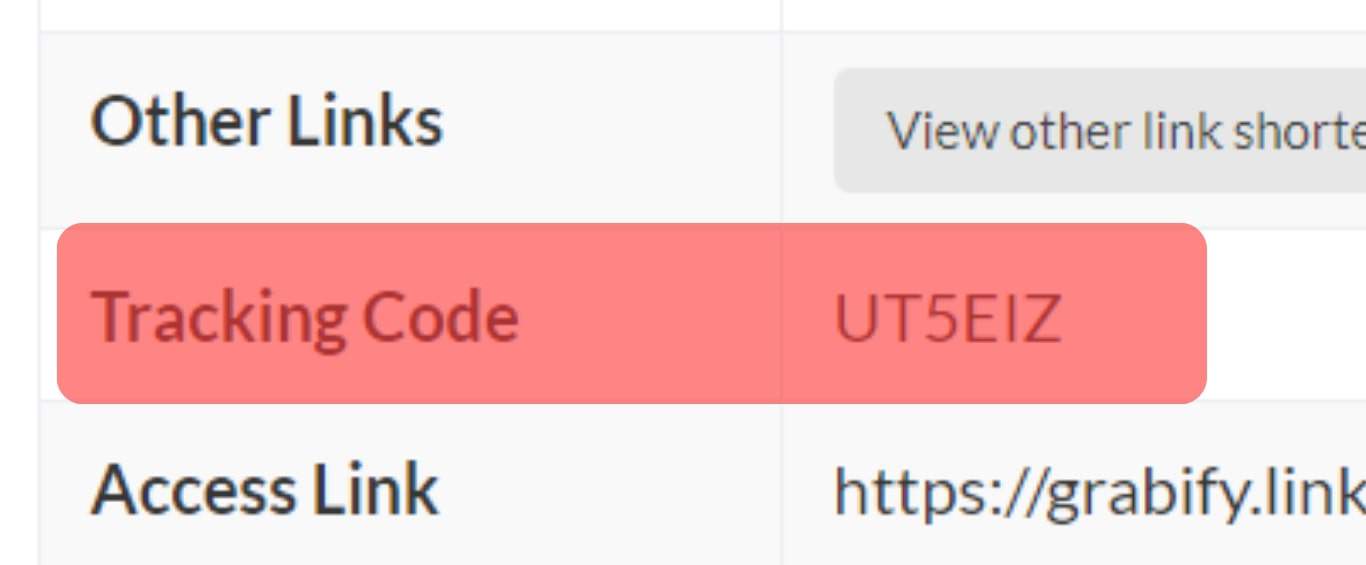
- Locate the entry containing the shortened URL generated before. You will find the details of the IP address.
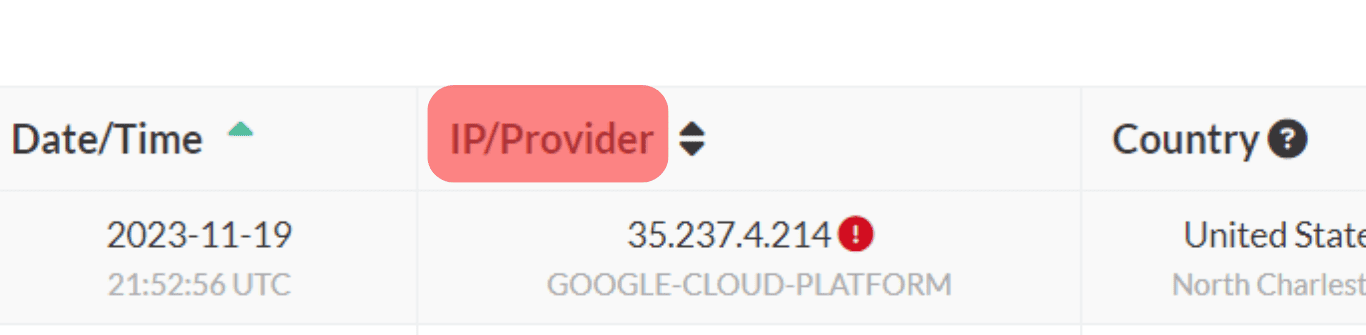
The IP address displayed is that of your target person. Not that this method requires social-engineering tactics to make the target person willingly click on the link for it to work.
Method #3: Using Discord IP Resolver
The Discord IP resolver is a tool that utilizes the Discord user ID to get the IP address of someone online.
Use the steps below:
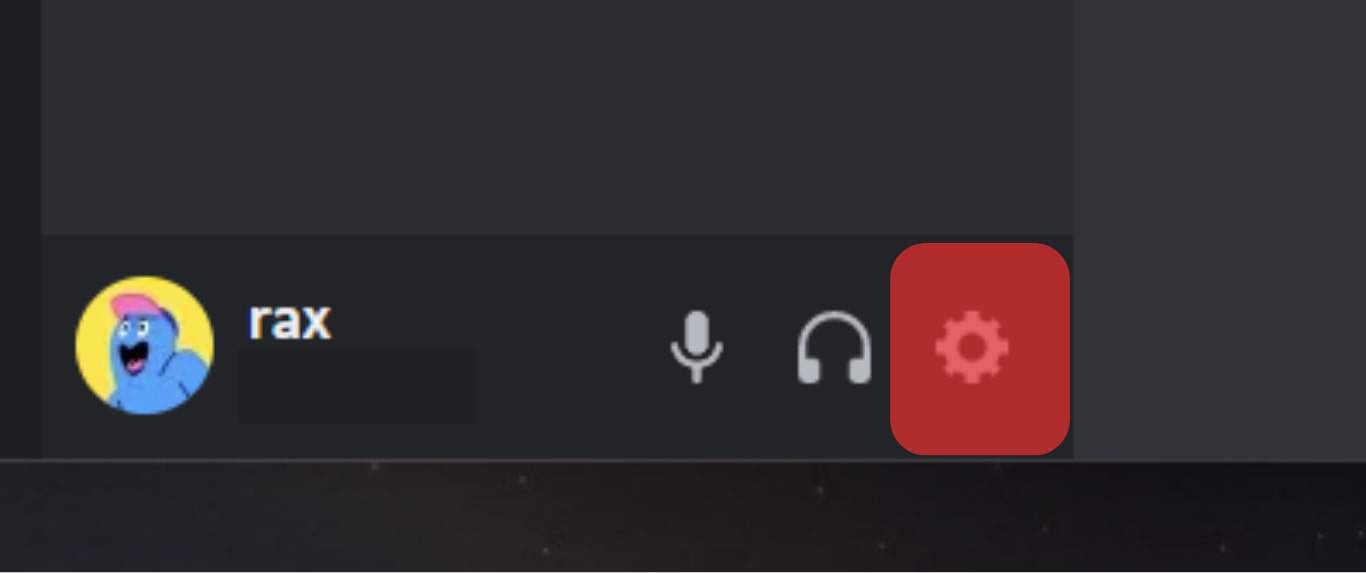
- Open Discord and open the settings.
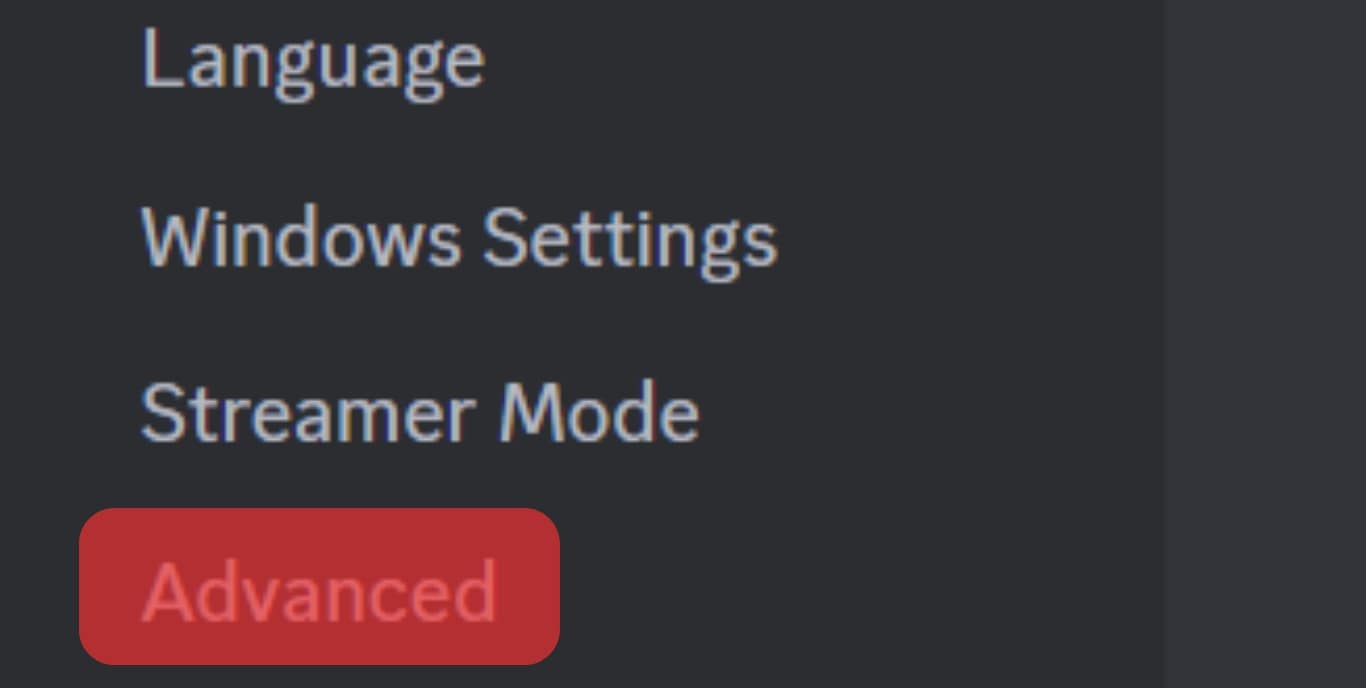
- Tap on the “Advanced” option.
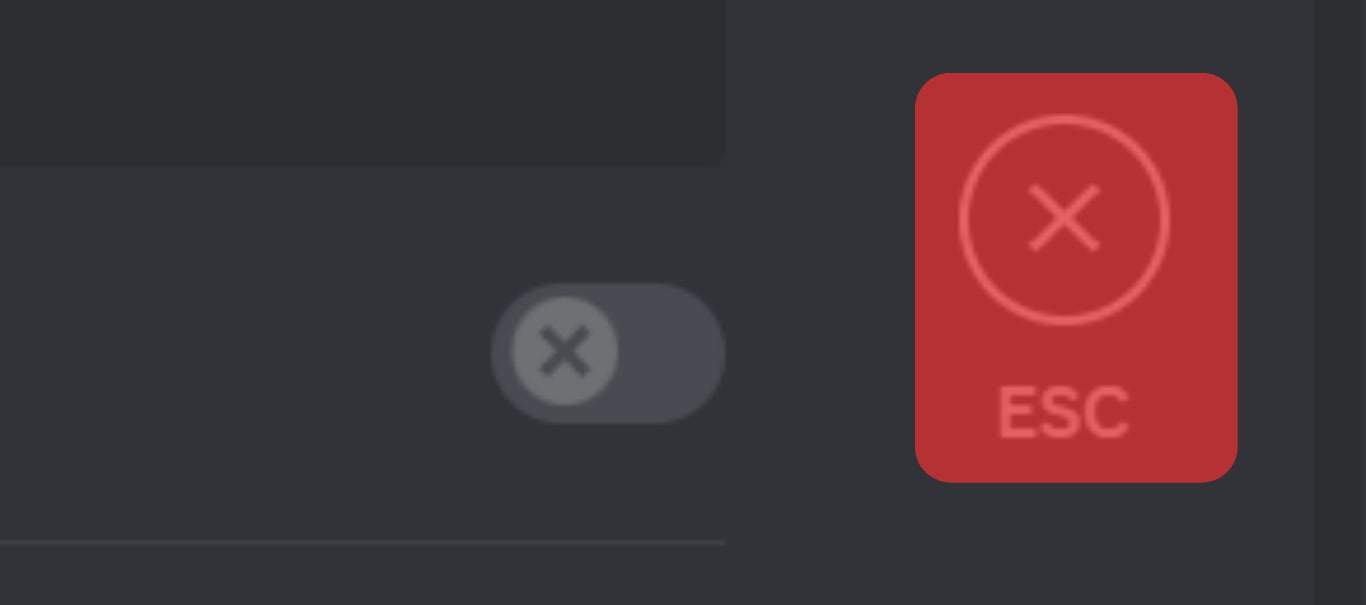
- Enable the “Developer Mode” option.
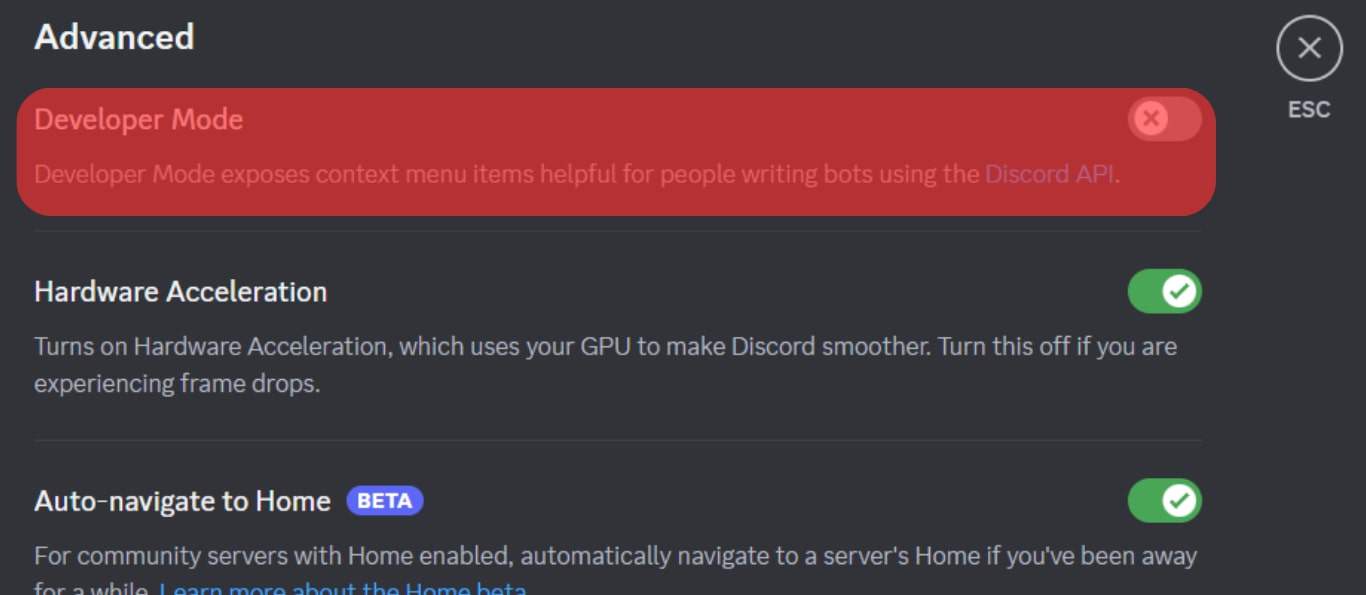
- Once enabled, click on “Esc”.
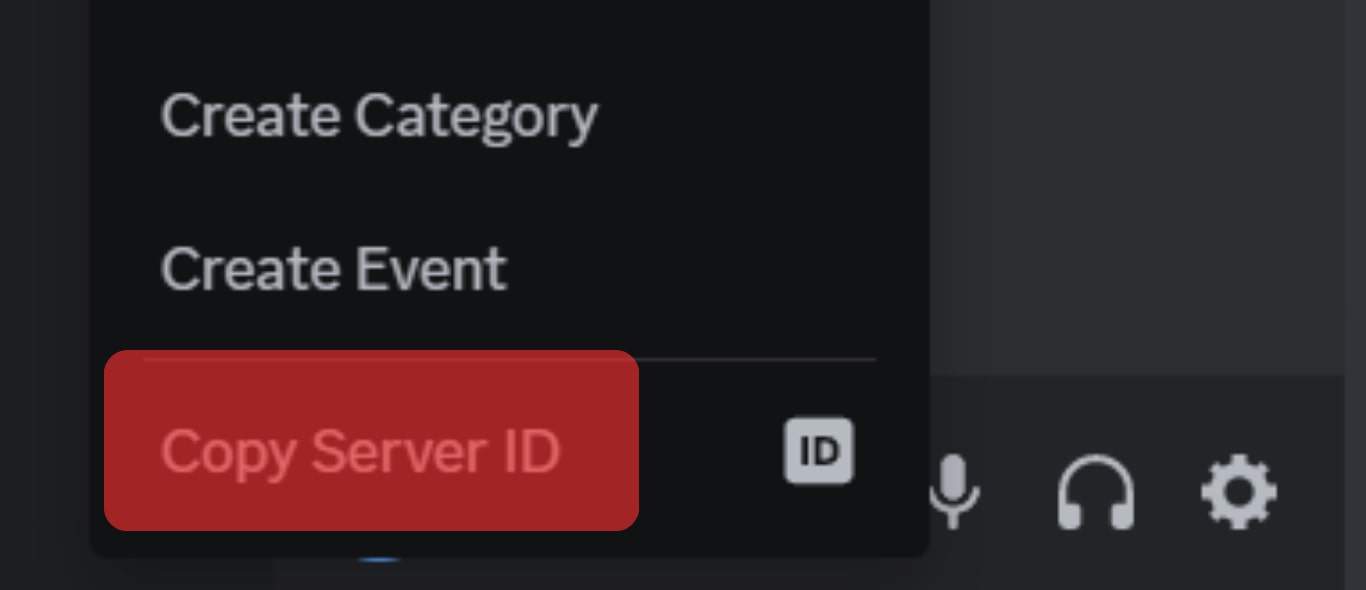
- Locate your target person, right-click on their Discord username, and click the “Copy Id” from the listed options.
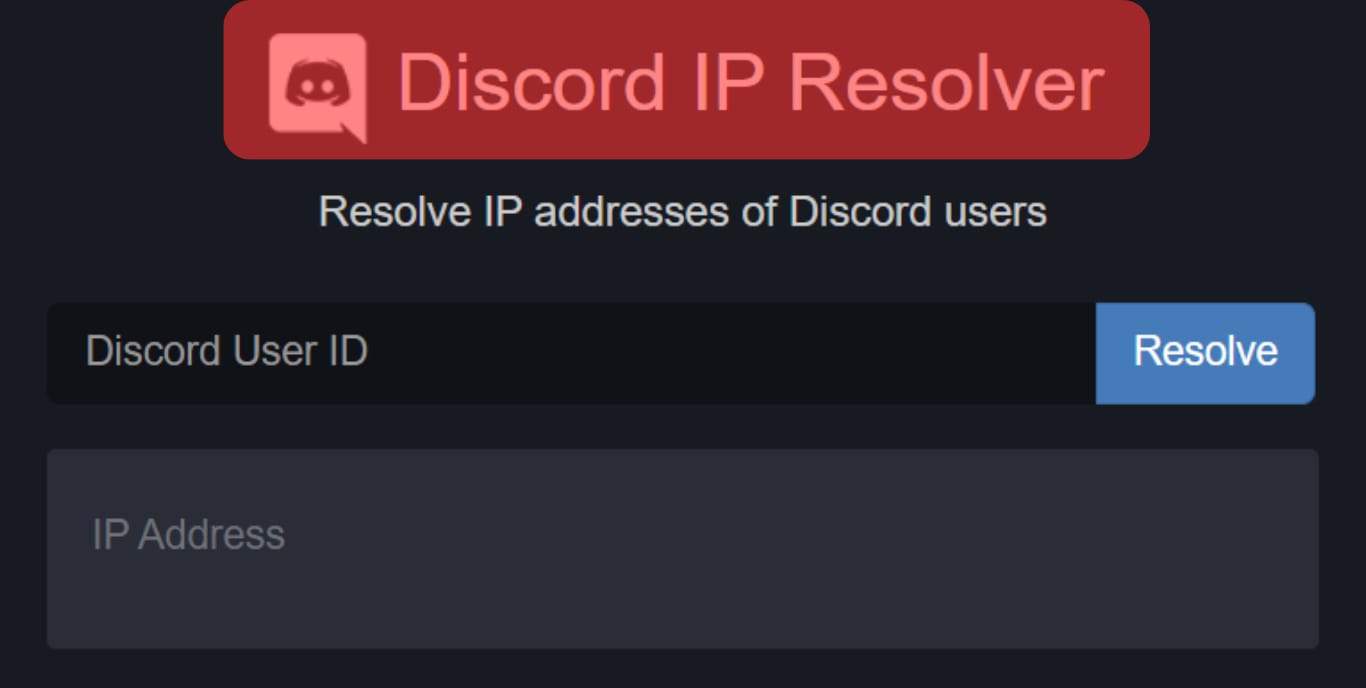
- Open the Discord IP Resolver site.
- Paste the copied ID and click the “Resolve” button.
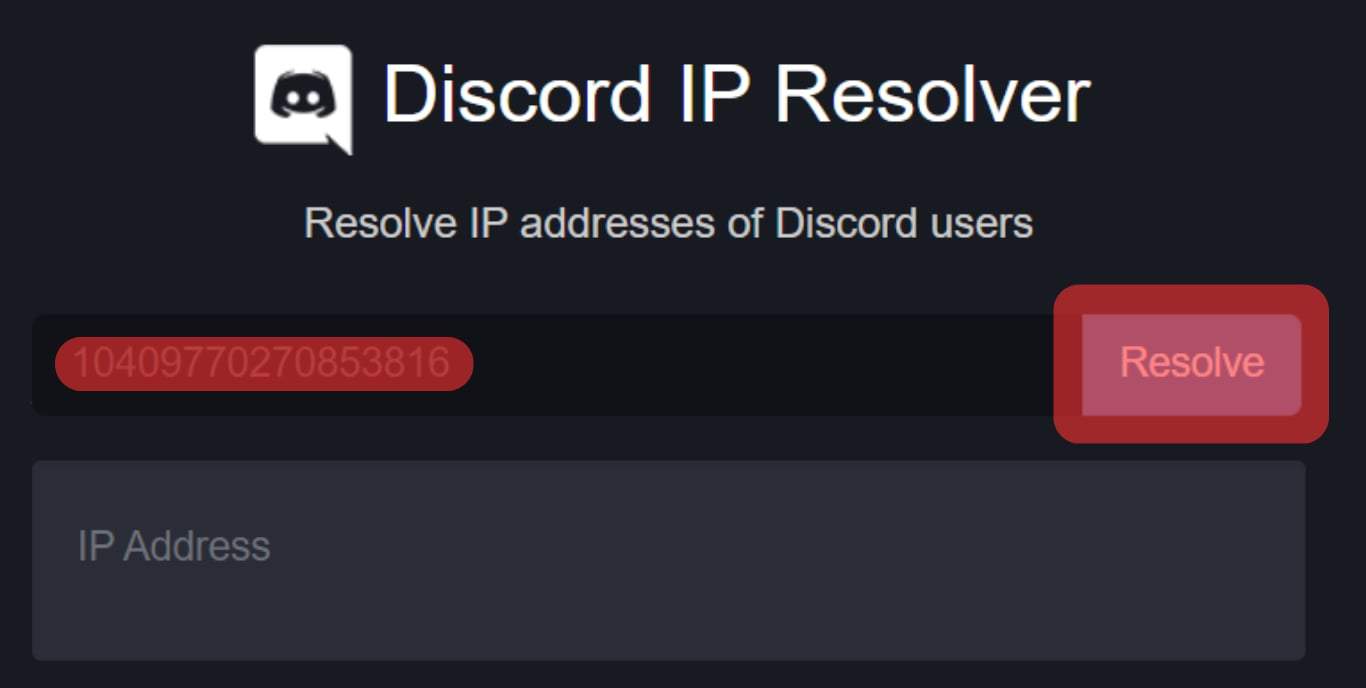
- The target person’s IP address will be generated and displayed on the screen.
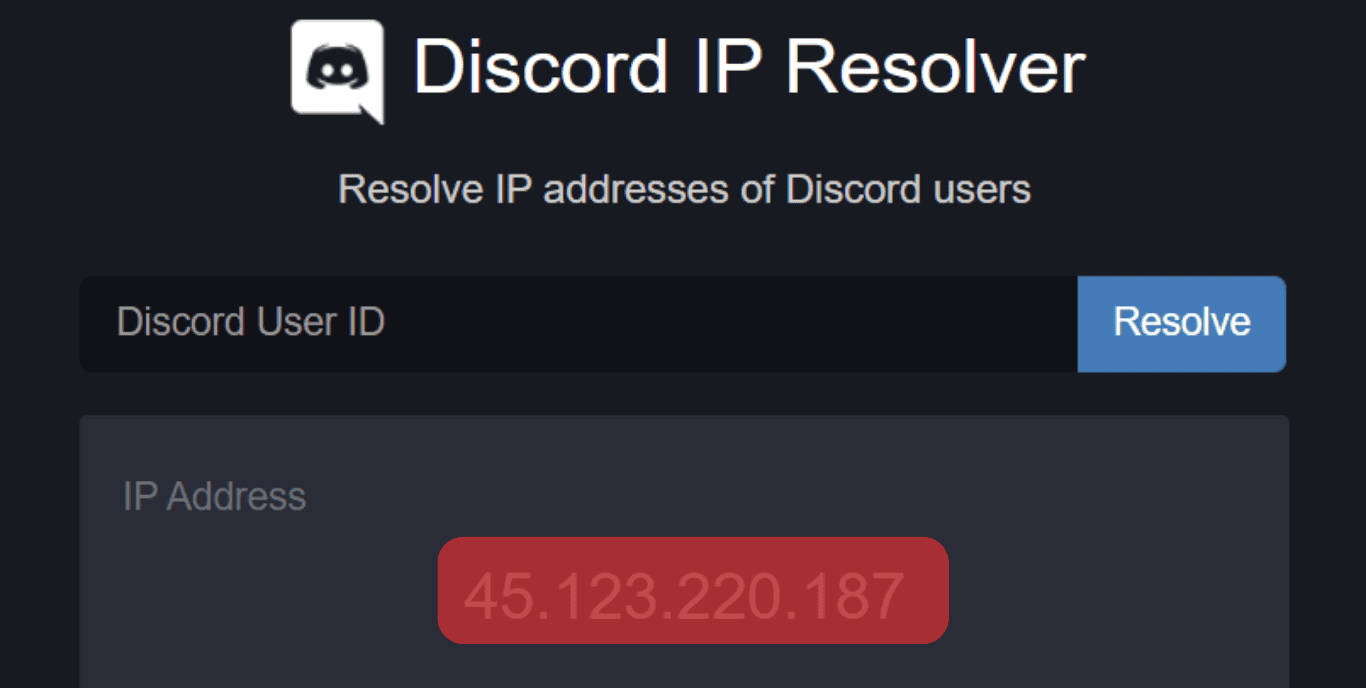
Hopefully, you managed to use any of the methods to find the IP address of your target person using Discord.
Conclusion
We’ve seen three methods you can use to find someone’s IP address from Discord, and by following the presented steps, you will manage to find your target person’s IP address.
Discord IP Address Finder – Free Discord IP Resolver & Grabber (Updated 2023)
Discord IP Resolver: Apps like Facebook, Instagram, Snapchat, Twitter, etc are known for their immense popularity. But there is one app that is slowly stealing the spotlight, it is named Discord. Founded by Jason Citron and Stan Vishnevskiy in the year 2015, Discord was made with the objective of communicating with anyone around the world and play video games together.

In 2020 the motto of Discord was changed because of the covid-19 pandemic. It started introducing server templates that allowed users to join several types of communities and make connections.
The change in objective resulted in an increment of users from 45 million to over 300 million worldwide. There are over 150 million active monthly users. Discord has now become commonplace for teenagers to spend time with.
With the increase in connections in Discord, people now want to grab someone’s IP address from Discord just like in old times, letter friends asking for addresses.
But the question is how you can do that.
Well, you can use Discord IP Address Finder by iStaunch or Discord IP Resolver by iStaunch to find someone’s IP address from discord.
Here you will also find different ways to find someone’s IP address from Discord for free.
Contents hide
Can You Find Someone’s IP Address from Discord?
Yes, you can find someone’s IP address from Discord with the help of Discord IP Address Finder by iStaunch or Discord IP Resolver by iStaunch. However, directly from Discord it is not possible as the app maintains privacy using TLS.
In many instances, one wants the IP of someone but does not know at all how to find it. There is a common belief among most people that Discord hosts its own server there obtaining IP from Discord is next to impossible.
However, there are possible ways with which the IP addresses of the people you are interested in can be obtained. Today, we will discuss three methods by which you can find the IP addresses of the people you are interested in on Discord.
Discord IP Resolver
Discord IP Resolver by iStaunch is a free online that lets you find IP address of Discord users for free. Just enter the username in the Discord IP Resolver by iStaunch and it will find IP address of the Discord user. After that, you can use Discord IP Tracker to track IP address of Discord account.
Discord IP Resolver
How to Find Someone’s IP Address from Discord
Method 1: Discord IP Address Finder by iStaunch
To find someone’s IP address from Discord, Open the Discord IP Address Finder by iStaunch. Enter the Discord username in the given box below. Next, click on the Find IP Address button and you will see the IP address of entered Discord username account.
Discord IP Address Finder
Related Tool: Discord IP Address Tracker [Real-Time Location]
Method 2: Grabify IP Logger (Discord ID to IP)
IP grabbers are the most popular way of finding out people’s IP addresses. Here we will discuss one such IP grabber which is Grabify.
Steps to find IP address from Discord using Grabify:
Step 1: Open the Grabify IP Logger Website on your browser and it will ask you to enter any valid URL.

Step 2: Just enter any website or funny video link in the given box and tap on the Create URL button.

Step 3: You will see a pop-up box “THIS ACTION REQUIRES YOUR CONSENT” “I agree with the Terms of Service and Privacy Policy”, just tap on the I Agree and Create URL button.

Step 4: After that you will be redirected to the Link Information Page. Just copy the New URL is the one that you have to send to the person whose Discord IP address you want to find.

Step 5: If you want to Fatch more information about the Discord user such as screen oriontation, ISP, user agent, browser name and windows version then enable the Smart Logger option.

Step 6: Now initiate the chat with the Discord user and send this IP tracking link.

Step 7: Once the targeted person has clicked on the link, Grabify will fetch their IP address and it will display on the Link Information page.

You can only get the IP address if the user clicks on the URL link sent by you. Otherwise, you won’t be able to get the IP address.
Method 3: Discord IP Grabber
This is an advanced way to get the IP address of someone from Discord. This tool uses advanced technologies to get you the information you want. Discord IP Grabber helps to extract, decrypt or find any IP address you need.
For those of you who haven’t used Discord IP Grabber, here is a step-by-step guide you can follow to extract the IP address:
Step 1: You need to get your user ID first. To get the user ID, you need to join any Discord server and type \@yourusername. In this way, you will get the username. Copy it for the further required steps.
Step 2: You need to go on your Discord account and from settings, you need to click on Appearance. After that enable the checkbox next to the Developer Mode.
Step 3: After turning on the developer mode, go to the user’s Discord profile you need and click copy ID
Step 4: After getting the Discord ID of the user, you can paste it on the Discord IP Grabber Website. There you will see the option Grab and after clicking on it, the IP of the user will be shown on the Discord IP Grabber site.
Following these few easy steps on Discord IP Grabber, you can easily get the IP address of the user.
5. Wireshark (Discord ID to IP)
Existing since 1998, Wireshark is a powerful tool that can be used for protocol analysis, rich VoIP analysis and live capture analysis.
Using Wireshark to get someone’s Discord IP requires some technical knowledge. But don’t worry; if you follow the steps written below in detail, you can easily get the IP address you’re trying to find.
Following are the steps that you need to follow in order to get Discord IP using Wireshark:
Step 1: To use Wireshark, you will first have to download the app before using it. Go to the website, there you will find the download section. From the download section, you will have to choose the version suitable for your operating system and download it. After that, an install file will be downloaded and you will have to install that.
Step 2: In Wireshark, there are a variety of options to track almost everything. There are lots of options for page capturing which includes Discord too. One can catch packages from Wireshark and see information about the user which will contain the IP of the user.
Step 3: The computer/laptop starts to perform a lot of processes in the background which is why you might have to capture lots of sources. You can filter the sources using Wireshark functions.
Step 4: After filtering the functions you will have to make sure your Discord is turned on and you’re speaking to the user whose IP you need. Wireshark will be capturing it.
How to Search Discord Packages on Wireshark?
You might wonder how you can search for Discord packages on Wireshark. We will exactly be discussing that here.
As you might already know now, Wireshark captions every process your laptop/computer does on the internet. To find the Discord Packages here are a few steps.
Step 1: In Wireshark special window search Discord. After the search, it will show all the current ongoing processes which will enable the user IP.
Step 2: To get the IP from Discord, you will have to look for all the incoming packages. If you want to find the IP of a particular user, you need to type their username by searching on the search bar of the Wireshark app and you will be able to get the IP.
One can obtain the IP address on Discord by Wireshark following the steps mentioned above. However, using Wireshark will require you to have intermediate technical knowledge.
Also Read:
- How to Know if Someone Read Your Message on Discord
- How to Bypass File Size Limit on Discord
- Discord Age Checker – Check When Someone’s Discord Account was Created
- What Does “You do not have permission to send messages in this channel” Mean on Discord?
Dharmesh Donda
iStaunch is written by Dharmesh Donda, an avid Internet geek, IT professional since 2012. Have been in IT industry for more than a decade, and currently doing management and consulting work have taken a plunge into entrepreneurship.
3 Simple Ways to Get Someone’s IP Address from Discord [2024]

FamiSafe enables parents to limit kids’ screen time and detect explicit content shared on Discord. It also allows parents to block Discord with one simple tap. Click here to enjoy the 3-day free trial!
Every device with internet access today has its IP address. This provides you with access to the internet and several apps like Discord. Discord is an excellent chat platform commonly used by gamers and corporate people. Most people believe it’s impossible to get someone’s IP address from Discord because of its strict TLS security. However, that’s not true. This article will help you discover how to get someone’s IP address on Discord.
There are different situations where you might want to get someone’s IP. However, you should know there are risks as some methods require getting the user to open a link. Additionally, you shouldn’t use the methods below for illegal purposes. If you would like to proceed, keep reading for 3 simple ways of getting someone’s IP address from Discord.

Table of Content
Method 1: Use Discord IP Grabber
Just like the name implies, Discord IP Grabber is one of the best Discord IP trackers you can find. If you simply want to grab someone’s IP on Discord, this app is a great option to go with. It is a python tool that sends the person’s nationality, IP address, and every other information you’re looking for through the Discord network. Once you visit a webpage through Discord oauth2, this Discord IP tracker grabs a Discord user’s tag and IP address. Keep reading to know how to get someone’s IP from Discord using Discord IP Grabber.
Step 1. Visit the Discord developer site through the website

Step 2. Next, click ‘new application’ and name the application whatever you would prefer.
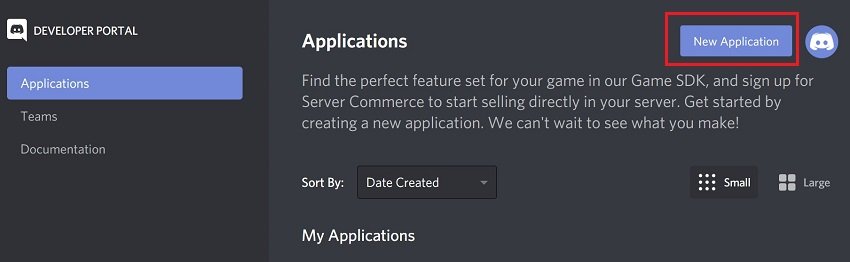
Step 3. Afterward, visit OAuth2 and add a redirect URL you want
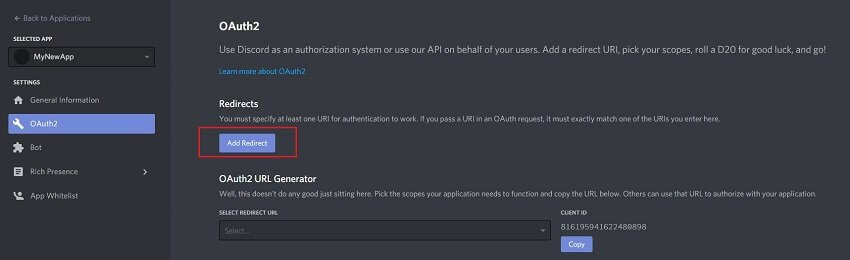
Step 4. Now, copy the user’s ID and secret and enter it into the .php file
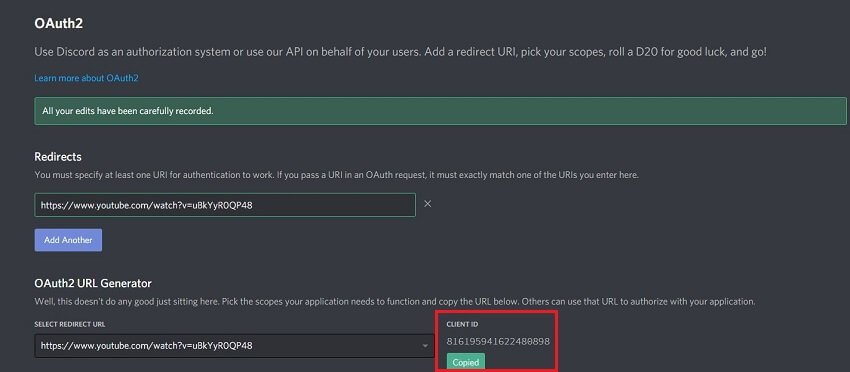
Step 5. Ensure you create a new file in the same directory and name it logs.txt
That’s all you have to do; now you have the Discord user’s IP address, and you can use it for what you want.
Method 2: Use Discord IP Resolver
The next Discord IP tracker you can use to get someone’s IP address on Discord is Discord IP Resolver. It is a tracking tool that utilizes advanced technology to retrieve any information you’re looking for. Discord IP Resolver works by carrying out a packet interception scan method. It uses this method to extract, decrypt, and fetch any user’s IP address you’re looking for.
It works by first sending spoofed packets that are specially modified, and the app’s AI algorithm adapts to the user’s location. Next, the IP will send the encrypted packets back, providing the information you need. Follow the easy steps below to learn how to get someone’s IP address on Discord using Discord IP resolver.
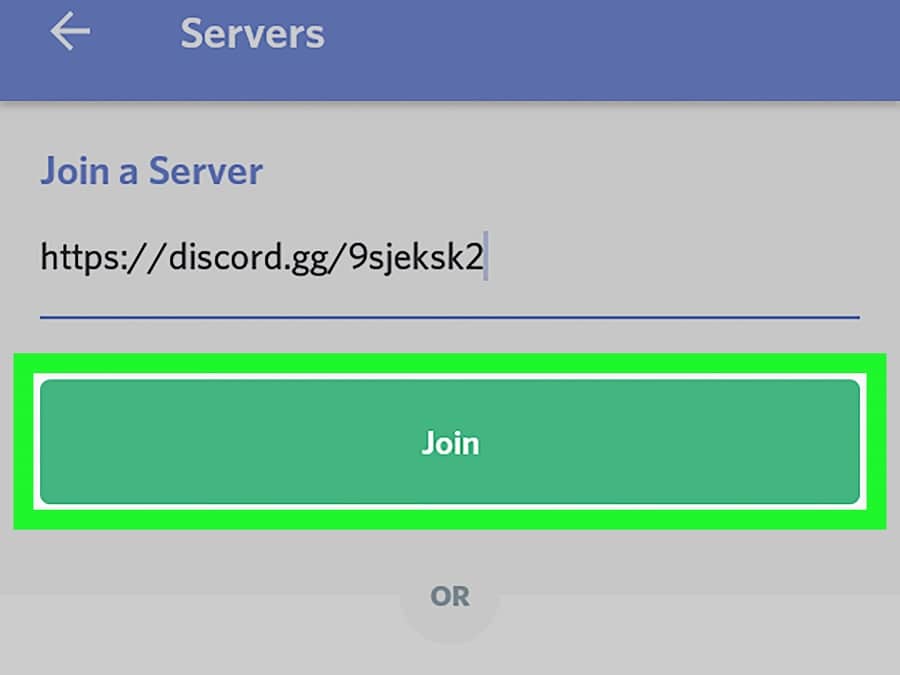
Step 1. First, you have to get your user ID. This is relatively easy; simply join a server on Discord and then type ‘/@yourusername.’ Doing this will provide your user ID; copy it to continue.
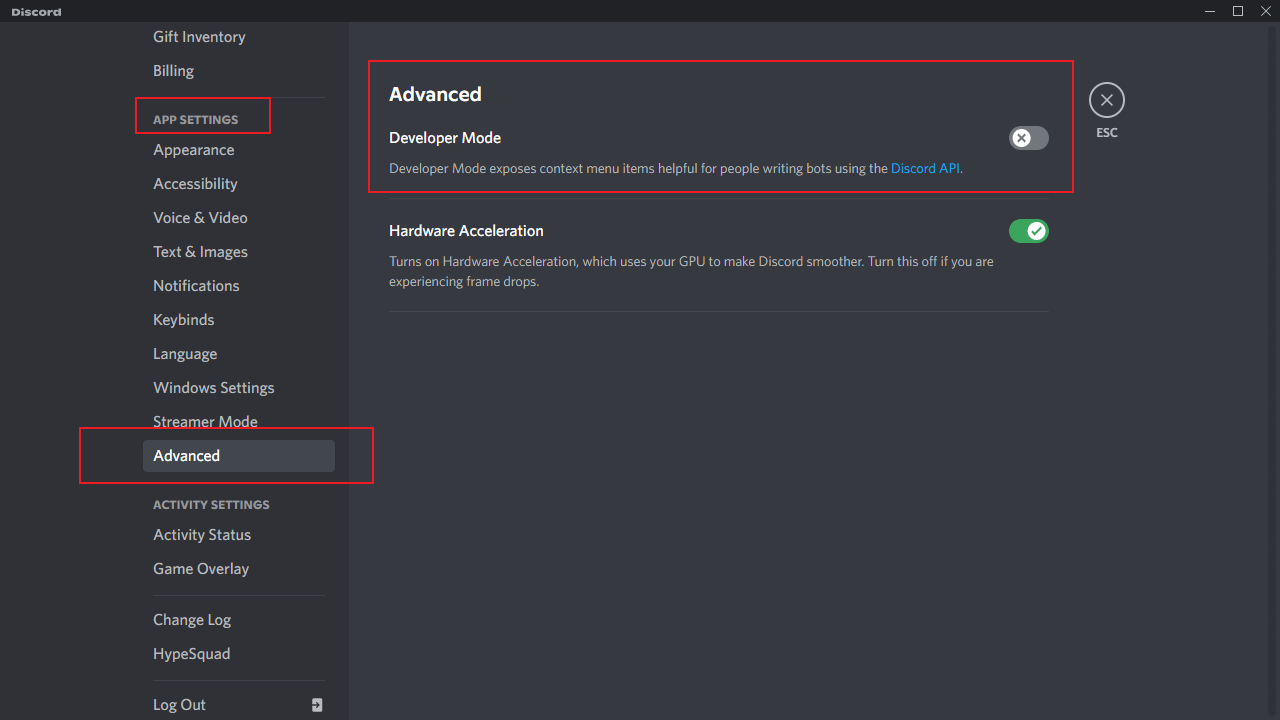
Step 2. You have to turn on Discord developer mode to proceed to the next step. Visit the ‘settings’ on your Discord account and navigate to ‘Advanced.’ Now, check the box next to ‘developer mode.’
Step 3. Afterward, right-click on the user’s profile you need and select ‘copy ID’ from the options provided.

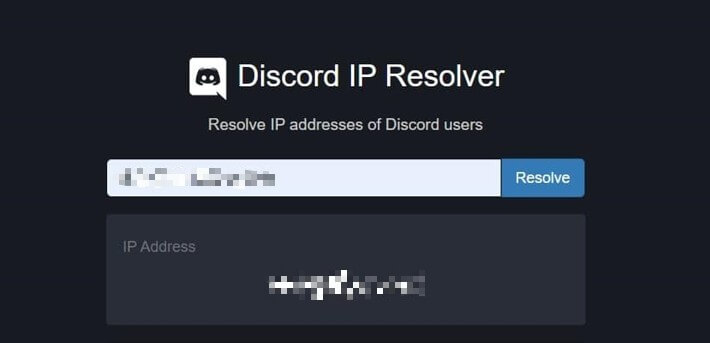
Step 4. Now, go to the Discord IP resolver website and paste the Discord user IP in the space provided. Select ‘resolve’ to proceed, and this will show you the user’s IP address.
Here are more articles about Discord:
Method 3: Use IP Logger
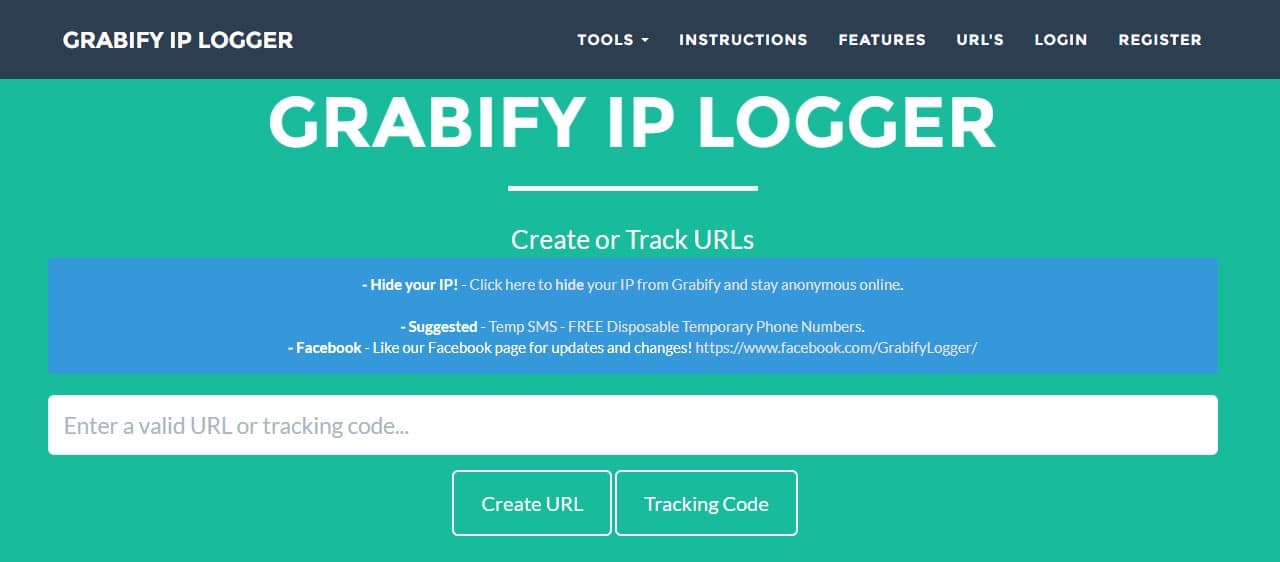
Another easy way to get someone’s IP address from Discord is IP Logger. It is a great Discord IP tracker that allows you effortlessly find and grab someone’s IP. However, you should note that this solution only works if the person doesn’t mind clicking on the link. To find out how to get someone’s IP from Discord using IP Logger, follow the steps below.
Step 1. First, you have to get the person’s URL; this is the link that leads to their page. Copy this link from their profile, and you can move to the next step.
Step 2. Once you have the link, visit IP Logger and enter the user’s address in the space provided. This would generate a link you need to share with the user you want their IP address.

Step 3. Copy the tracking code that IP Logger generates when they provide this link. This address is crucial because it helps you track the user later.
Step 4. You can mask the domain name to prevent the user from seeing IP Logger using a link shortener.

Step 5. Next, share this link with the user and ensure they click it. You have to create interest in the link, or you won’t have access to the IP address.
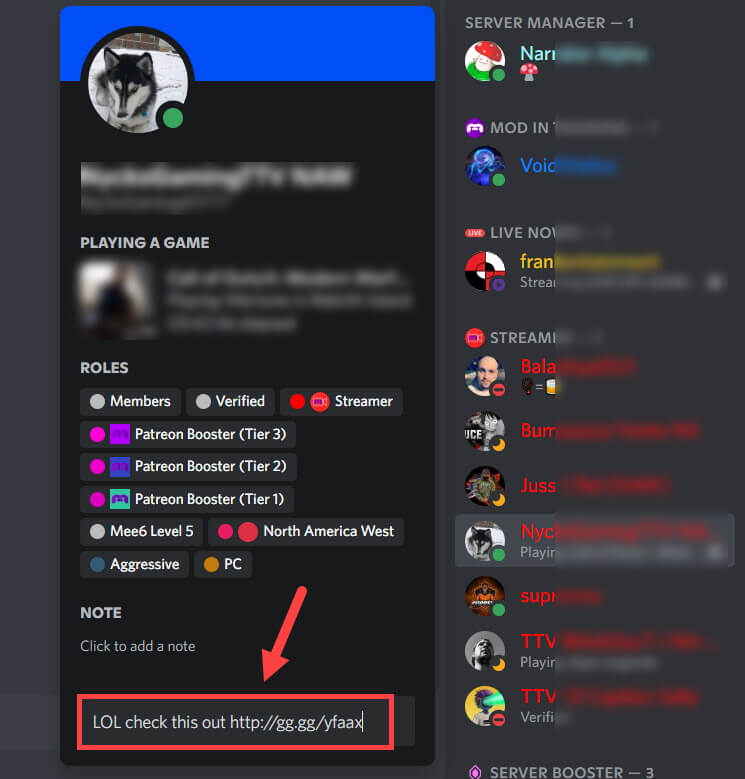
Step 6. Once they click on it, you can use your tracking ID to check the IP address grabbed by IP Logger.
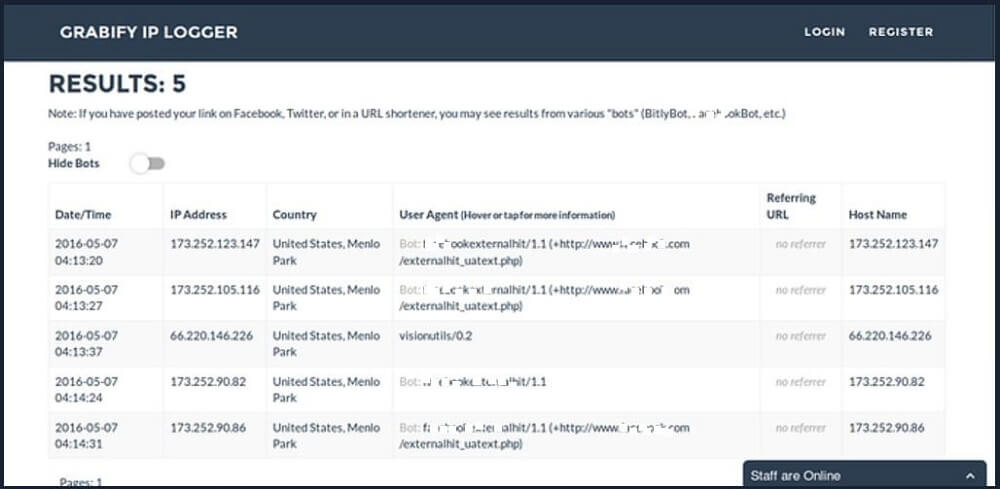
That’s it; now you know the three simple solutions to getting someone’s IP address on Discord.
How to Hide your IP Address?
Now that you know how to get someone’s IP address on Discord, you’re probably wondering if there are effective ways you can protect your IP address. Well, you’re in luck. This section covers the two most effective ways to make that happen.

1. Use a Virtual Private Network (VPN)
A Virtual Private Network is a simple way to hide your IP address from Discord users effectively. A VPN app redirects your internet traffic through a private server, replacing your original IP address. VPN servers are available in countries worldwide, so you can change your IP address to any country. However, that’s not all a VPN can do; below are some of its other benefits.
- VPN helps to encrypt your connection, making it harder to trace your online activity back to you.

- It enables private browsing for the user
- It evades regional geo-blocks to give you access to streaming content
- VPN apps are usually intuitive, making them ideal for all experience levels
Most VPNs are based on subscription, so you have to make a monthly or yearly payment to access its few features. However, some of them come with a money-back guarantee and a free trial to determine if the VPN is the best option for you. To set up a VPN on your device, follow the steps below.
- Download a VPN of your choice
- Choose a server from the list; VPN apps usually organize the servers by location, so choose a location.
- Next, click ‘connect’ to connect to the server. In some situations, you simply have to click on a location to connect to the new IP address.
2. Use a Proxy Server

Another way you can protect your IP address after learning how to get someone’s IP address on Discord is by using a proxy server. A proxy server works just like a VPN. It acts as an intermediary between the web and your device. This way, Discord and every other site only see the IP address of the proxy server and not yours. Like a VPN, you can also choose from different server locations, and they’re usually free.
You should note that they lack the security features available with VPN. For example, proxy servers do not encrypt your connection. Therefore, third-party sites can still view your online activities and collect data. To learn how to use a proxy server to protect your IP address, follow the steps outlined below.
- Choose a proxy server
- Next, enter the site URL you would like to access while hiding your IP address.
- You should also choose a location if available and then click ‘enter’ to continue.
This would open the website in the browser window. However, it will be using the proxy server’s IP address.
How to Track Your Kids’ Addresses from Discord?
Most people learn how to get someone’s IP address on Discord to know their location. However, if your kid is on Discord and wants to know their real-time location, you don’t have to learn how to get someone’s IP from Discord. Wondershare Famisafe is the best location tracker to use. This app is excellent for tracking your kid’s online activities and real-time location. This eliminates the need for a Discord IP tracker, and you no longer have to ask your kid for their location before you know where they are exactly. Some of the tracking features of Wondershare FamiSafe include:
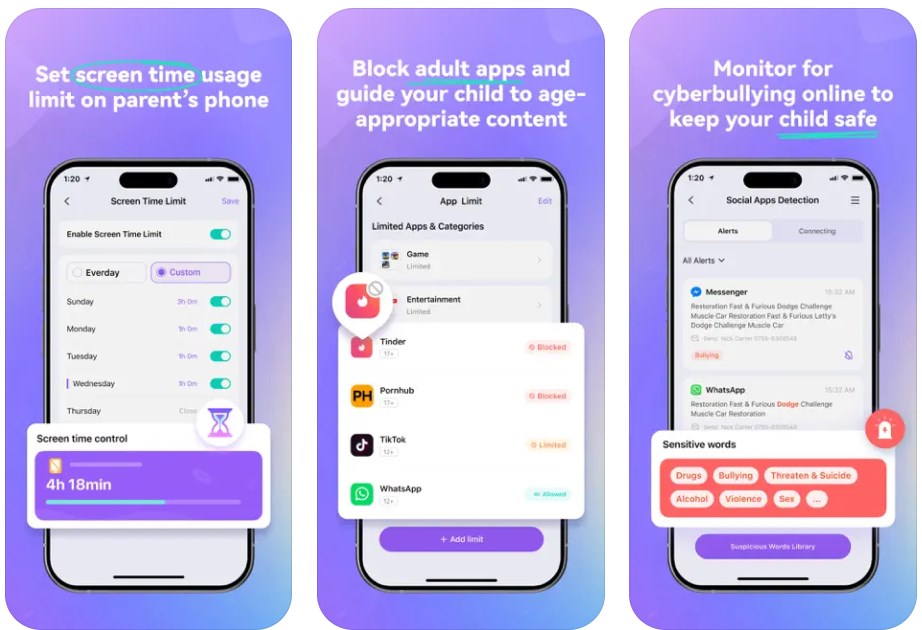
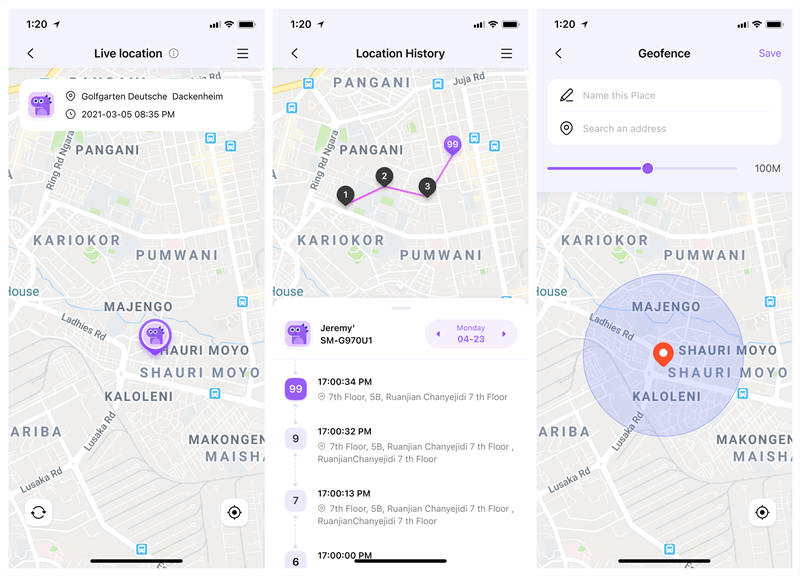
If you want to know the real-time location of your kid, this FamiSafe location-tracking feature will ease your concerns. It gives you access to their real-time location at any time of the day and wherever they are. It also provides you with a record of where your kid has been for the last 30 days.
Geo-fencing works like a kid tracker and helps you create Geofences areas. This means you can create special perimeters and locations on the map. For example, some locations could be school, home, library, etc. Then, if your child ventures out of this imaginary boundary set on Wondershare FamiSafe, you’ll receive a notification, and you can take immediate action.
Here is a video guide that shows you how to use FamiSafe to track kids’ locations.
If you prefer text guide, here are the steps to Set Up Wondershare Famisafe:
Step 1: Download the Wondershare Famisafe app on your Device. You can do this from Google Play Store, App Store, or the online version.
Step 2: Launch the app on your device and create an account with your email and password.
Step 3: Register as a parent, and this would generate a pairing code you can use to link your kid’s device.
Step 4: Download the Jr app on your kid’s device and register as a kid.
Step 5: Enter your pairing code into the space provided and then create a nickname for your kids and enter their age.
Step 6: Now, grant permissions to give FamiSafe access to your kid’s device.
Step 7: Set up the FamiSafe features you would prefer.

Conclusion
If you want to learn how to get someone’s IP address on Discord, the methods in this article will help you easily find the IP address of anyone in this article. However, you should consider the person you’re grabbing their ID and avoid using it for illegal activities. If you want to effectively protect your IP address, using an effective VPN service or a proxy server is best to get it. However, you should note that this doesn’t guarantee your safety from hackers.