Как положить Discord сервер

Вертикаль
Привет!
Данная статья представлена исключительно в ознакомительных целях и не несет призыва к действию. Вся информация направлена на то, чтобы уберечь читателей от противозаконных действий.
$ apt install nano
$ apt install python3
$ pip3 install discord
$ pip3 install colorama
$ pip3 install requests
$ git clone https://github.com/GlUTEN-BASH/discord_crasher
Для начала нам нужно отредактировать файл modded.py, и в самом конце найти строку, в которую вставить свой токен:
$ lol — автокраш сервера;
$ spam — спам сообщениями в определенном канале;
$ delroles — удаление всех ролей что сможет бот;
$ supme — выдает роль с правами администратора тому кто ввел, нужно указать место роли, желательно выше обычной роли пользователей;
Уничтожаем чужой дискорд сервер
DARK NET
DARK NET
ФАРМИМ ХАЛЯВУ — Канал с разной халявой в интернете
ПОЛЕТЕЛИ
Данная статья написана только для образовательных целей. Мы никого ни к чему не призываем, только в целях ознакомления! Автор не несёт ответственности за ваши действия!
Всем добрейшего времени суток!
Сегодня я бы хотел поделиться довольно прикольной штукой, которая заставит довольно не хило напрячься создателей Discord серверов.
Для начала нам необходимо загрузить на своё устройство программу-спамер, которая собственно и будет запускать наших ботов и спамить от их имени.
Вот ссылка на Yandex Disk (надо будет сначала сохранить себе на диск)
>> Архив без пароля и без вирусов. Можете смело закидывать куда-угодно, тестировать, сканировать на вирусы
Распаковываем скачанный архив в любую папку.
Далее на нашем основном Discord аккаунте, с которого мы будем наблюдать за спамом включаем режим разработчика.
Настройки — Расширенные — Режим разработчика (это надо для получения ID канала в котором будет спам).
Теперь нам необходимо подготовить Discord аккаунты, которые будут спамить. Нам нужны их Authorization токены.
>> Если хотите чтобы спам был и на серверах, которые требуют подтверждённую почту — нам необходимо либо самим создавать почту для
>> аккаунта и подтверждать её, либо воспользоваться сервисами для временных почт
Заходим на сайт Discord и нажимаем «Открыть Discord в браузере» или «Войти»
Если у вас уже выполнен вход в аккаунт — выходим из него. После, в окне входа в Discord аккаунт выбираем «Зарегистрироваться».
Теперь, если вы хотите подтверждённую почту — в поле email вводите раннее созданную почту или почту из онлайн сервиса временных email’ов.
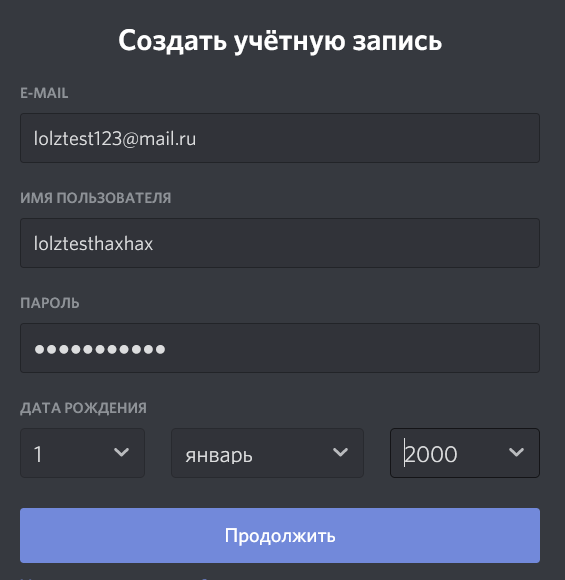
Сейчас нам надо получить тот самый токен. Нажимаем F12 в браузере или Ctrl+Shift+I (ай) в приложении
В открывшийся панели заходим в раздел «Сеть» или «Network«.
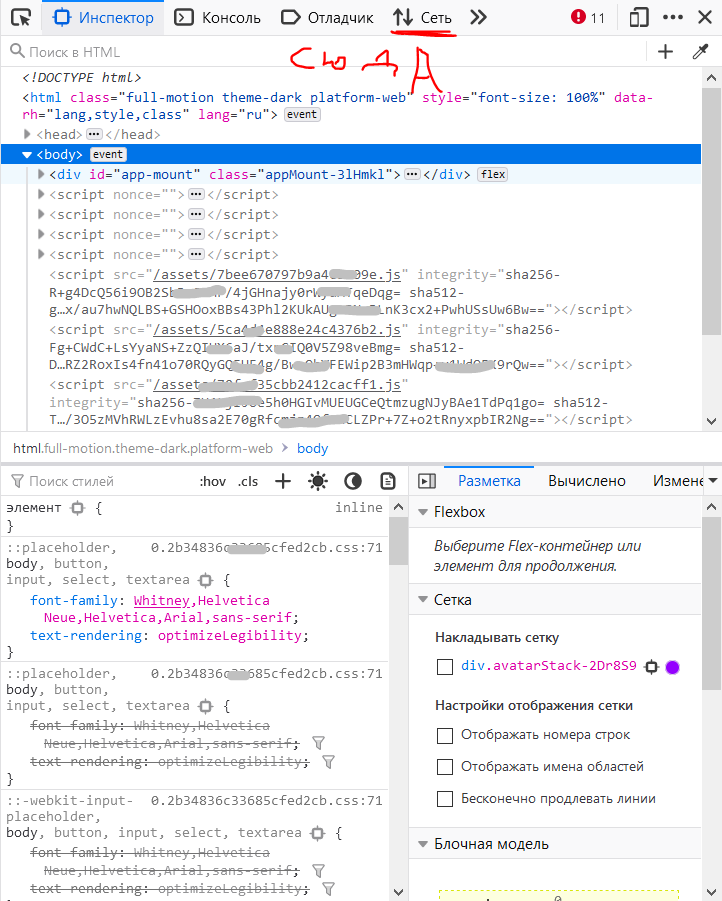
Обновляем страницу нажав F5.
У нас на экране появляется куча всего, но мы не паникуем. Среди всех этих «штук» находим то, что выделено красным под названием library и заходим туда.
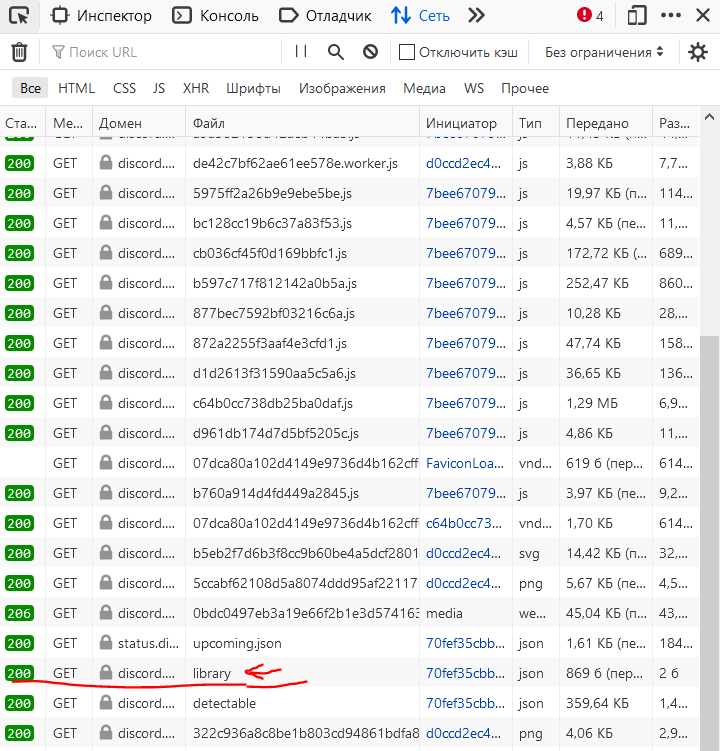
Ищем раздел «Заголовки» и там, среди огромного кол-ва строк находим Authorization. Весть текст, который идёт после » : » — наш токен. Важно его правильно скопировать, иначе ничего не получится, и копировать надо Ctrl+C
Как же их теперь использовать?
Заходим в папку «OpenDiscordHaxx» — «bin» — «Debug» и тут создаем txt файл с названием «Tokens».
В этот файл закидываем наш(-и) токен(-ы) и сохраняем.
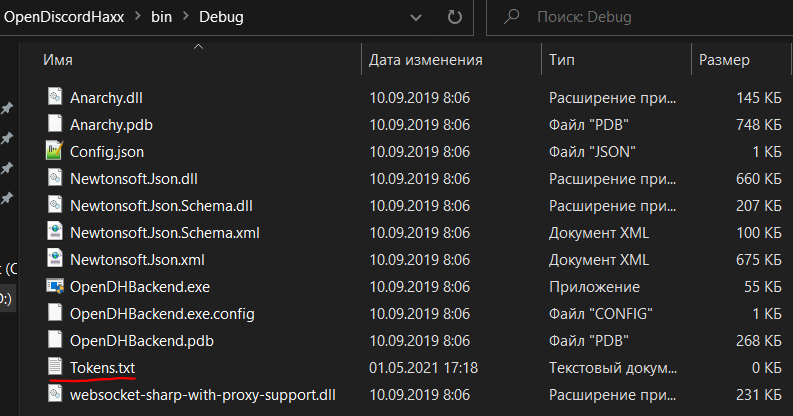
Открываем «OpenDHBackend» для того чтобы запустить нашу программу и она считала все токены и использовала их.
Заходим в самую первую папку «Discord-Spammer» и дальше переходим в «OpenDiscordHaxxUI». В этом каталоге находим «Dashboard» и запускаем его, у нас открывается панель в браузере. Переходим в «Start attack» — «Joiner», вставляем туда ссылку-приглашение на дискорд сервер и нажимаем «Start».
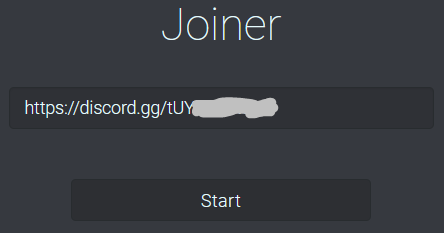
Отлично! Наш бот зашёл на сервер (если конечно вы сделали всё правильно)
Нажимаем ПКМ по каналу, в который хотите отправлять сообщения и нажимаете «Копировать ID»
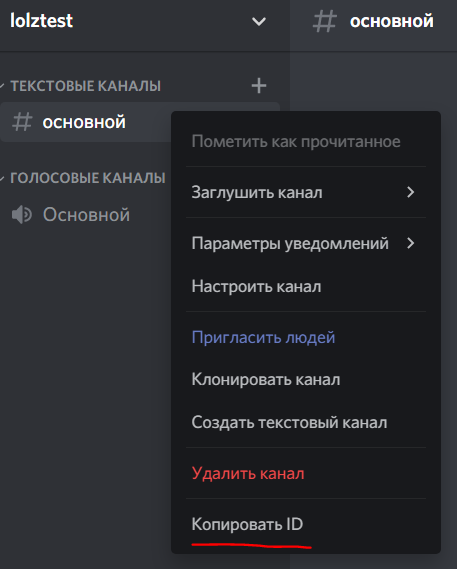
Далее заходим в нашу панель, в «Start attack» выбираем «Flooder» и заполняем поля. (Channel ID — тот ID, который мы скопировали)
Start и всёёёёё, спам полетел.
Сразу хочу предупредить: подобные аккаунты очень легко улетают в банлист. Если не работает с самого начала — попробуйте подтвердить почту или номер телефона (можно купить за 0.5 руб)
>>Теперь хочу рассказать: как от этого защититься
Всё очень просто: достаточно в настройках модерации сервера установить самый жёсткий уровень. Если этого не достаточно — поможет самый обычный бот-модератор. Самая крутая защита — создание различный типов верефикаций, например чтобы получить доступ к чату пользователю необходимо прожать реакцию (всё это делается через бота)

Наши статьи
Наши проекты
�� NIGHT ROOM — канал с интересными подборками различных сервисов на все случаи жизни, СМС — Бомберы, слив полезного софта.
Как положить сервер Discord?
Доброго времени суток! Представляем вашему вниманию утилиту Discord crasher → ТЫК ←, которая может спокойно положить сервера дискорда.
Погнали!
1. Для установки используется:
$ apt upgrade
$ apt install nano
$ apt install python3
$ pip3 install discord
$ pip3 install colorama
$ pip3 install requests
$ git clone https://github.com/GlUTEN-BASH/discord_crasher
$ cd discord_crasher
2. Токен настраивается следующим образом: Первым делом нам нужно отредактировать файл modded.py, и в самом конце найти строку, в которую вставить свой токен:
nano modded.py
$ client.run(‘токен’)
3. Утилита может выполнять следующие команды:
$ lol — автокраш сервера.
$ spam — спам сообщениями в определенном канале.
$ delroles — удаление всех ролей, что сможет бот.
$ supme — выдает роль с правами администратора тому, кто ввел команду. Также, необходимо указать место роли, желательно выше обычной роли пользователей.
How to DDoS a Discord Server
By Biddrup Mallick Written by Biddrup Mallick I am a freelance writer with over 450 completed projects. I have written to more than 200 satisfied clients since 2011, completing more than 10 projects for each of these clients that added up to over 1 million words. My success stems from my ability to create logical arguments and meeting deadlines while staying true to the company’s voice and brand identity. In 2013, I won an award from Elance for being the top-rated provider in my category!
Updated on July 4, 2022
Contents
WARNING: DDoS can cause serious financial damage to another person, and we DO NOT recommend anybody doing this. However, if you’re the admin of a Discord server and you’re worried about how someone could DDoS your Discord Server, then read on!
A Distributed Denial of Service (DDoS) is a cyber-attack on a service, server, or website. DDoS attacks usually channel massive internet traffic towards one site to overwhelm it.
Knowing how to DDos a Discord server is not as direct as on other platforms. Discord operates on a closed IP architecture, making it difficult for users to experience DDoS attacks.
Even if DDoSing a Discord server is hard: it’s not impossible.
In this guide, you’ll find information on how to DDoS a Discord server in simple steps. Making the most of these steps eases any DDoS attempt you plan to undertake.
Can I DDoS My Own Server?
Initiating a DDoS attempt on your server is legal. Since you have access to the connection, servers, and network, you’re not committing a crime.
However, you’re only allowed to test your own network defenses with a DDoS attack. Running a DDoS attack on a server you don’t own is not legal.
Is It Possible for Someone to DDoS Your Discord Server?
It is possible for somebody to DDoS your Discord server. However, it’s not an easy task to complete. Discord uses a client-server build for voice and text communications, securely cloaking IPs in most cases.
However, some lapses may exist and tech-savvy individuals can still source a server’s IP from Discord.
How to DDoS a Discord Server
Two ways exist to DDoS a Discord server. Here’s a detailed look at each method with complete steps:
First way to DDoS a Discord server: Through server attacks
Follow these steps to DDoS a Discord server:
Step 1: Locate the server’s IP address
You can find a server’s IP address by visiting any of its pages through your Web browser and typing Ctrl + Shift + I. These keys will reveal much information about a server, including its IP address.
Step 2: Initiate DDoS protocols against server IP
Initiating a DDoS protocol involves directing overwhelming internet traffic towards a server. Such protocols involve channeling traffic from other sites or using a barrage of spam texts against the server.
A sustained DDoS protocol against one server IP or datacenter will slow down its operations or cause a shutdown.
Step 3: Confirm results
After initiating the protocols, it’s time to visit that server you targeted to check for results. Confirm if the server is difficult to access or offline; if any of these results are visible, the attack is successful.
Second way to DDos a Discord server: Through bot inclusions
Take the following steps to DDoS a Discord server:
Step 1: Locate the server’s IP address
You can locate a Discord server’s IP address by using the Inspect function through your Web browser. All you need to do is access the Discord server from your PC and press Ctrl + Shift + I.
After this, you can locate the server IP address from codes running that particular server. It’s also possible to locate a Discord server IP using the basic ping script of your device’s command prompt.
Trying to locate an IP through any of the above means could be tasking. Such an effort also requires some coding experience and may take some time to complete.
Step 2: Direct bots to infiltrate the server architecture
Several online bots are capable of directing internet traffic towards sites to generate clicks and visits. You can direct several of these bots to infiltrate the Discord server and bombard it with traffic.
A successful infiltration attempt will log massive traffic towards the Discord server, which may slow down its operations. In other cases, such an attempt may completely shut down a Discord server for extended periods.
Step 3: Confirm results
The best way to confirm if the DDoS attempt is successful is to visit the targeted server. If the server is still running, then your botnet infiltration may not have directed much traffic to that server.
You can try to initiate another attempt until the server stops being operational or becomes hard to access. That way, you can be sure of a successful DDoS attack on your target Discord server.
How Much Does It Cost to DDoS a Discord Server?
The regular cost to DDoS a company server like that of Discord could cost $1 per minute. But some organized, high-end DDoS attacks could cost about $670 per minute or more.
Expensive DDoS attacks usually target large servers and may cause lengthy shutdowns if successful.
Is DDoSing Illegal?
Initiating a DDoS attack on a server you don’t own is illegal. DDoSing a server is a US federal crime and attracts serious penalties upon conviction.
How Can I Tell If I Am Being DDoSed?
You will know if you’re a victim of a DDoS attack if your server continually responds with a 503 error. A DDoS attack may be targeting your server if you notice too many requests on your IP too.
Can You Go to Jail for DDoSing?
In the US, anyone convicted of starting a DDoS attack without permission will face 10 years in prison. Serious DDoS offenses may lead to a prison sentence and a $500,000 fine.